Basic operation
55
Basic
operation
7. Setting the control panel
Switching the sub display
The display contents of the sub display can be switched between the audio source display and
the clock display.
Press until you hear a
beep.
● Each time the button is pressed, the
audio source display and clock display
are switched.
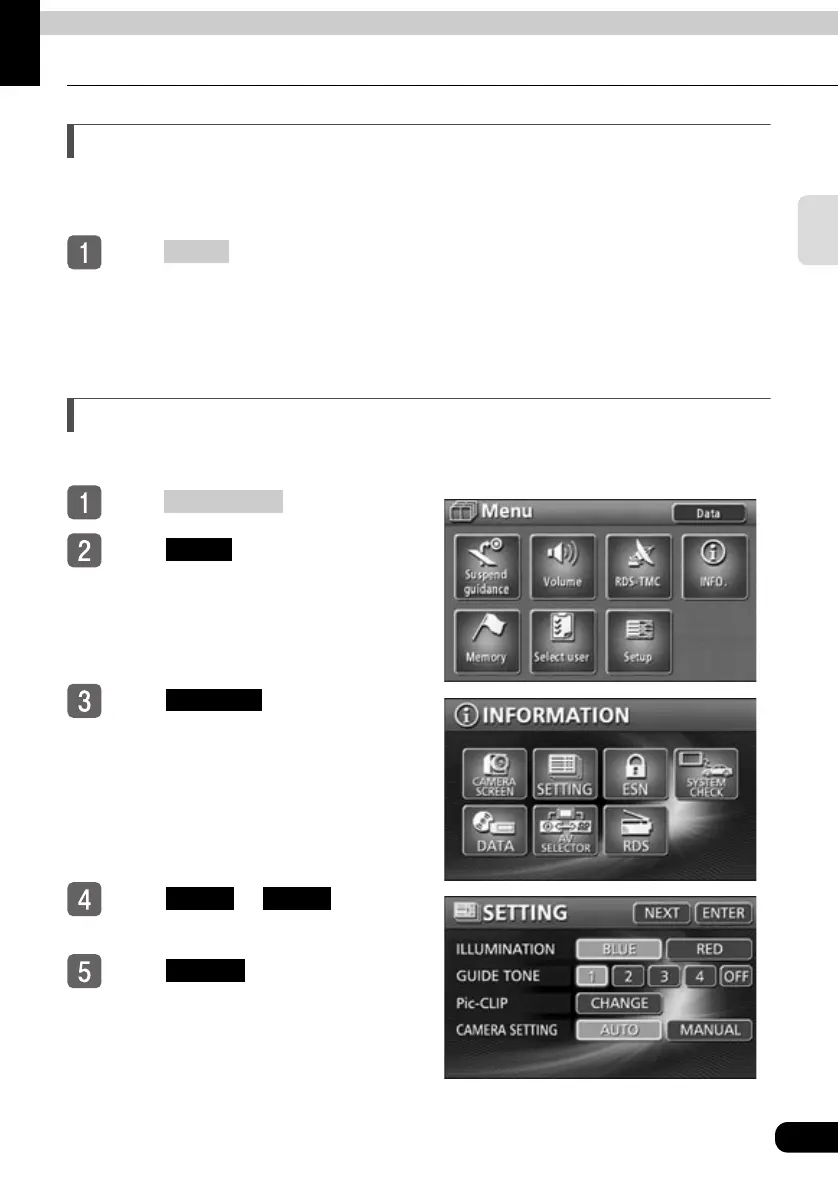
Switching the control panel illumination
The control panel illumination color can be switched between blue and red.
Press .
Touch in the MENU
screen.
Touch .
Touch or for
ILLUMINATION.
Touch .
DISP
NAVI MENU
INFO.
SETTING
BLUE RED
ENTER



 To Next Page