67
RADIO
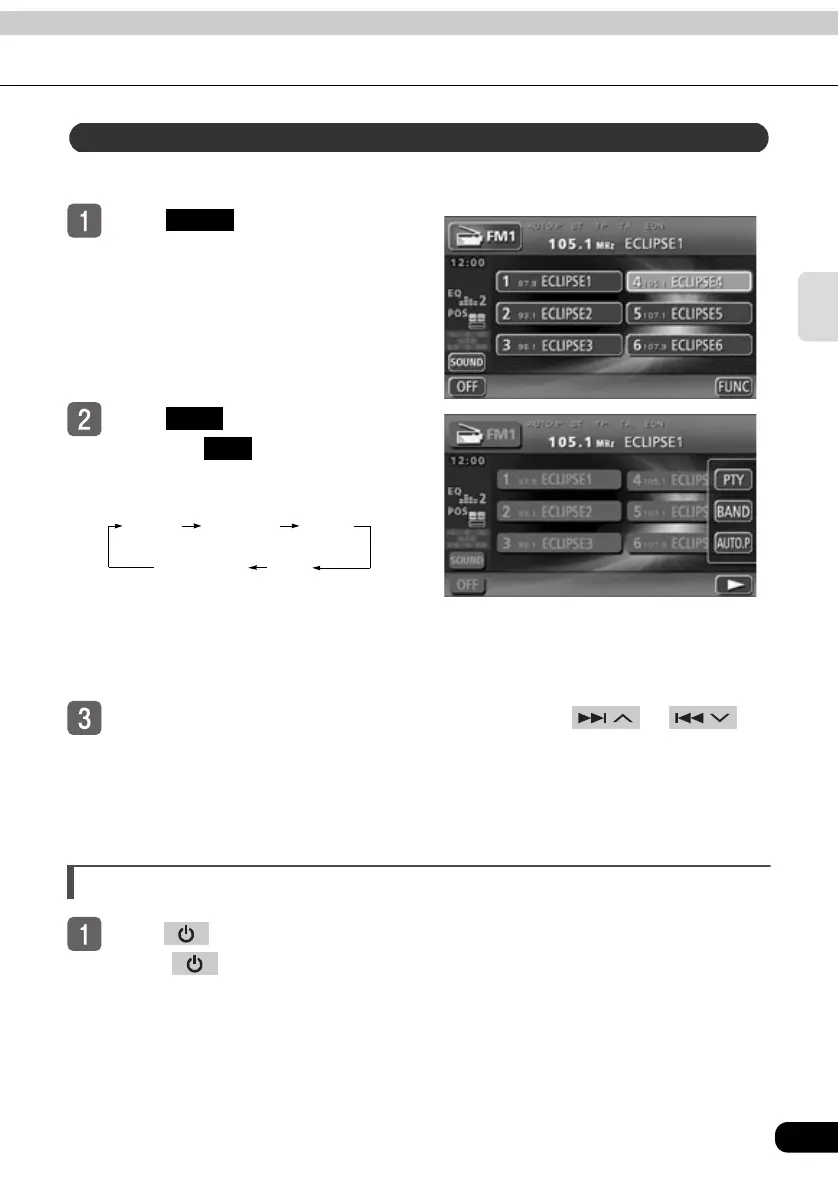
The RDS station genre can be selected. Programs of the selected genre will be received.
Touch in the FM operation
screen.
To u ch .
● Each time is touched, the genre
will be switched in the order shown
below.
● When the genre is set to TALK, the
switching order starts from TALK.
● If the station does not support program
types, “NO PTY” is displayed.
While the selected PTY is displayed, press and hold or
until you hear a beep.
● The device will begin searching for a station that is broadcasting a program matching
the selected PTY.
● When no matching programming can be found, “NOTHING” is displayed.
Turning off the radio
Press .
● Press again to turn on the radio and resume reception of the radio station
(frequency) received before power was turned off.
Setting PTY (Program Type)
FUNC
PTY
PTY
NEWS SPORTS TALK
CLASSICS POP



 To Next Page