ACTIVATING AND DEACTIVATING THE UNIT
HCAT TE - HCAN TE
28 English 04/03
DISPLAYING SERVICE PARAMETERS
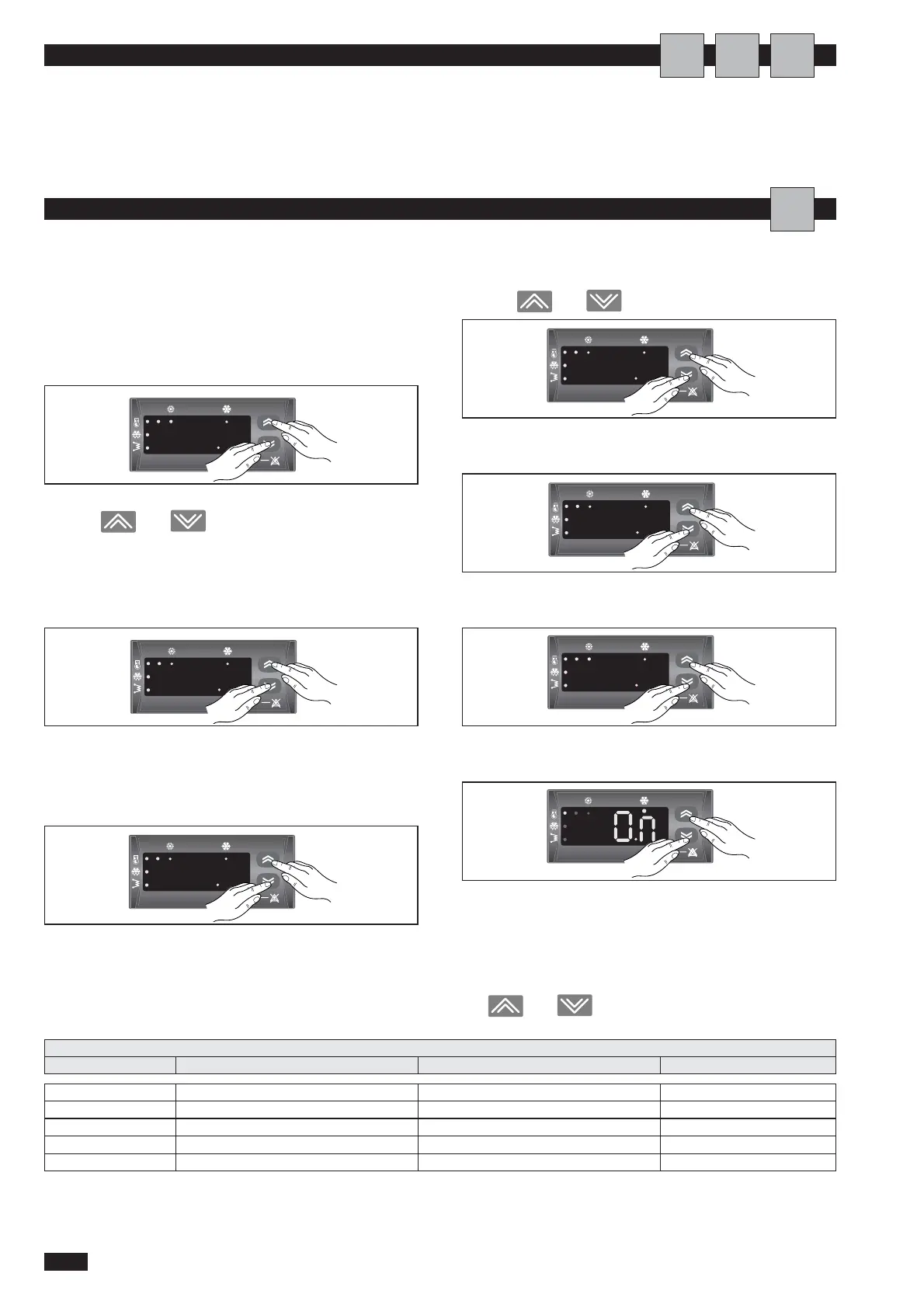
To display service parameters, proceed as follows:
-press the ON-OFF key;
-press the ON/OFF and MODE keys together for one
second;
the tP parameter appears on the display;
use the
and keys to select another parame-
ter;
-press the ON/OFF and MODE keys together for one
second;
the t01 parameter appears on the display;
-press the ON/OFF and MODE keys together for one
second;
the value of the t01 parameter appears on the display.
Use the and keys to set a new value;
-press the ON/OFF and MODE keys together for two
seconds;
-press the ON/OFF and MODE keys together again for
more than two seconds;
-press the ON/OFF and MODE keys together again for
more than two seconds;
The word "On" is displayed, together with either the heat-
ing or cooling LED depending on the mode selected.To dis-
play the unit status values, alarms and number of hours
operation, return to the tP level, then follow the procedure
described above, choosing the number required using
the and .
SETTING AND DISPLAYING SERVICE PARAMETERS
Heating and cooling functions are enabled and disabled via
the control panel.
To activate and deactivate the unit, see page 23.
A
U
A
I
tP Operating status Value -
Err Alarm Value -
PAr Operating parameters Value -
Pss Password Value -
OHr Hours of operation Value -
LIST OF ACCESSIBLE - DISPLAYABLE PARAMETERS
Parameter Description Unit of measurement Factory set point



 To Next Page