Enjoy smarter life
ENG - 89
ENG
11. CHECK OF BATTERY STATUS
With Winbot connected to the Adapter and plugged into your receptacle, move the switch on
the Handle to the extreme right position (Battery symbol). lfthe Indicator Light ashes Green, the
Battery needs to charge. Leave Winbot in this position until the Indicator Light will turn a steady
Green, indicating the battery is fully charged. You may then use the unit.
12. QUESTIONS AND ANSWERS
1) Are there any notes for the Consumer
during the use of the product above
the ground level?
a. During use of the product, be sure to x
and protect the product with safety buckle,
to improve the safety performance of the
product.
b. The time for cleaning each window is
very short; therefore, we recommend
the Consumer to be aware of its function
to timely discover any abnormal function
of the product and take necessary
corrective actions.
c. During use ofthe product, please keep
the power cord free from restrictions
so that it will NOT hamper the unit from
cleaning the entire surface of the window
or possibly cause the unit to become
unplugged and lose power.
2) Will Winbot fall during cleaning?
Winbot is designed to keep from encountering
situations where it would lose suction.
Should the power from the receptacle fail,
the built-in battery has enough stored energy
to keep the vacuum motor running until
you can quickly attend to the Winbot, For
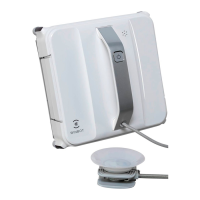
safety, we have included a Safety Pod that
will suction to the inside ofthe window and
keep the unit on the outside ofthe window
from falling very far and to make for easy
retrieval.
3) Can Winbot work without someone
watching?
Winbot is designed to clean the window
without a person’s physical assistance.
We do recommend that you be within
the same room where Winbot is cleaning
the windows because in most cases the
window will be cleaned within a very short
time. When it has nished, you will be
needed to remove the Winbot from
the window and attend to its cleaning and
preparation forthe next window.
4) Can the product be used on various
thicknesses of glass in the window or
door?
The thickness of the glass does not cause
problems in its operation. However, various
types of uneven glass, such as: frosted,
stained, patterned, etc. will cause the unit
to loose suction and fall from the window.
5) Why does the product send out “toot”
alarm and the Indicator Light ash red
when you have just started to use
the product?
Please refer to the Common Failures
section ofthe Manual where it will be
covered in more detail.
6) Winbot can NOT work and the Indicator
Light do NOT ash when Winbot is on
the window?
If this happens, it means the suction power
is too small. Please check Winbot’s cupule
and driving treads. If there is too much dirt
or dust on them, the suction power will be
affected and cause Winbot stop working.
Therefore, it is recommended to clean
the cupule and driving treads when they
gets dirty.
7) Why does the product fail to work when
the START button is pressed on Winbot?
a. Winbot will NOT clean the window if it is
not plugged into a receptacle. Its battery
power will send the unit to the bottom
ofthe window. Should this happen, plug
the adapter into a nearby receptacle for
its power.
b.
Winbot can NOT work if it is not correctly
placed on the window. Please refer to
the Product Placement section for proper
placement on the window
.



 To Next Page