BAT-I2 USER MANUAL
8
Chapter 2
No. Components
1CLR_CMOS
2LCD_PWR (optional)
3BKLT_PWR (optional)
2-3. Checking Jumper Settings
This section explains how to set jumpers for correct configuration of the
motherboard.
To avoid the system instability after clearing CMOS, we recommend users to
enter the main BIOS setting page to “Load Default Settings” and then “Save
and Exit Setup”.
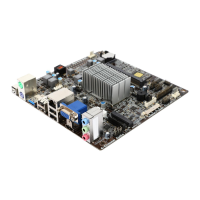
The following illustration shows the location of the motherboard jumpers. Pin 1 is
labeled.
1. CLR_CMOS: Clear CMOS Jumper


 To Next Page