67
wireless device will not be shown before you click
‘Refresh’ for several times.
Connect Connect to the selected wireless device in the list. If the
wireless device requires authentication / encryption, you’ll
be prompted to input required information.
Add to Profile Save selected wireless device to profile. However, if the
wireless device you selected requires authentication /
encryption, you need to edit the profile and input required
information before you can connect to the wireless device.
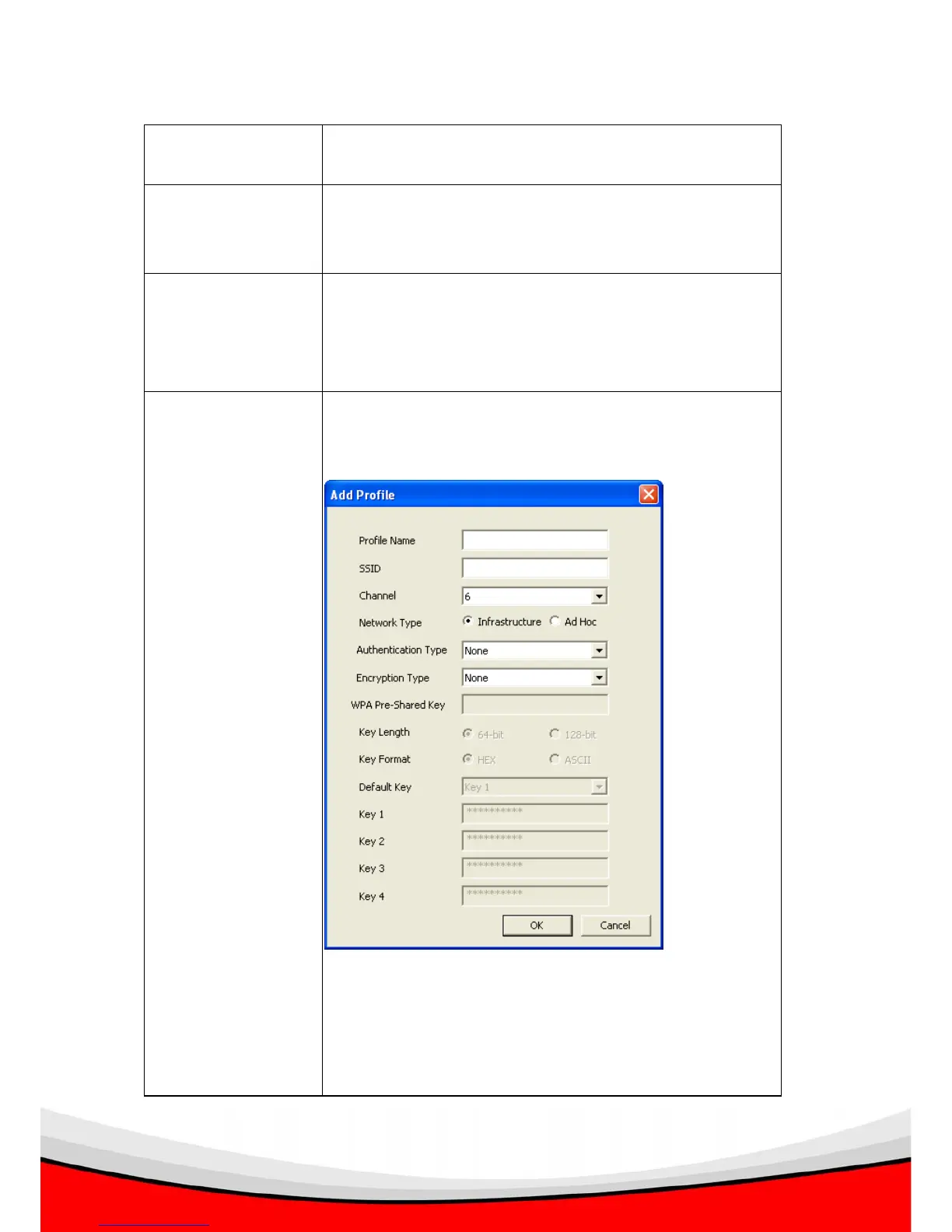
Add Create a new profile. You’ll be prompted to input these
information:
Profile Name: Give the profile a name so you can
distinguish from others.
SSID: Please specify the SSID of the wireless device you



 To Next Page