75
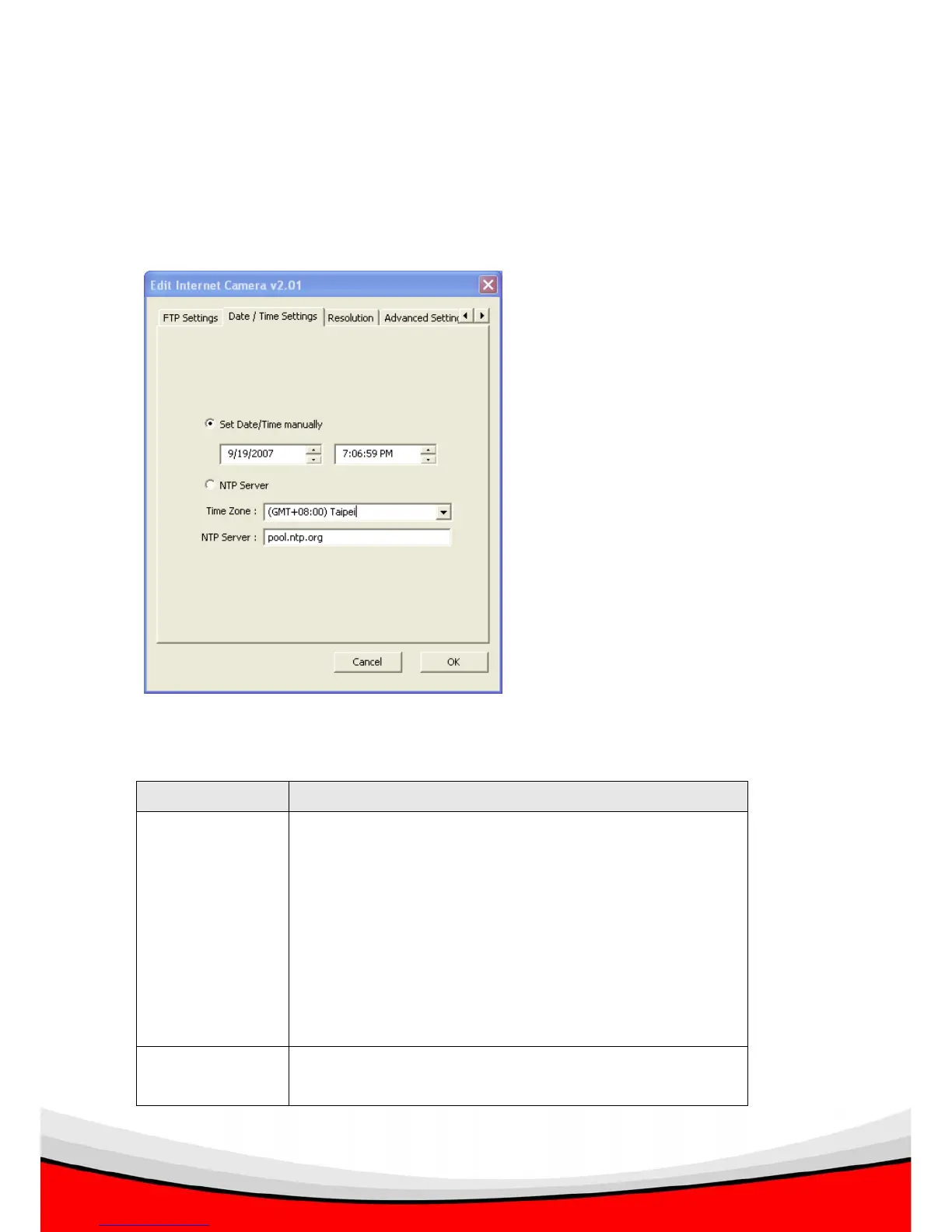
3.3.6 Date / Time Settings
You can set the internal calendar / clock of the IP camera, so the camera can keep
correct timestamp when recording the video / capturing the image.
The descriptions of every setting in this menu will be given below:
Item Description
Set Date/Time
manually
Select this option to input date and time by yourself, and
you have to set date and time manually here.
Date / time format is MM / DD / YYYY HH:MM:SS
Time is in 24-hour format.
Example: 24
th
August 2007 = 08 / 24 / 2007
and PM 9:24:30 = 9:24:30 PM
NTP Server Select this option and the IP camera will synchronize the
internal calendar / clock with time server automatically.



 To Next Page