72
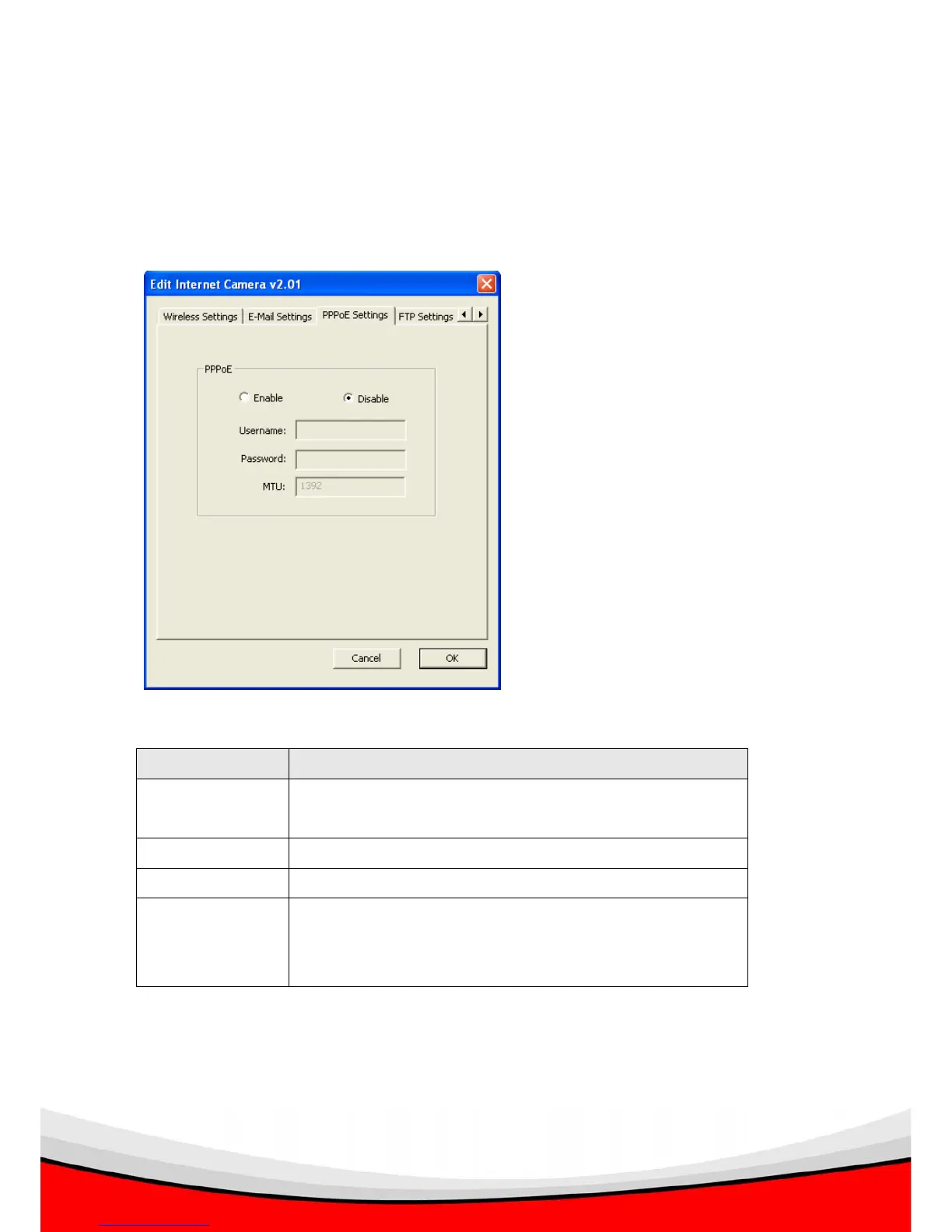
3.3.4 PPPoE Settings
The ‘PPPoE Settings’ tab lets you to setup the PPPoE account required to build a
PPPoE (Point-to-Point Protocol over Ethernet) connection, primarily used by ADSL.
The descriptions of every setting in this menu will be given below:
Item Description
Enable PPPoE Select ‘Enable’ to activate PPPoE function of this IP
camera, select ‘Disable’ to disable it.
User Name Input the PPPoE username assigned by your ISP here.
Password Input the PPPoE password assigned by your ISP here.
MTU Input the MTU (Maximum Transmission Unit) given by
your ISP here. Ask your ISP if you don’t know what value
you should input here, or use default value.
After all settings are completed, click ‘OK’ to save settings, or click ‘Cancel’ to abort
and discard changes.



 To Next Page