140
Appendix A
This network camera’s default IP address is 192.168.2.3, and you must use a
computer that uses 192.168.2.x IP address to connect to this default IP.
Please follow the following instructions to set up your computer’s IP address:
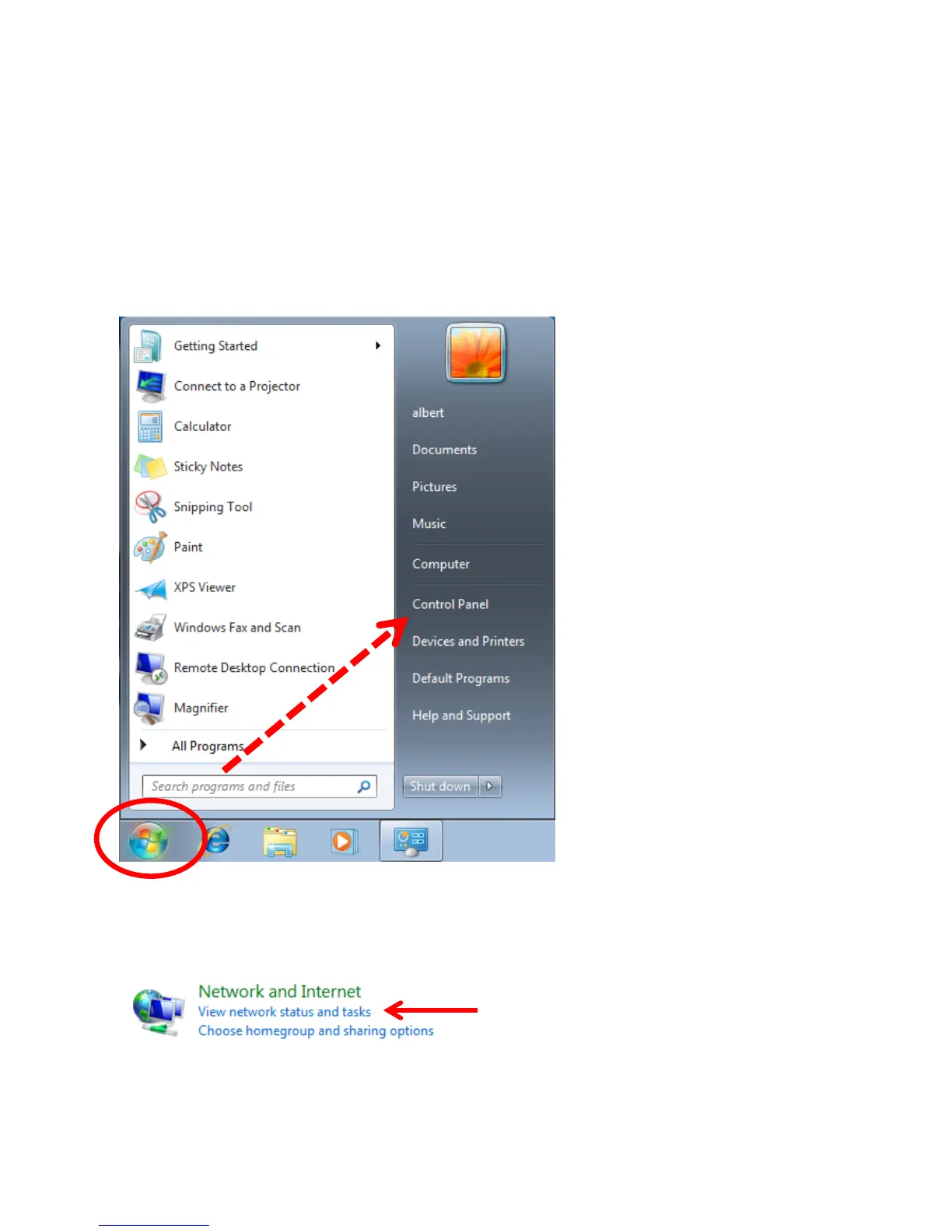
1. Please click the ‘Start’ button and then click ‘Control Panel’.
2. Click ‘View network status and tasks’ under ‘Network and Internet’


 To Next Page