EasyManua.ls Logo

Edimax IC-3115W - Page 25

Edimax IC-3115W
150 pages
Print Icon
To Next Page IconTo Next Page
To Previous Page IconTo Previous Page
Loading...
24
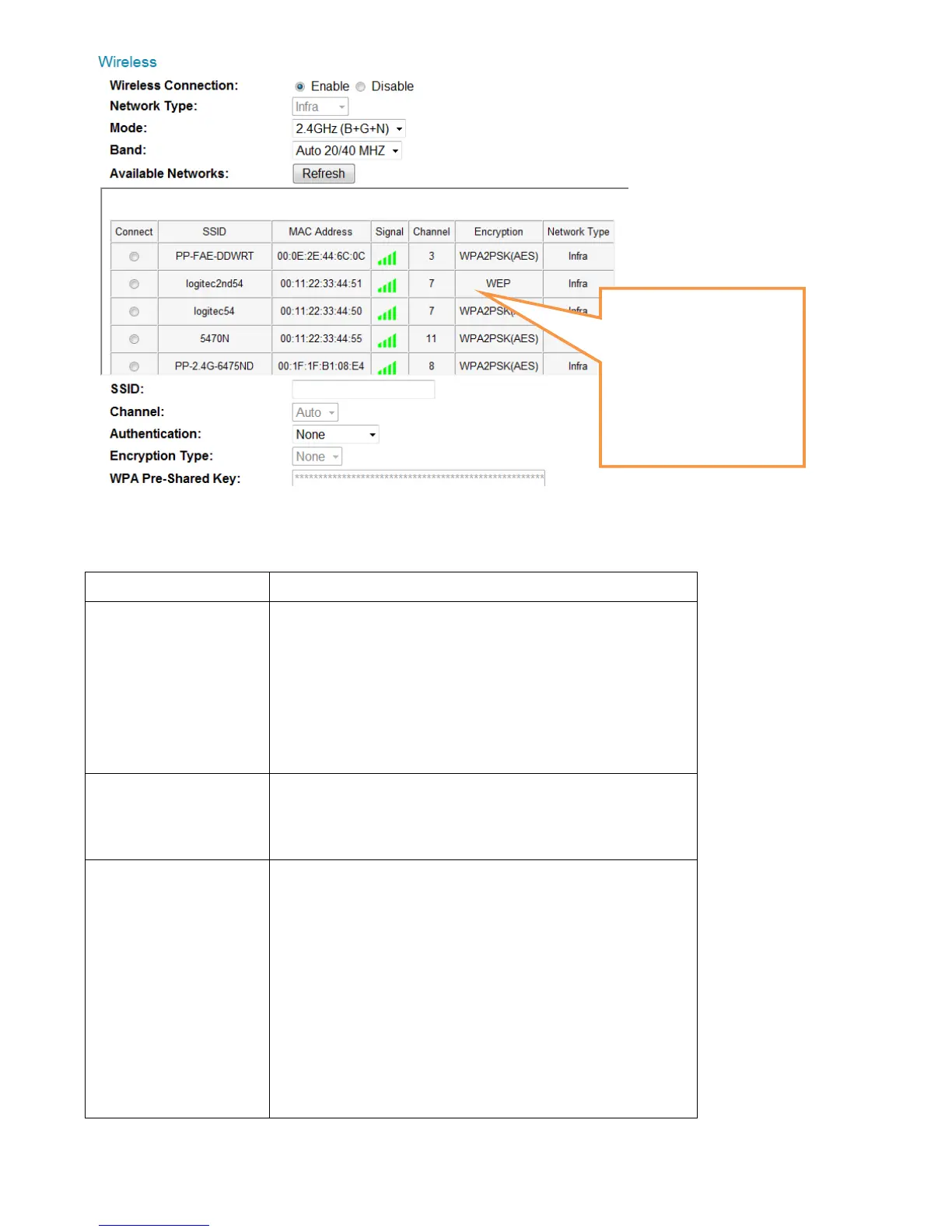
The descriptions of these items are listed below:
Item
Description
Wireless
Connection
You can enable or disable wireless
functionality here.
Please note: You can switch wireless
network off, but you cant switch wired
Ethernet off.
Network Type
Select the type of network you wish to
connect: Infra (infrastructure: wireless
access point).
Mode
Select the wireless operating mode:
B (802.11b, maximum 11Mbps)
G (802.11g, maximum 54Mbps)
N (802.11n, maximum 150Mbps).
You can select mixed mode (2.4GHz
B+G+N) so the network camera will work
with all kinds of wireless network. If you

When you enter this
page, The network
camera will scan for
wireless devices nearby
automatically and
display them here.

Table of Contents

Other manuals for Edimax IC-3115W

Related product manuals