62
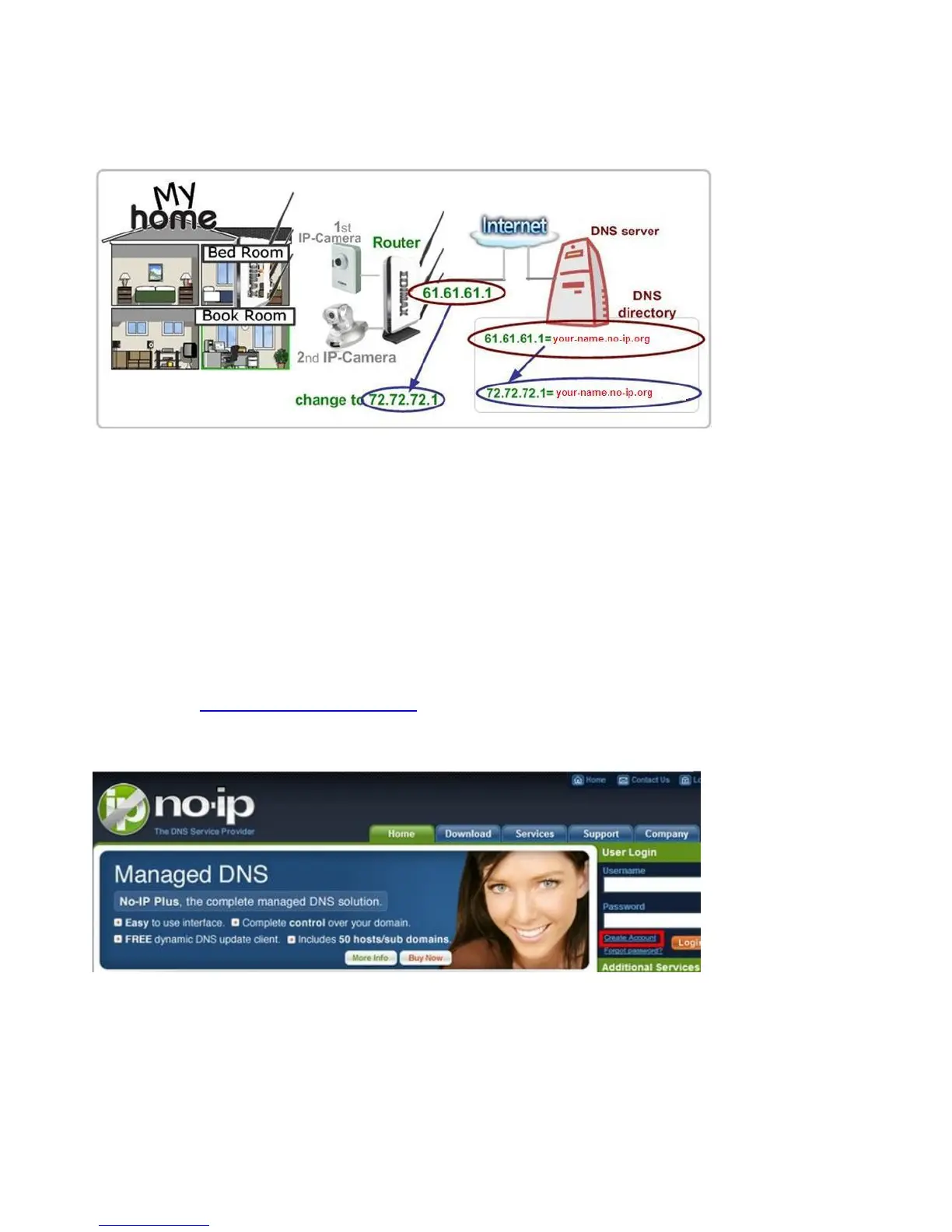
(URL). As shown in the following figure, one PC called “DNS server” keeps
revising the record “your-name.no-ip.org vs 61.61.61.1” in its internal DNS
directory. If you enter http://your-name.no-ip.org into an iPhone you can find
the 2 network cameras at “My home”.
The following are steps to apply for an account named “your-name.no-ip.org” at
http://www.no-ip.com and how this account is configured in an Edimax router.
Note: http://www.no-ip.com is not a branch or affiliate of Edimax. No
commercial relation is involved between these 2 companies. The related service
offered by http://www.no-ip.com is for free for a specific time. However,
Edimax does not guarantee this service.
First, go to http://www.no-ip.com and apply for an account.
Follow these steps:
Click the “Create Account” link.



 To Next Page