23
Getting Connected and Installing Drivers (Windows)
1
With the PC-50 disconnected, start up Windows.
Disconnect all USB cables except for a USB keyboard and USB mouse (if used).
2
Exit all currently running software.
Also close any open windows. If you are using virus checking or similar
software, be sure to exit it as well.
3
Prepare the CD-ROM.
Insert the CD-ROM into the CD-ROM drive of your computer.
4
Click the Windows
Start
menu. From the menu that appears, select
Run...
.
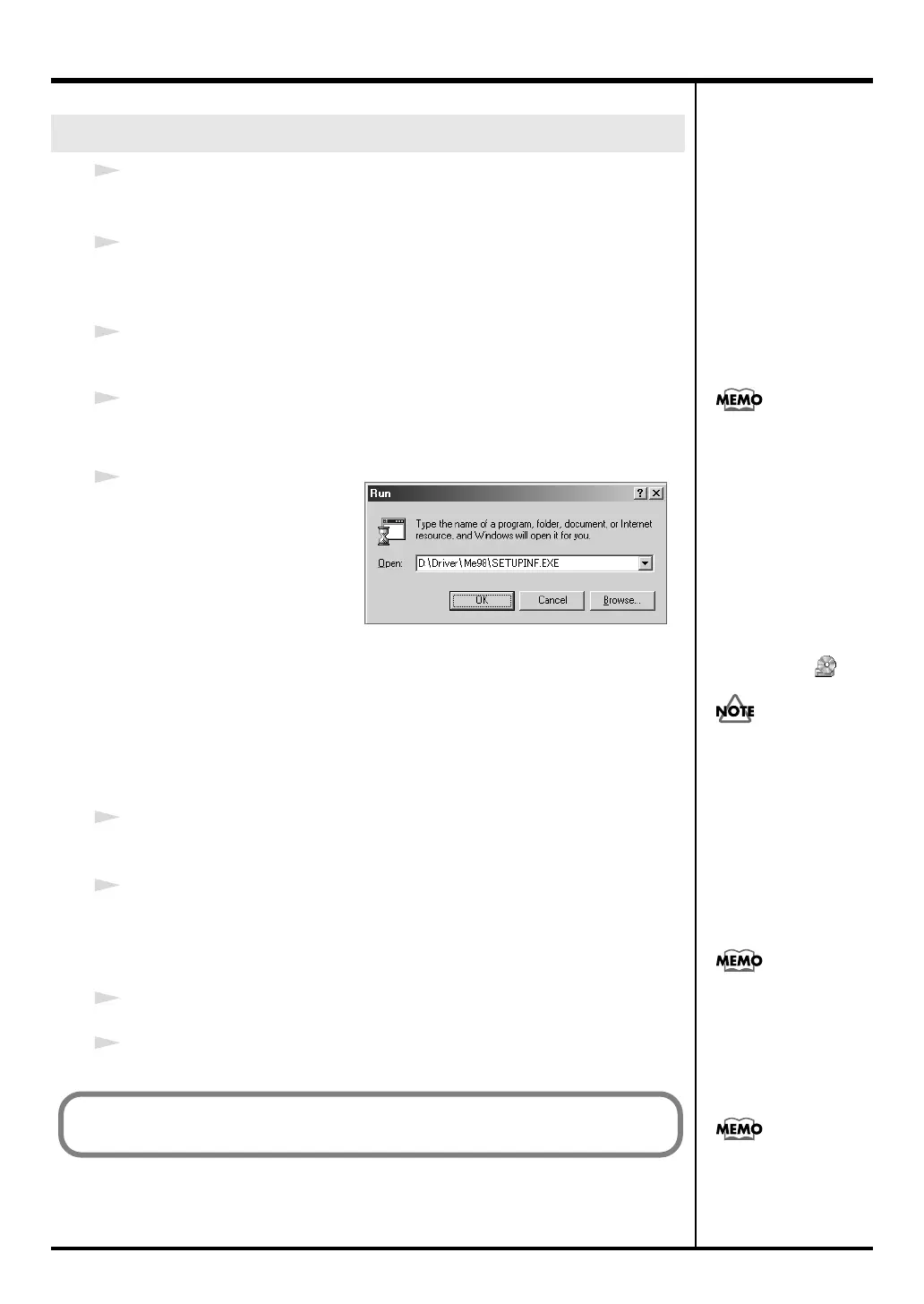
The
“Run...”
dialog box will appear.
fig.05-13
5
In the dialog box that appears,
input the following into the
“Open”
field, and click
[OK]
.
(drive name): \Driver\Me98\SETUPINF.EXE
* In the explanatory example shown here, the drive name is given as
“D:.”
The drive
name
“D:”
may be different for your system. Specify the drive name of your CD-
ROM drive.
The
SetupInf
dialog box will appear.
You are now ready to install the driver.
6
Set the PC-50’s
ADVANCED DRIVER Switch
to the
ON
position.
* Installation cannot proceed as described below if the switch is turned OFF.
7
Use the USB cable to connect the PC-50 to your computer.
1.
Set the PC-50’s power switch to the
OFF
position.
2.
Use the USB cable to connect the PC-50 to your computer.
8
Set the PC-50’s
power switch
to the
USB
position.
9
In the
SetupInf
dialog box, click
[OK]
.
Windows Me/98 users
To check the drive name
In the Windows desktop,
double-click the My
Computer icon. In the
window that appears,
check the drive name of
the CD-ROM drive into
which you inserted the
CD-ROM in step3.
The drive name is the (D:)
or (E:) displayed by the
CD-ROM drive .
Once the connections have
een completed, turn on
power to your various
devices in the order
specified. By turning on
devices in the wrong
order, you risk causing
malfunction and/or
damage to speakers and
other devices.
This unit is equipped with
a protection circuit. A brief
interval (a few seconds)
after power up is required
efore the unit will operate
normally.
If a message recommends
that you restart Windows,
restart Windows as
directed.
Next, make device settings.
(➔“Setting the driver—Specifying the MIDI output destination” (p. 24))
PC-50_e.book 23 ページ 2005年11月10日 木曜日 午前10時33分



 To Next Page