63
System settings
Perform steps 1–3 (p. 61).
4
Use the
VALUE encoder
or the
keyboard
to specify
the keyboard sensitivity and curve.
5
Press the
[ENTER]
button.
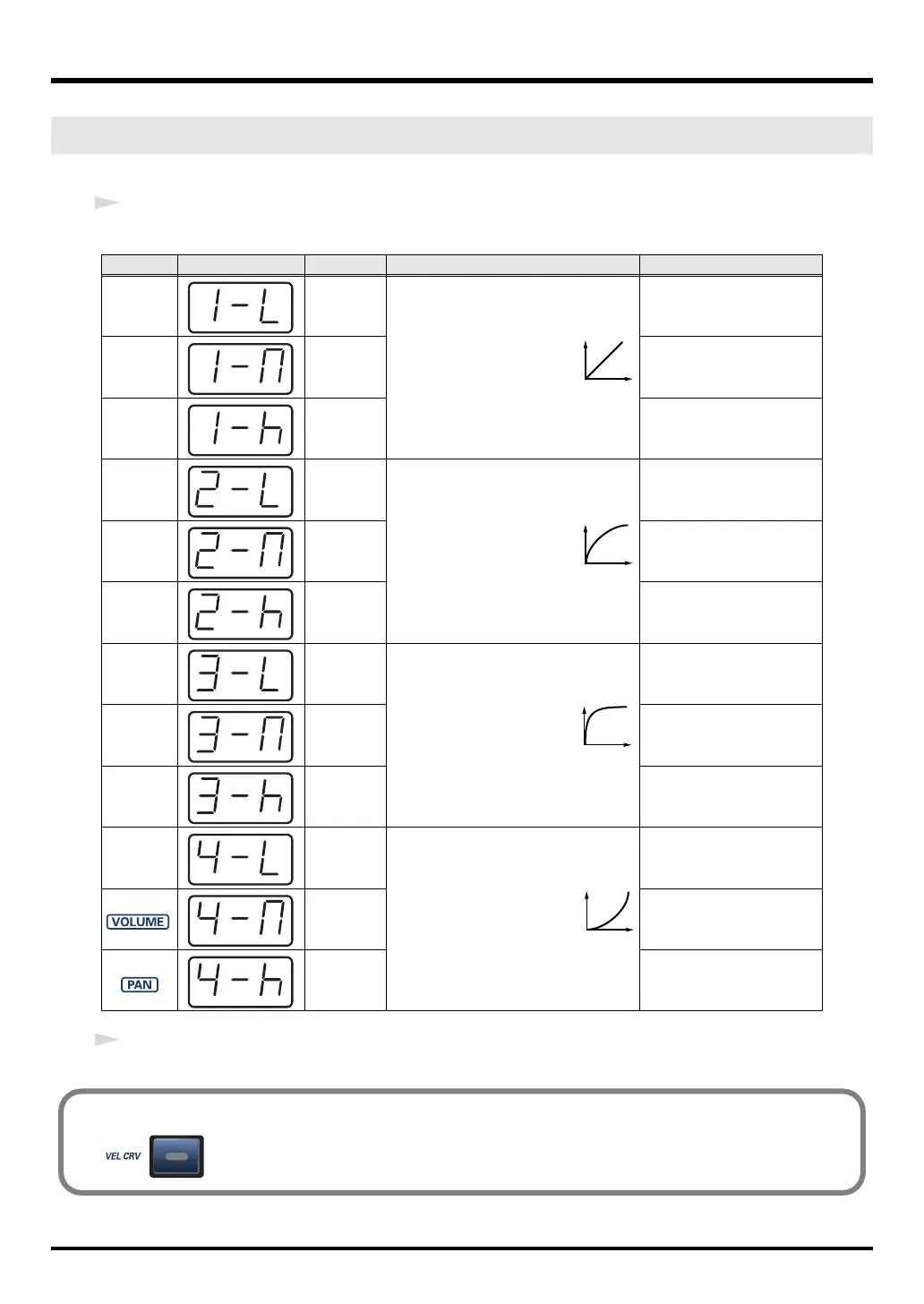
VELOCITY CURVE (Keyboard: 2)
Keyboard
Display Setting Curve Keyboard’s sensitivity
0
1-LIGHT
The standard setting. The
volume will change in a nat-
ural way according to your
playing strength.
High velocity values will be
produced even if you play
the keyboard softly.
1 1-MEDIUM
The keyboard sensitivity
will be normal.
2
1-HEAVY
High velocity values will be
produced only if you play
the keyboard strongly.
3
2-LIGHT
Compared to curve
1
, the
volume will change more
significantly for softly
played notes.
High velocity values will be
produced even if you play
the keyboard softly.
4
2-MEDIUM
The keyboard sensitivity
will be normal.
5 2-HEAVY
High velocity values will be
produced only if you play
the keyboard strongly.
6
3-LIGHT
Variations in your playing
strength will produce natu-
ral-sounding changes in
volume.
High velocity values will be
produced even if you play
the keyboard softly.
7
3-MEDIUM
The keyboard sensitivity
will be normal.
8
3-HEAVY
High velocity values will be
produced only if you play
the keyboard strongly.
9
4-LIGHT
Compared to curve
1
, the
volume will change more
significantly for the strong-
ly played notes.
High velocity values will be
produced even if you play
the keyboard softly.
4-MEDIUM
The keyboard sensitivity
will be normal.
4-HEAVY
High velocity values will be
produced only if you play
the keyboard strongly.
1
2
3
4
■ VELOCITY CURVE setting
You can also access the VELOCITY CURVE setting screen by holding down the
[VELCRV] button while you turn on the power.
PC-50_e.book 63 ページ 2005年11月10日 木曜日 午前10時33分



 To Next Page