54
Use MIDI functionality
You can transmit messages from the PC-50 to an external MIDI sound module in order to control it.
Use
UTILITY mode
(p. 42) to transmit these messages to an external MIDI sound module.
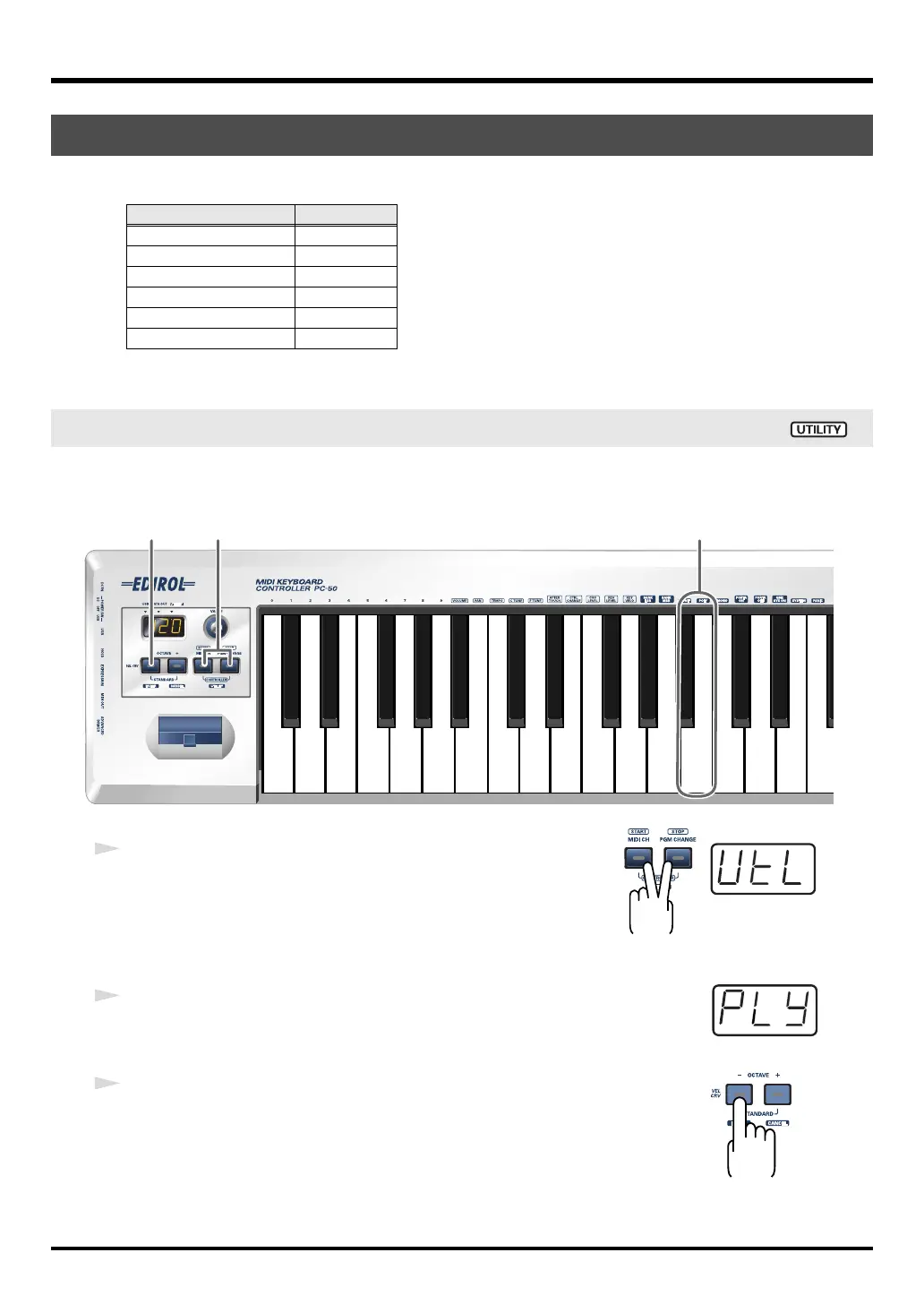
Here’s how to set the voice mode of your connected MIDI sound module to Poly mode.
Poly mode allows you to play multiple notes (chords) simultaneously.
fig.poly-1_80
fig.util*
1
Simultaneously hold the
[MIDI CH]
button and
[PGM CHANGE]
button down.
The display will indicate “UTL,” and the PC-50 enters UTILITY
mode.
fig.ply
2
Press the
[POLY]
key.
The display will indicate “PLY” and blink.
fig.enter
3
Press the
[ENTER]
button.
* The setting will be cancelled if you press another button instead of the
[ENTER]
button.
The
poly mode on message
has now been transmitted.
Transmitting messages to an external MIDI sound module
Messages Description
POLY MODE ON p. 54
MONO MODE ON p. 55
PORTAMENTO ON p. 56
PORTAMENTO OFF p. 57
GM2 SYSTEM ON p. 58
RESET p. 59
Transmitting a poly mode on message
2
1
3
PC-50_e.book 54 ページ 2005年11月10日 木曜日 午前10時33分



 To Next Page