30
Getting Connected and Installing Drivers (Macintosh)
If you're using the PC-50 with Mac OS 9, you must set the PC-50 to
OS 9 mode, you must use the following procedure to set the PC-50
to OS 9 mode.
* You must make this setting before you install the driver.
1
Slide the PC-50’s
power switch
to the
OFF
position.
2
Switch
ON
the
ADVANCED DRIVER switch
(located on the side panel).
3
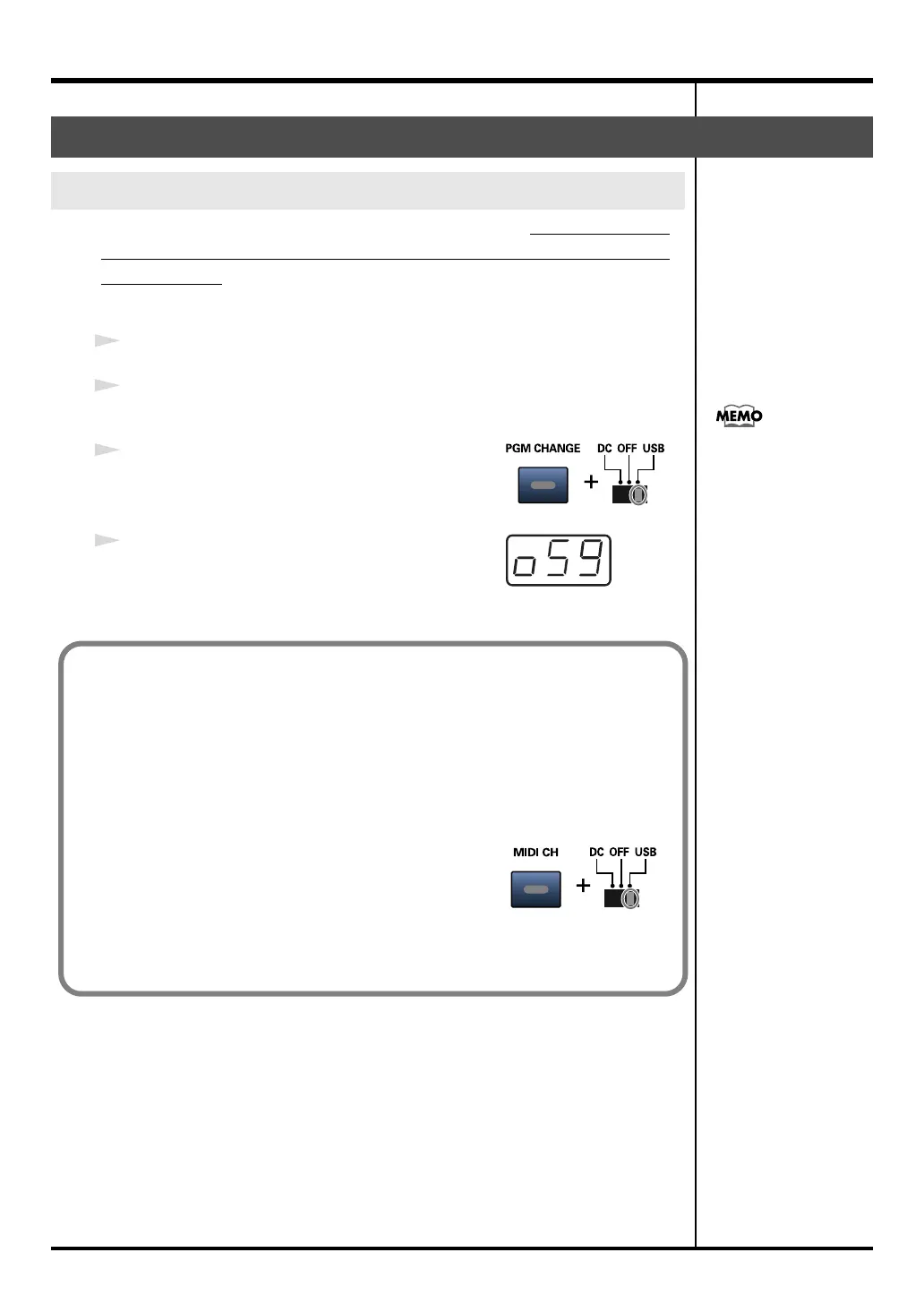
While holding down the
[PGM CHANGE]
button,
slide the
power switch
to the
USB
position.
4
The display will indicate
“PC-50”
and then
“OS9.”
The PC-50 is now set to OS 9 mode.
Mac OS 9 users
Setting the PC-50 to OS 9 mode
If the screen indicates:
“Software needed for the
USB device “EDIROL PC-
50” is not available.
Would you like to look
for the software on the
Internet?”➔ click
[Cancel].
■
Canceling the OS 9 mode setting
Before you use the PC-50 with an operating system other than Mac OS 9 (i.e.,
Windows or Mac OS X), you must use the following procedure to cancel the
OS 9 mode setting.
1. Slide the PC-50’s power switch to the OFF position.
2. Switch ON the ADVANCED DRIVER switch (located on the side panel).
3. While holding down the [MIDI CH] button, slide
the power switch to the USB position.
4. The display will indicate “PC-50.” (The “OS9”
indication will not appear.)
The OS 9 mode setting has been cancelled.
PC-50_e.book 30 ページ 2005年11月10日 木曜日 午前10時33分



 To Next Page