33
Getting Connected and Installing Drivers (Macintosh)
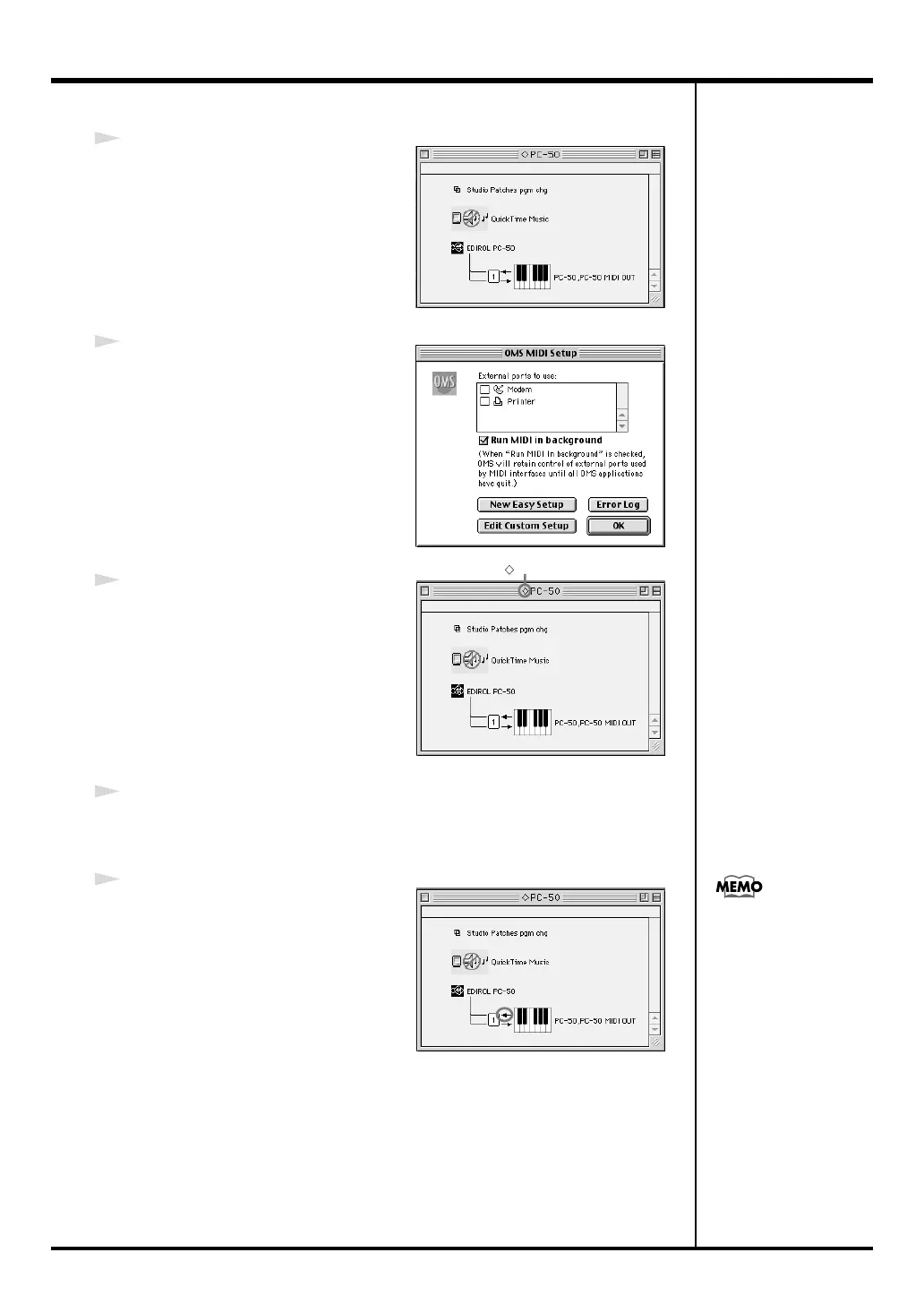
fig.3-8_35
8
Choose
“Open”
from the
File
menu.
From the
OMS Setting
folder that you
copied in
step 4
, select the
PC-50
file,
and click
[Open]
.
A screen like the one shown here will
appear.
fig.3-9_35
9
From the
Edit
menu, select
OMS MIDI
Setup
.
In the
OMS MIDI Setup
dialog box that
appears, check
Run MIDI in
background
, and click
[OK]
.
fig.3-10_40
10
From the
File
menu, choose
Make
Current
.
* If you are unable to select
Make
Current
, it has already been applied,
and you may continue to the next step.
11
Verify that MIDI transmission and reception can be performed correctly.
From the
Studio
menu, choose
Test Studio
.
fig.OMS3
12
Try playing the keyboard of the PC-
50. If the arrow beside number
1
in the
diagram at right blinks, the settings
have been made correctly.
When you move the mouse cursor
near the MIDI connector icon, the
cursor will change to a
shape.
If a MIDI sound module is connected
to the PC-50’s MIDI OUT connector,
click the MIDI connector icon shown
in the diagram at the right. If you hear
sound, the settings have been made
correctly.
A diamond mark ( ) indicated the settings are enabled.
For details on the PC-50’s
output devices, refer to
“Input / output devices”
(p. 36).
PC-50_e.book 33 ページ 2005年11月10日 木曜日 午前10時33分



 To Next Page