Your personal robot will either use the visual borders (fence, soil, stone floor, pool, …) use
the grass border as the perimeter. On grass where there is no visual border it is possible
to configure a digital perimeter by drawing the perimeter on the Satellite map (see
installation instructions) or to use StarLight Beacons to create a digital perimeter.#
8. Safety Features
#
WARNING"
The personal robot is equipped with several devices to help reduce the risk of
personal injury or property damage during use. If a safety device has a malfunction, do
not operate the personal robot and take it to an authorized EEVE Partner to be repaired. "
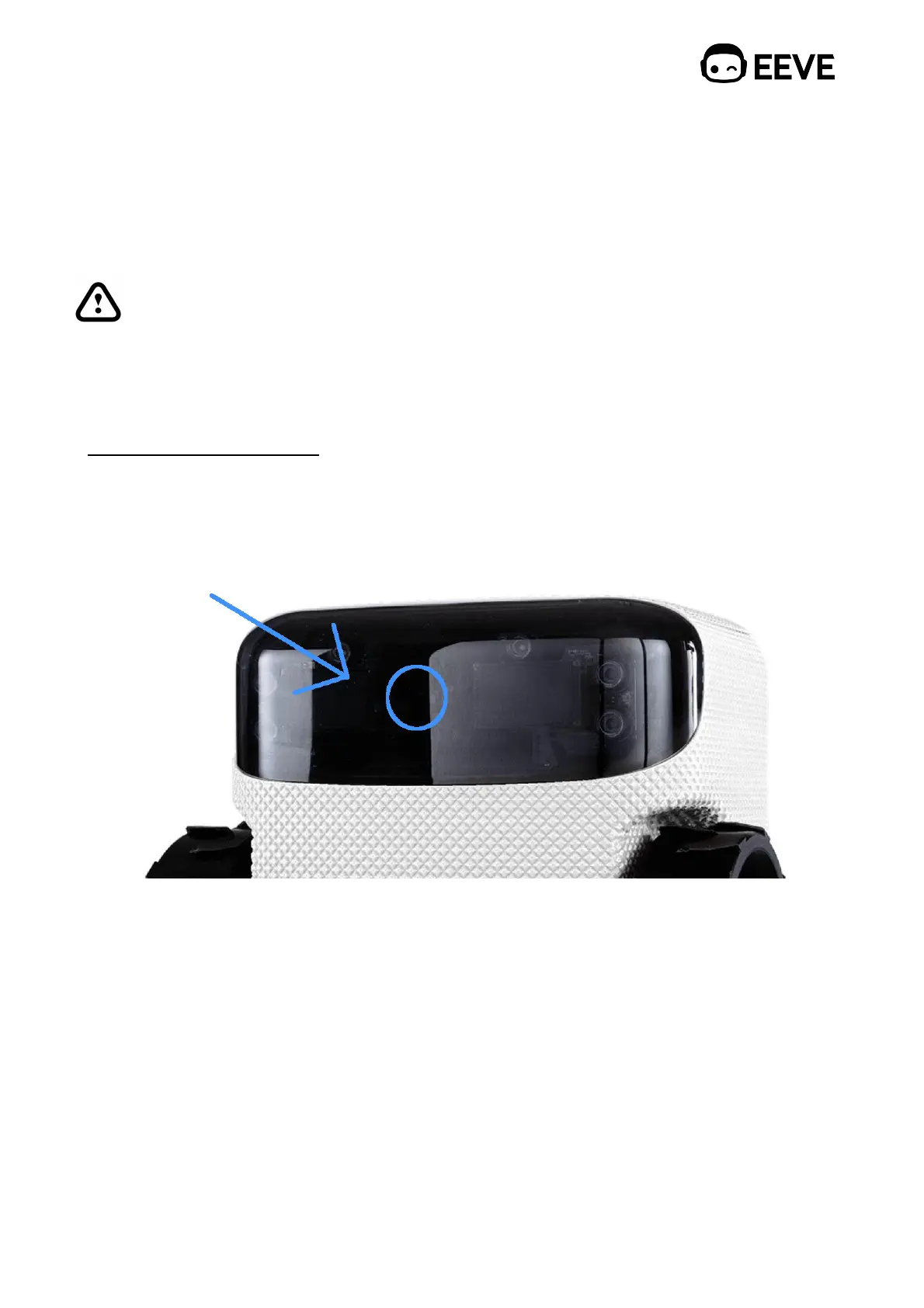
8.1. Emergency stop button "
The emergency stop button is located in the middle of the screen, on the front. Between
the two eyes (displays) of Willow."
To activate the emergency stop button, lay your hand on the front of the screen, between
the eyes, the personal robot and its mowing blade (if active) will stop and the eyes will
show ‘sad eyes’, as well as you will receive a message in the EEVE app in case your
personal robot has internet access. The personal robot cannot be operated while the sad
eyes are displayed."
To continue automatic operation: "
Press the emergency button in the EEVE app.#
#
Or place your personal robot on the charger station. When placed correctly on the



 To Next Page