E F A P O W E R EV- H C - I N S T A L L A T I O N A N D U S E R M A N U A L
16 | 28
EV-HC Standalone connected to a Local PC
This scenario includes an EV-HC with RFID card reader and/or meter, with a port for communication with the PC
program Efacec Communication Manager. For more information on the Efacec Communication Manager, please
contact Efacec Electric Mobility commercial team.
If the charger isn’t equipped with an Energy Meter, the energy field on the transactions will be zero.
This communication is based on RS-485 and shall be used a USB-RS485 converter.
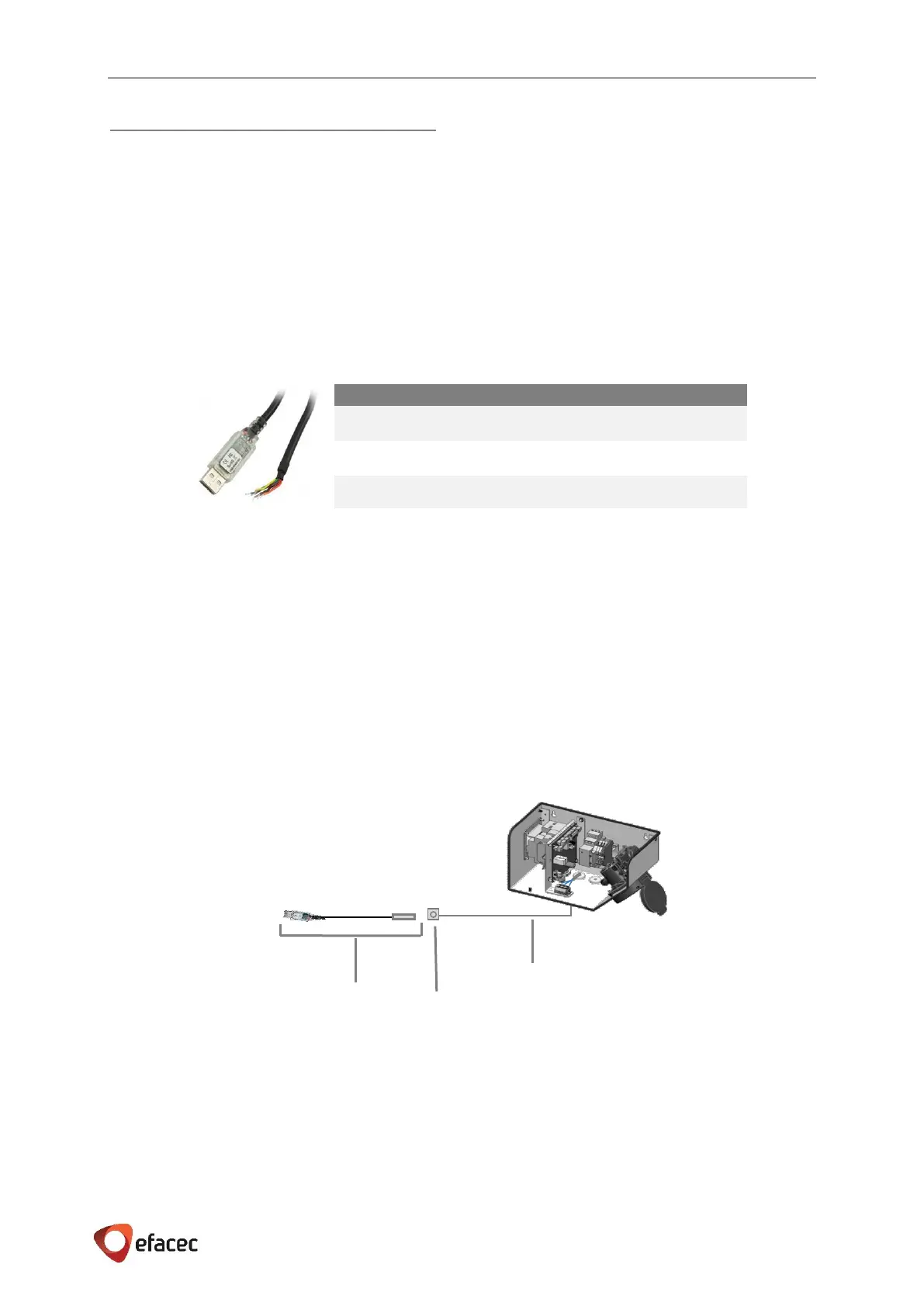
The Figure 16 represents the USB-RS485-WE FTDI converter.
The converter has several lines, although only 3 are needed for this communication, as referred in the following
table.
Table 6 - USB-RS485-WE FTDI converter - Connections
A. Converter connected to a pre-installation outside EV-HC
If it’s not suitable the USB-RS485 converter connected directly to the EV-HC, due to distance constraints,
alternative pre-installation it’s allowed (Figure 15):
A shielded communication cable of at least 3 conductors can be connected to the EV-HC (through X2)
and end into a 3 pin panel outlet connector near a suitable place to connect the PC.
ATTENTION: This panel connector shall not be standard in order to prevent anyone to connect an
everyday use cable to the charger. USB, RJ45 adapter should not be used. This connector can also be
somehow locked to prevent inadequate use.
The mate male connector shall be assembled to the USB-RS485 FTDI converter, refer Table 6.
The panel outlet connector can now be installed in a suitable place, without length constrains, where the PC is
located. The USB-RS485 converter will link between the panel connector and the PC providing full access to the
Home Charger.
Figure 15 - Converter connected to a pre-installation outside EV-HC
Shielded communication cable of ate least
3 conductors – no length constrains
3 pin Panel Outlet Connector
USB-RS485 FTDI converter with mate
male connector



 To Next Page