EasyManua.ls Logo

Effekta MH6000 - Optional Interface Installation; Connection Sequence

Effekta MH6000
51 pages
Print Icon
To Next Page IconTo Next Page
To Previous Page IconTo Previous Page
Loading...
UPS MH6000 Manual
MH Series
Page 28 of 51
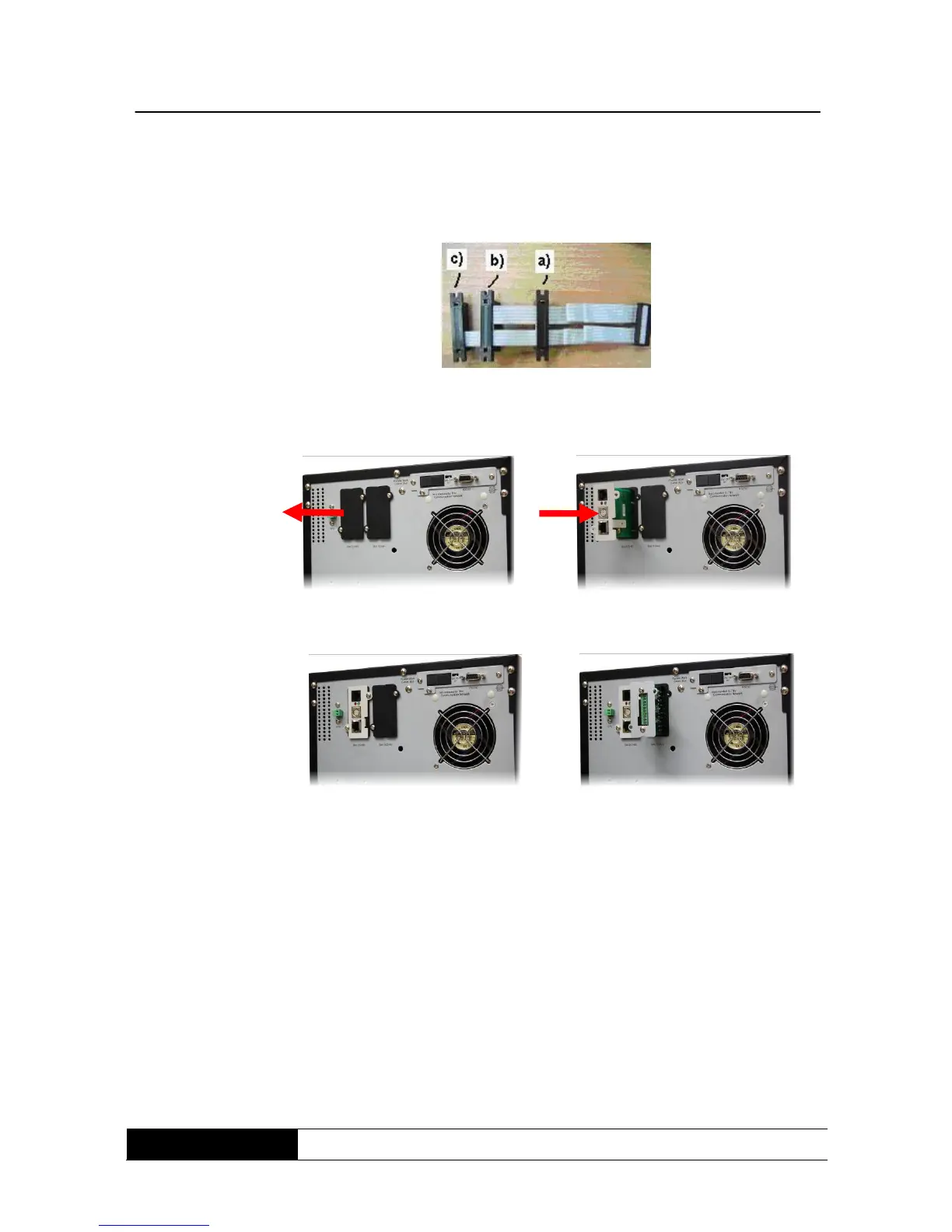
8.4.3 Installation of optional interfaces
The installed flat cable has to be the same as the following indicated cable.
fig. 11: flat cable
for optional
interface-cards
Follow those instructions for the installation of the hardware.
Take the cover away of the slot.
Move the chosen interface-card into the slot.
Fix the chosen interface-card correctly.
8.5 Connection order
Connect the UPS with the supplying or bypass circuit, but the circuits and the
UPS have to be switched-off during this procedure.
Connect your periphery with the UPS. Assure that all connected machines are
switched-off.

Related product manuals