UPS: MKD 700 – 3000 VA RT (XL) UPS Device Description
The standard page is not only generated by the UPS as output page when
switching it on but, rather, the UPS also automatically returns to this page after
longer pauses in input.
The following presents the contents of the standard page in detail:
Due to advancing improvements of the software, additional information could
already exist that has not yet been addressed in detail here.
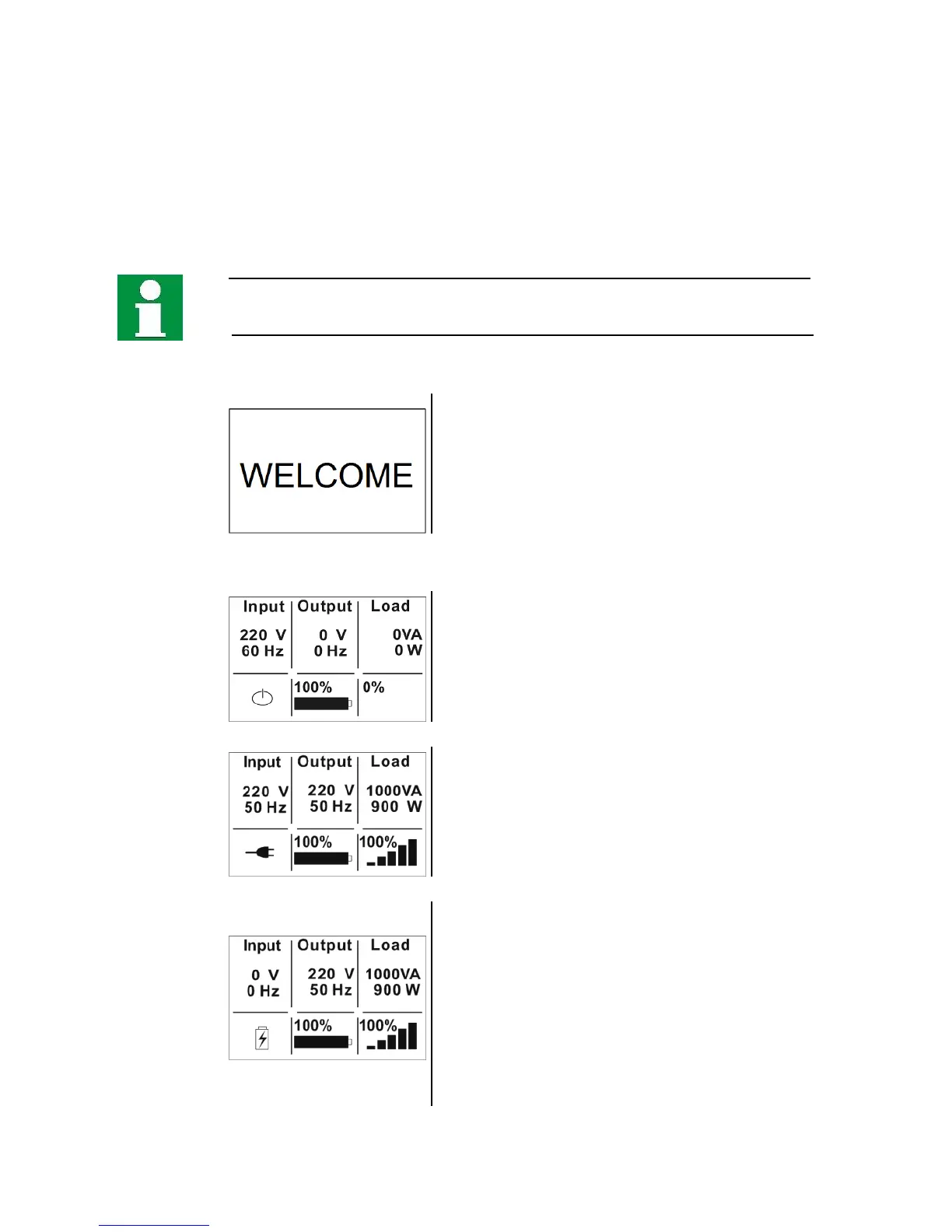
The display image during device initialization:
When switching on or initializing, the UPS first
generated a welcome page on the display. Then the
display jumps directly to the standard display which
first shows the actual operating status (OPERATING
MODE).
Operating status and standard display on the UPS:
Standby mode (STANDBY): The USV has been
switched on and the battery bank is already being
charged. However, the UPS operation has not yet
begun; the UPS output is still off.
Power supply mode (LINE MODE): the UPS has
been switched on and started. The power supply
mode is also called standard mode. The power
supply is connected, the battery bank is charged
and the UPS-output supplies the loads.
Inverter mode (BATTERY MODE): Provided the
power supply is disabled, the UPS immediately
switches to inverter mode. The UPS output is now
temporarily being supplied by the battery bank.
During this operation mode, an acoustic signal is
given (beep every 4 seconds; if the battery bank is
almost drained, the signal sounds: beep every
second).



 To Next Page