UPS: MKD 700 – 3000 VA RT (XL) UPS Device Description
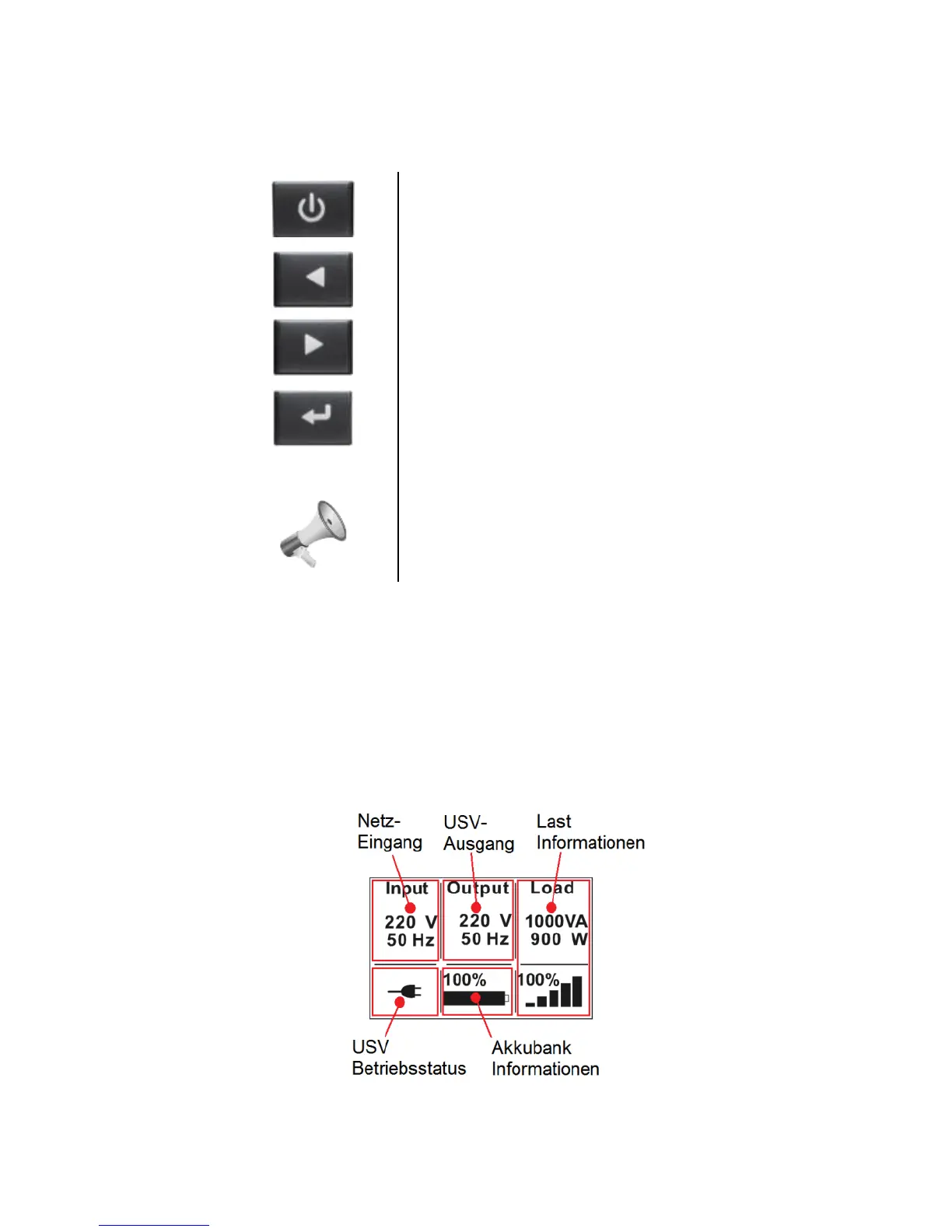
Control panel keypad (1), (2), (3), (4) (Navigation):
On/Off and start button (ON/OFF): The UPS can be
switched on or off by activating the button. Also, the
button facilitates starting and stopping the UPS.
Up button (UP): By activating this button the
parameters increase or the menu moves forward.
Down button (DOWN): By activating this button the
parameters decrease or the menu moves back.
Enter button (ENTER): By activating this button,
selection or jumping into the menu or parameter
selection can be performed.
Acoustic Signaler: The UPS provides appropriate
messages acoustically (BUZZER). This includes
confirmation of input as well as operation, warning or
alarm messages.
3.3.2.1 Standard messages for the system
The status and additional information about the system can be called up or
important parameters can be set through the control panel, or the LC display
(5). Current information pertaining to the operation and the existing alarm codes
in the case of failure are particularly significant.
The general standard display of the UPS contains various information:
Fig. 3-13 Standard display of the MKD 700-3000 VA RT (XL) series.



 To Next Page