UPS: MKD 700 – 3000 VA RT (XL) Installation and Connection
– Avoid extreme temperature and moisture. A maximal service life,
especially with regard to the battery bank, will be achieved at an
ambient temperature of 15 – 25°C.
5.1.1 Preparations for the installation
Before you begin with the actual installation, you should prepare the following
steps in advance:
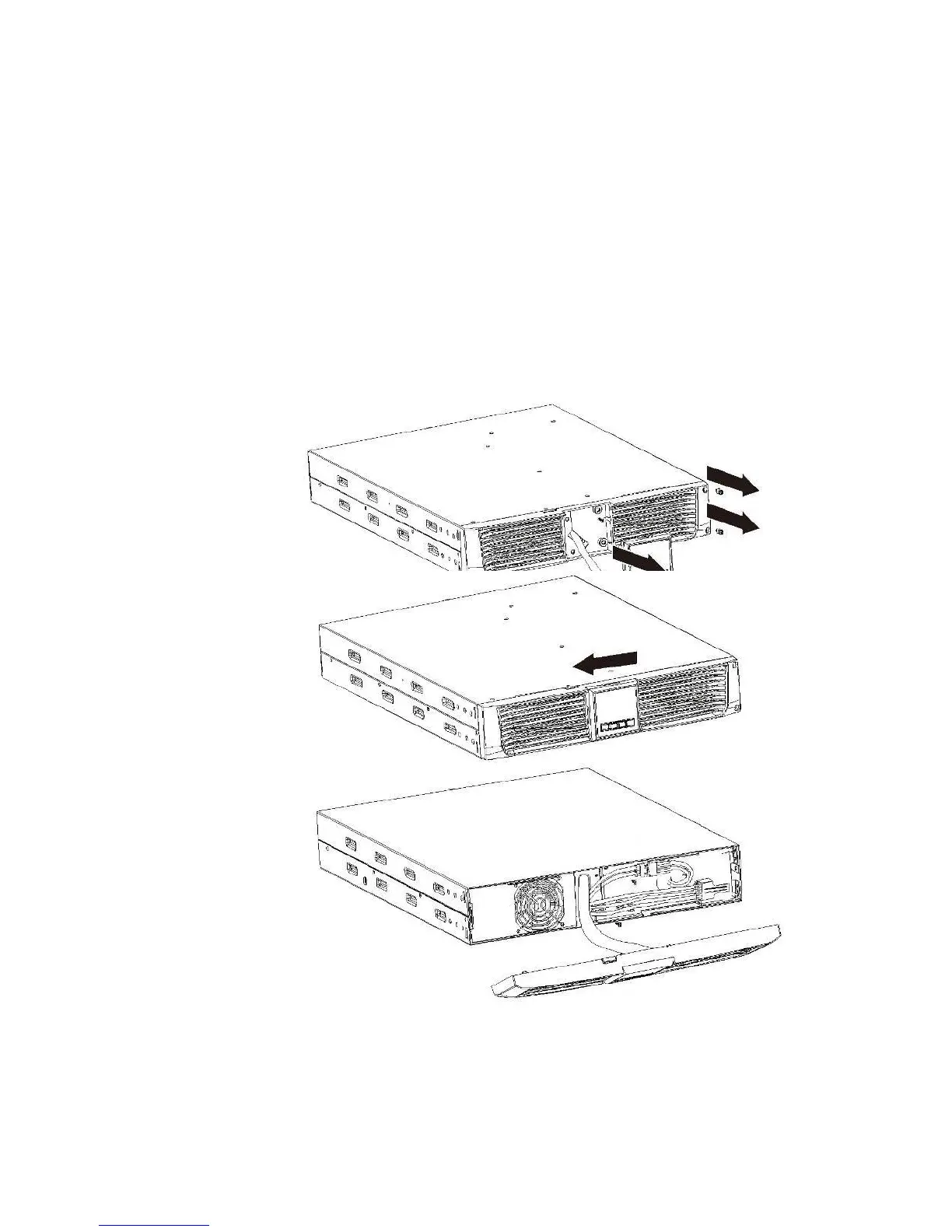
Step 1: Remove the accumulators from the UPS or the external battery bank in
order to reduce the weight of the devices for installation. Remove the front
panels of the devices according to the following illustrations.
Fig. 5-1 Removal of the front panel, MKD 700-3000 RT (XL). The same process
is used for the battery bank.
Once the control panel have been detached from the mounting (also see FigFig.
5-10 here), the screws can be removed from the front panel. Now lift the front
panel from the left.



 To Next Page