UPS: MKD 700 – 3000 VA RT (XL) Operation and Service
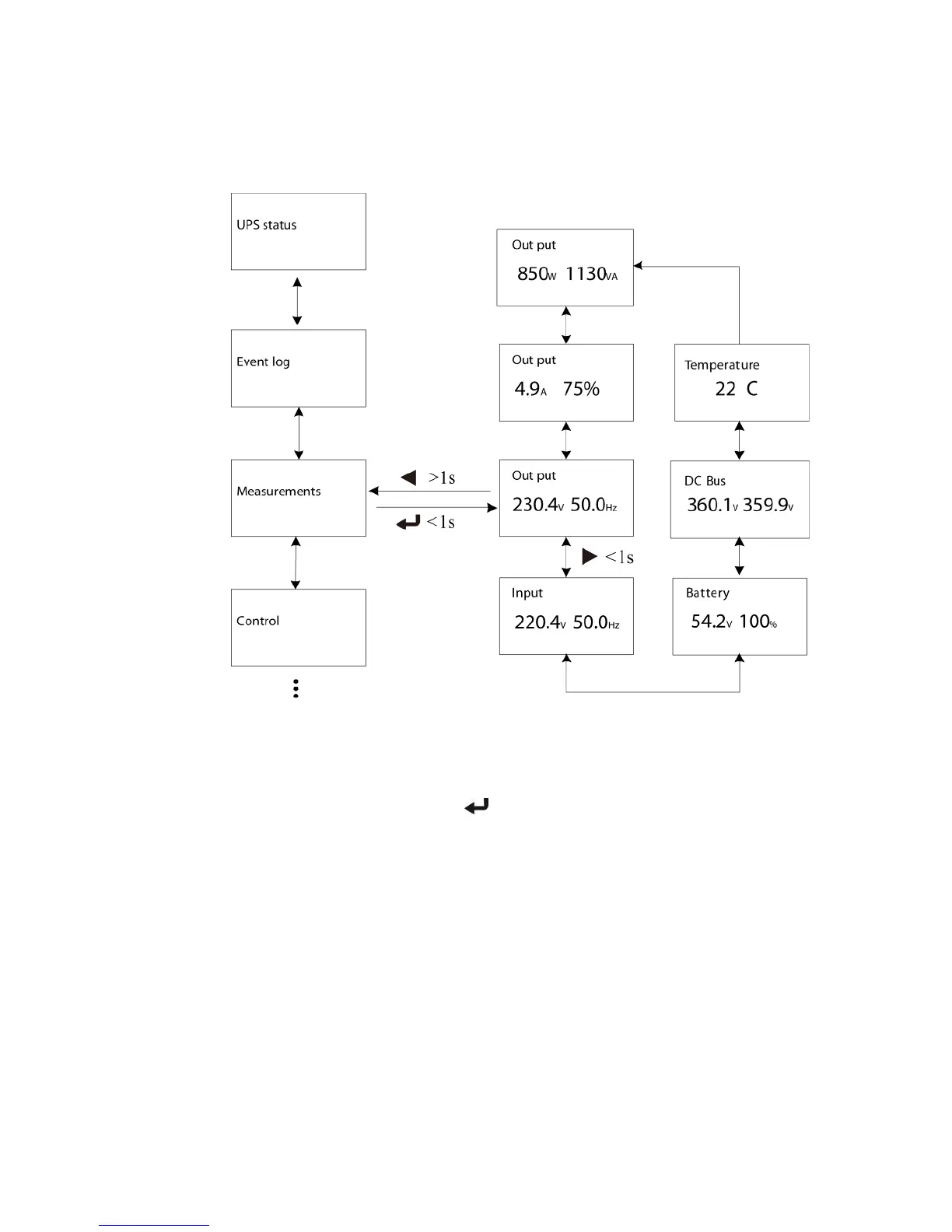
Fig. 6-3 Model navigation in the “MEASUREMENTS” submenu.
6.2.4 UPS control center
By pressing the ENTER button ( ) on the “CONTROL” submenu, you arrive in
the UPS control center. Here tasks can be initiated or basic settings carried out.
These include:
Muting the acoustic signaler: This setting is important when the
signaler is malfunctioning.
Initiating the battery bank test: This action is usually conducted to
switch the UPS to the autonomous mode and to briefly test the battery
bank (approximately 10 s).
Resetting the EPO status: In the event the EPO or REPO (REMOTE
EMERGENCY POWER OFF) is triggered, the UPS output is
compulsorily switched off and the loads disconnected. In order to
operate the UPS in standard mode again afterwards, the EPO must
first be shut down again and the function “resetting the EPO status”
must be executed. With this, the UPS switches again to the bypass
mode and can be started again.
Resetting the error status: In the event, a correlated alarm or error
arises in the UPS, the device pauses in error status until the error has



 To Next Page