UPS: MKD 700 – 3000 VA RT (XL) Operation and Service
6.2.5 UPS identification
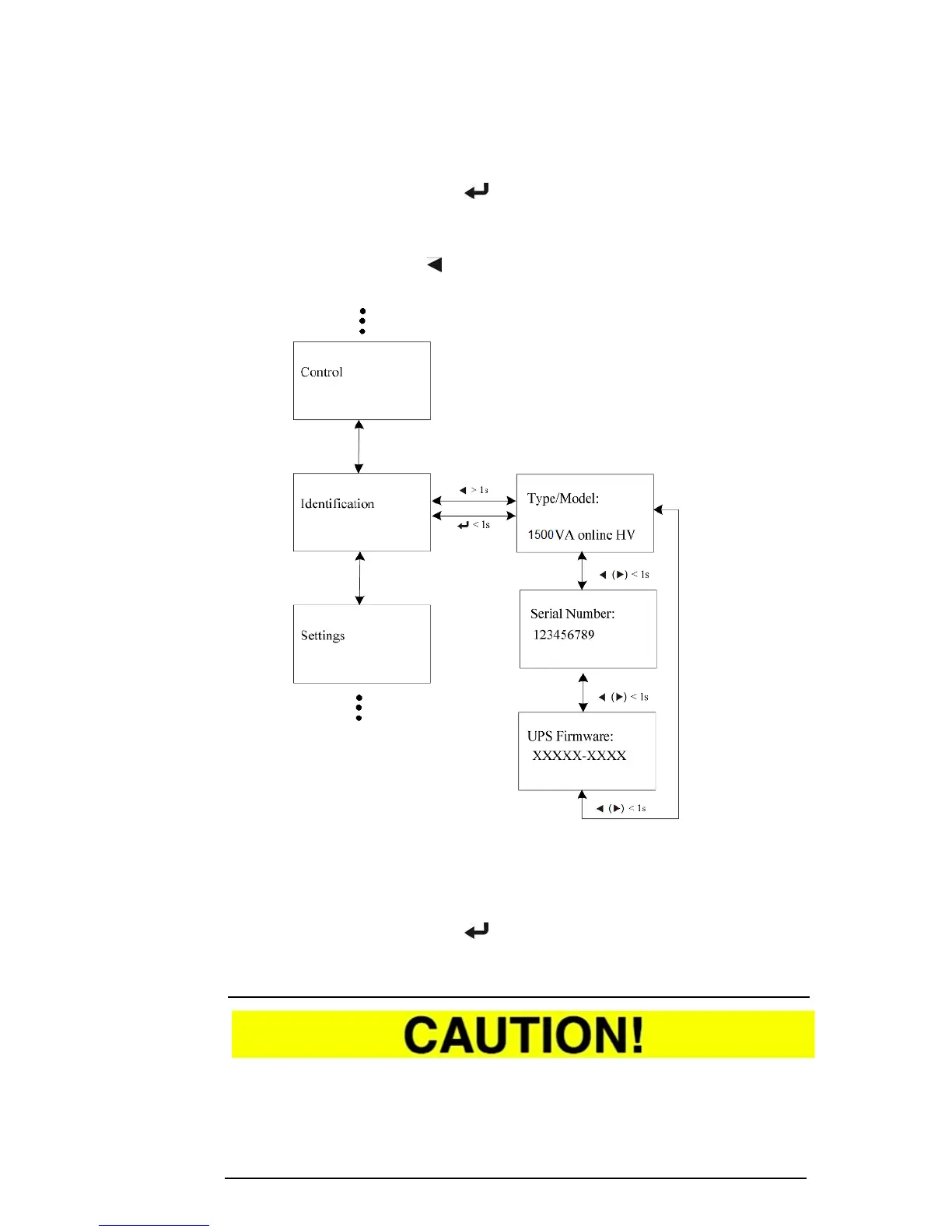
By pressing the ENTER button ( ) on the “IDENTIFICATION” submenu, you
arrive at UPS identification. Data about the type of UPS, the device serial
number and the current firmware (device software) is listed here.
By pressing the up button ( > 1 s), you arrive again at the main menu from
the submenu.
Fig. 6-5 Model navigation in the “IDENTIFICATION” submenu.
6.2.6 UPS settings
By pressing the ENTER button ( ) on the “SETTINGS” submenu, you arrive at
the UPS settings. Far-reaching functions can be called up here or parameters
can be changed.
Only qualified personnel can carry out changes in the settings as incorrect
settings can result in grave malfunctions or even destruction of the UPS and the
connected loads.



 To Next Page