UPS: MKD 700 – 3000 VA RT (XL) Operation and Service
Most settings can be and are permitted to be performed only when the device is
in STANDBY mode.
The setup menu can be password protected; however, this deactivated by the
factory.
Navigate to the desired menu page (parameter) here only with the arrow keys (
) as well. By pressing the up button ( > 1 s), you will arrive again at the
main menu from the submenu.
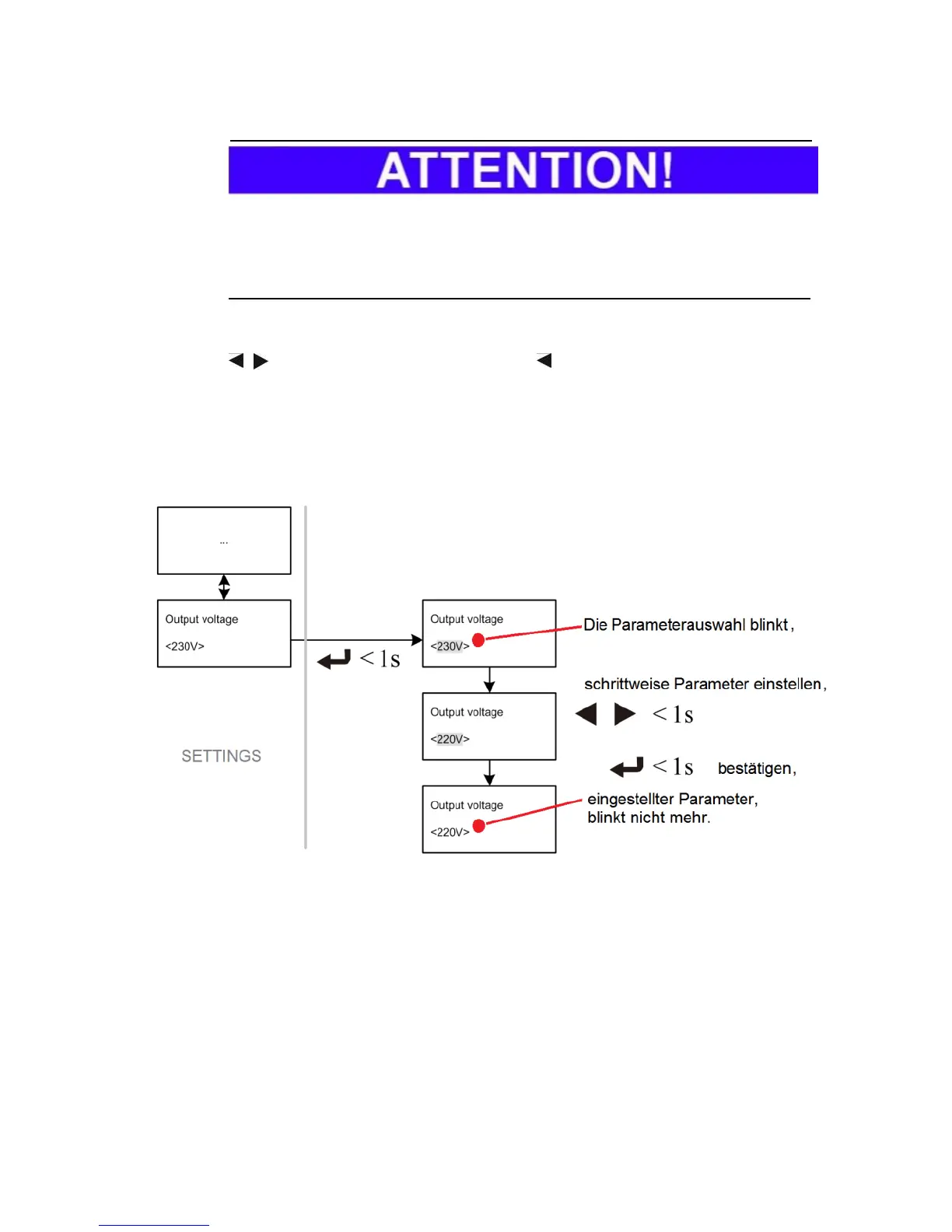
Example of a parameter change
Fig. 6-7 Example of “output voltage” parameter change.
In accordance with the example pictured above, first select the desired
parameter and confirm this with the ENTER button.
The parameter selection blinks.
Define the new parameter value using the arrow keys, and again conform the
setting with the enter button.
After the conclusion of the setting, the parameter display remains static.



 To Next Page