10
eSteer10 User Manual
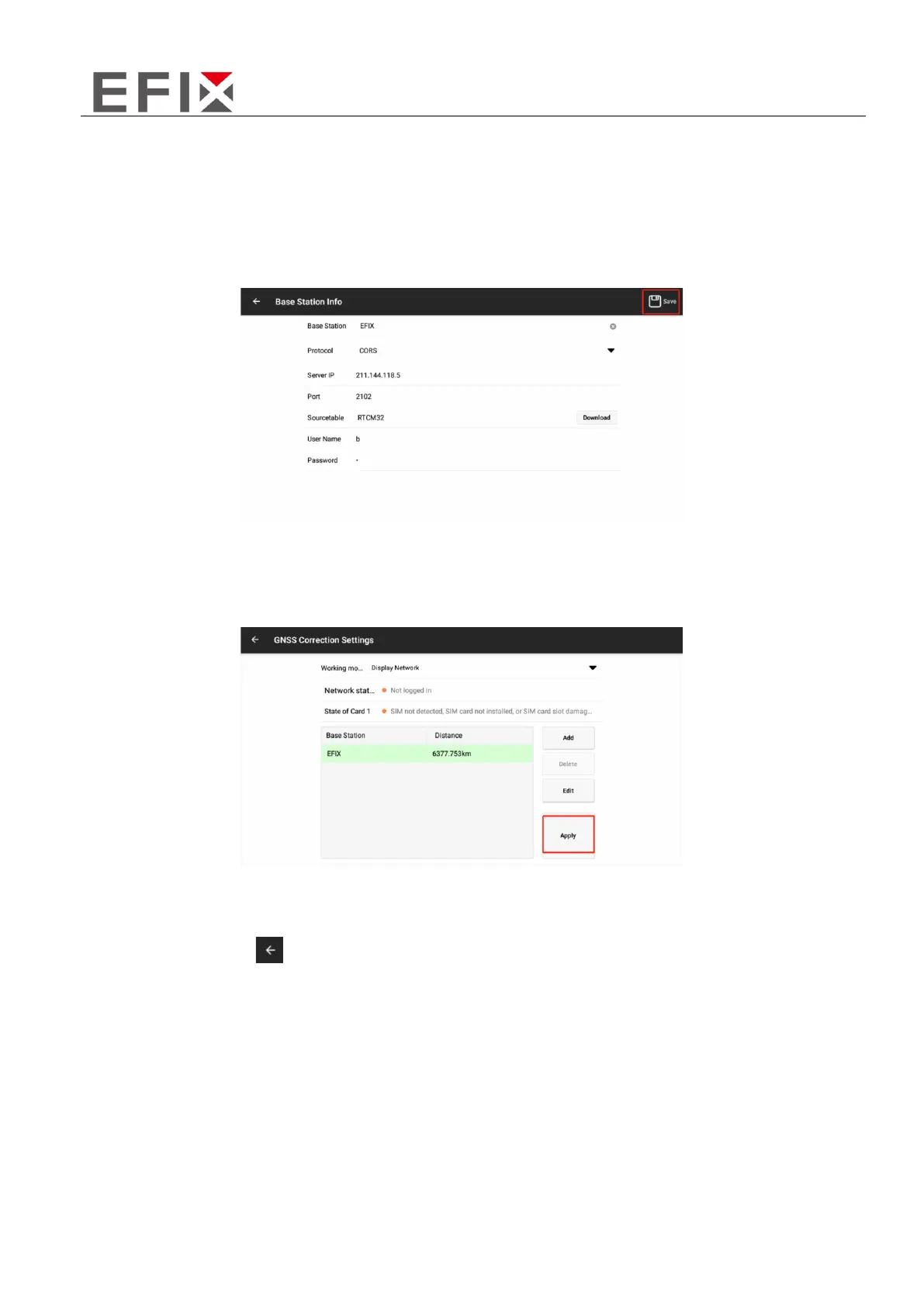
Enter the corresponding base station information: (You can input multiple base station information
and switch to use them at any time)
- Set the base station name according to your preference.
- Select the default protocol as CORS.
- The address, port, username, and password may vary depending on the region. Please obtain this
information from local technical personnel or distributors.
③To return to the differential settings interface, select the configured base station, and click on
"Apply" to connect to the base station.
After returning to the main interface, if all three icons in the top-left corner are gray and the numbers
are not zero, it indicates that the base station signal is normal and available.
④ After applying the base station, the interface will display a successful application message. Click
on the top-left corner [ ] icon to return to the main interface. If all three signal icons in the top-left
corner of the main interface are gray and not zero, it indicates that the signal is normal and available.



 To Next Page