8
eSteer10 User Manual
3 Product Usage
3.1 Power on
Press the red power button above the monitor and the button will turn green.
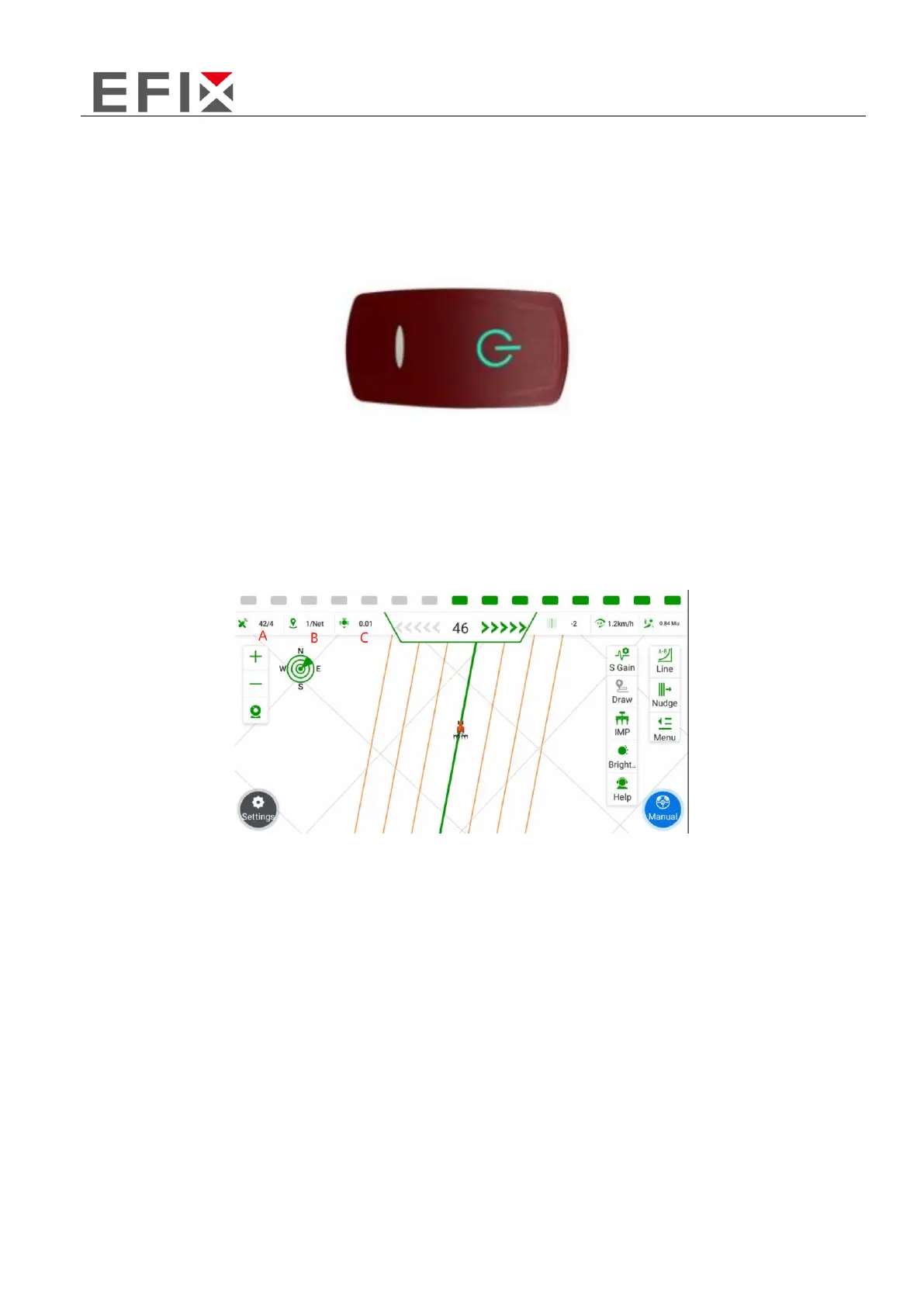
3.2 Confirm RTK Signal Status
A: X/Y, where X represents the number of tracked satellites, and Y indicates the signal status.
B: X/Y, where X represents the current satellite signal delay, and Y represents the current signal mode
(NET for network base station mode, and a numerical value for radio base station mode indicating
the currently used channel).
C: Current positioning accuracy error.



 To Next Page