9
eSteer10 User Manual
3.3 Receiver Settings
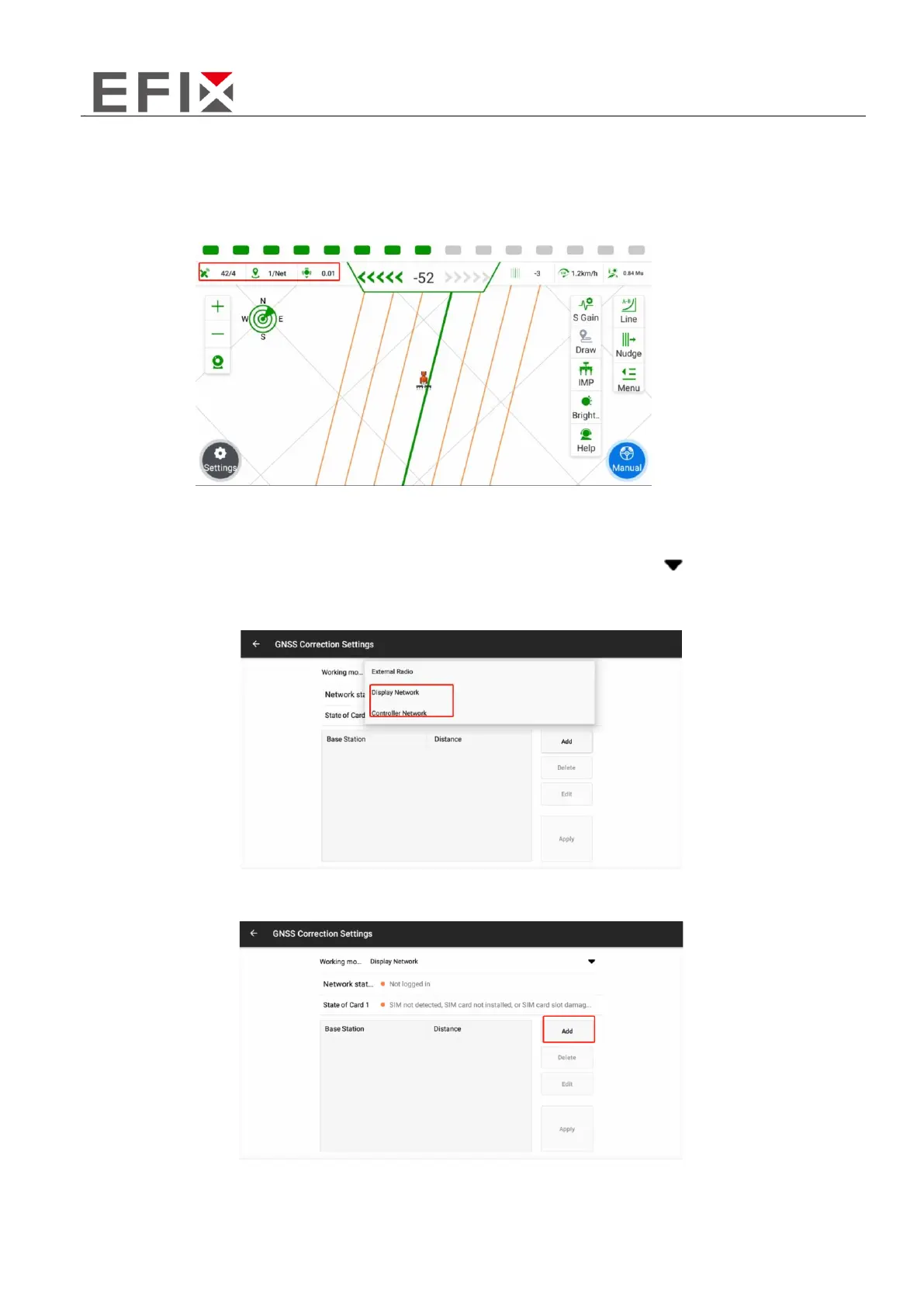
If the signal is not normal, you can click on the signal box in the top-left corner to access the receiver
settings interface.
Controller/Display Network Mode
① Click on the "Work Mode" button, located at the back, followed by the "[ ]" symbol. From the
options that appear, select " Controller/Display Network."
② In the Differential Settings, click on "Add" to add the corresponding base station information.



 To Next Page