28
eSteer10 User Manual
4.7 Minimum Speed Setting
The software allows you to set the minimum speed for enabling automatic driving. When the vehicle's
speed falls below the set speed, the vehicle can activate automatic driving (the automatic driving icon
turns green), but the vehicle will not engage in automatic driving. The default minimum working
speed is set to 0.7 km/h. If you need to adjust the minimum speed, please follow the steps below:
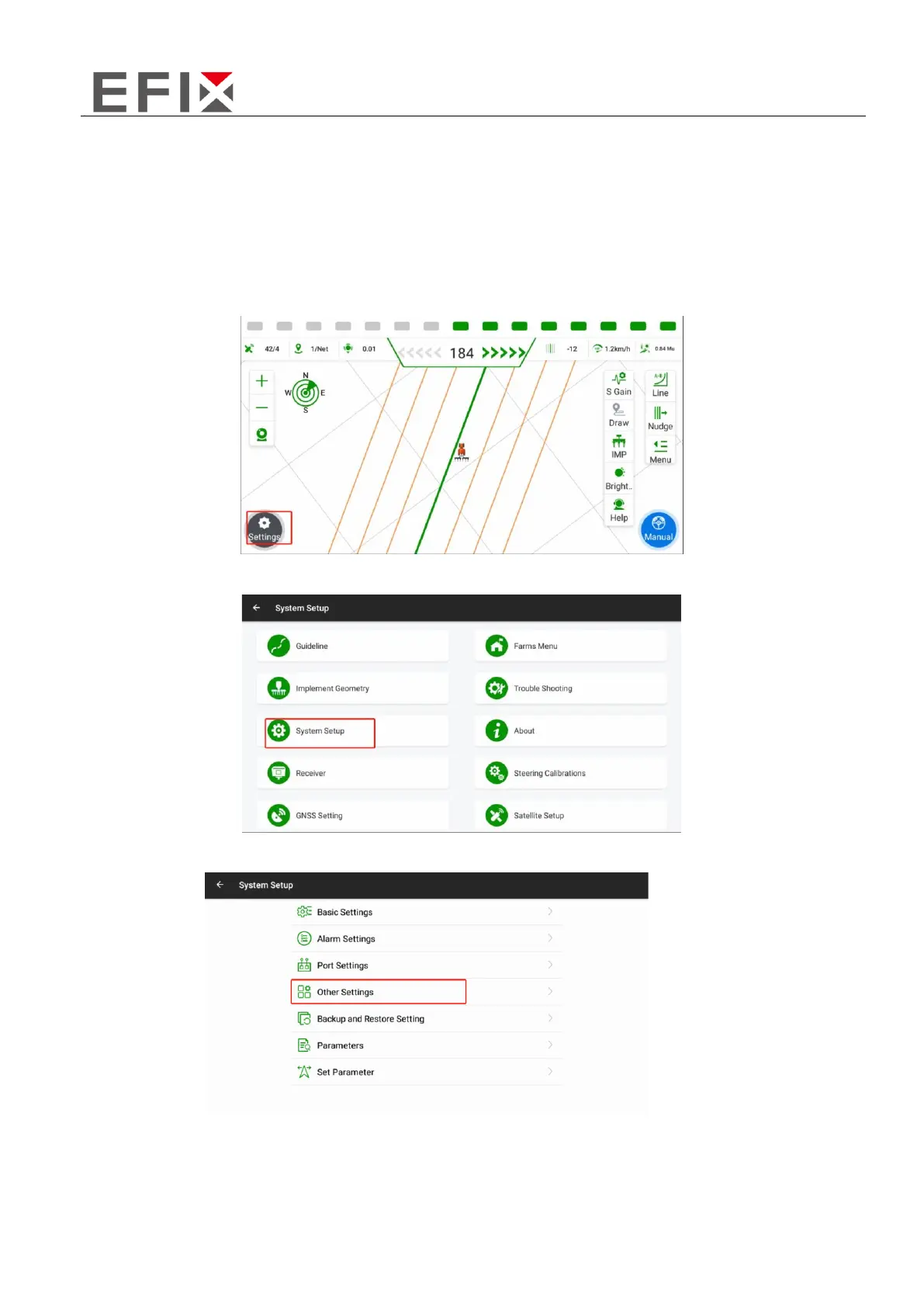
Click on the "Settings" button in the main interface.
Click on "System Setup"
Click on "Other Settings."
Enter the desired minimum speed and click on the "Set" button located next to it. Wait for the
software to display the message "Minimum speed setting successful" to confirm that the setting has
been successfully applied.



 To Next Page