5
eSteer10 User Manual
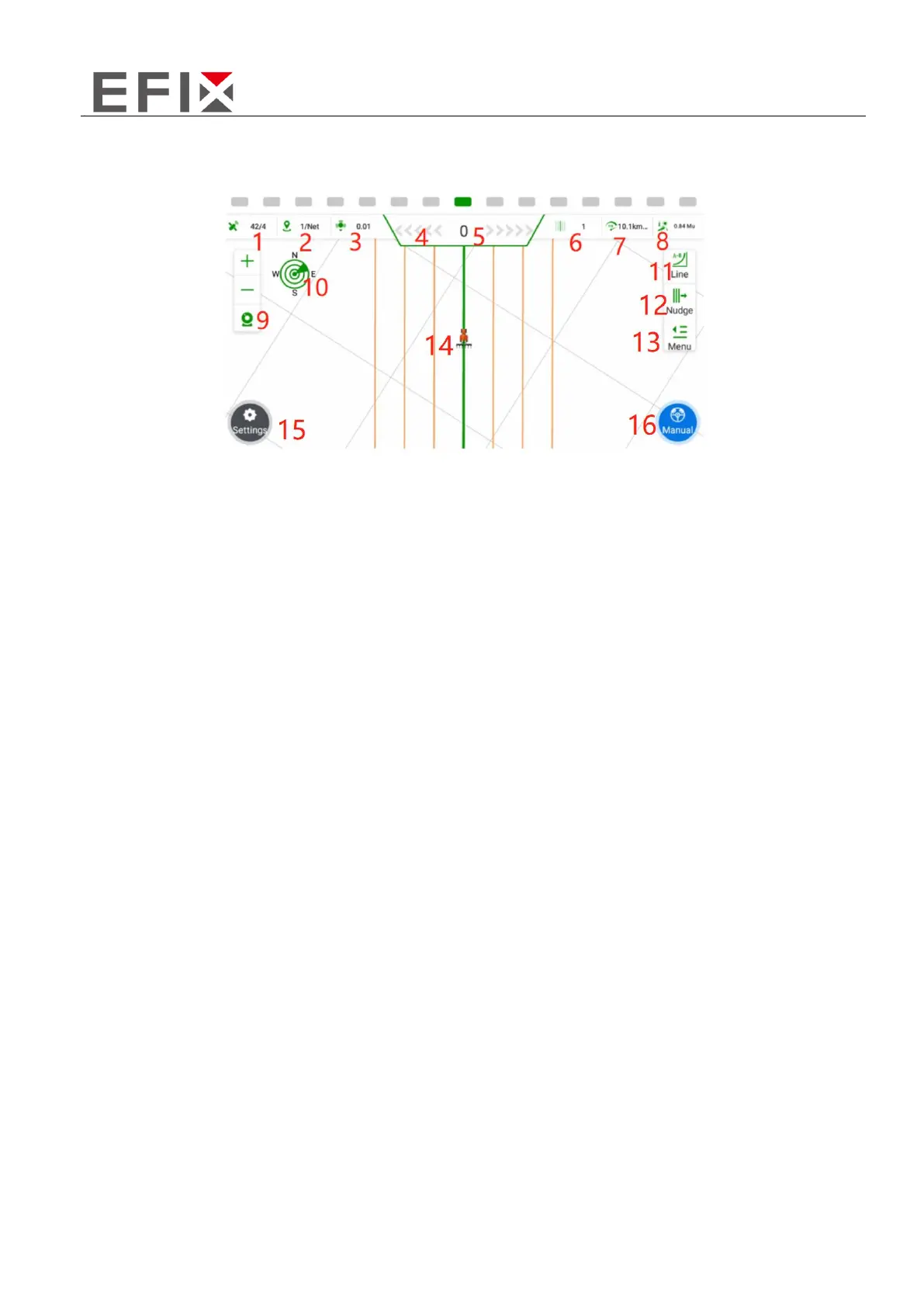
2.2 Software interface
1. Satellite Information: X/Y, where X represents the number of satellites being tracked, and Y
represents the differential status. When Y=4, it indicates that the RTK (Real-Time Kinematic)
differential is functioning normally.
2. Base Station Signal Status: X/Y, where X represents the signal delay time, and Y can be a numerical
value indicating the current channel number, or "NET" indicating the usage of network-based base
stations.
3. Positioning Accuracy: This indicates the level of accuracy in determining the vehicle's position.
4. Lateral Deviation Display Bar: Each grid represents an error of 1cm (adjustable).
5. Lateral Deviation: Negative values indicate the vehicle is on the left side of the navigation line, while
positive values indicate it is on the right side.
6. Current Row Number: This shows the current row where the vehicle is operating, with the original
row numbered as 0.
7. Real-Time Vehicle Speed: Displays the current speed of the vehicle.
8. Work Area: The area of the field being worked on, typically measured in acres (adjustable).
9. View Zoom In/Out: Allows for zooming in or out of the view. The camera function overlays the
background with the live image from the camera.
10. Compass: Shows the orientation or direction of the vehicle.
11. Quick Line Guidance: Provides a fast and efficient way to create a guidance line for the vehicle.



 To Next Page