11
eSteer10 User Manual
3.4 Implement Settings
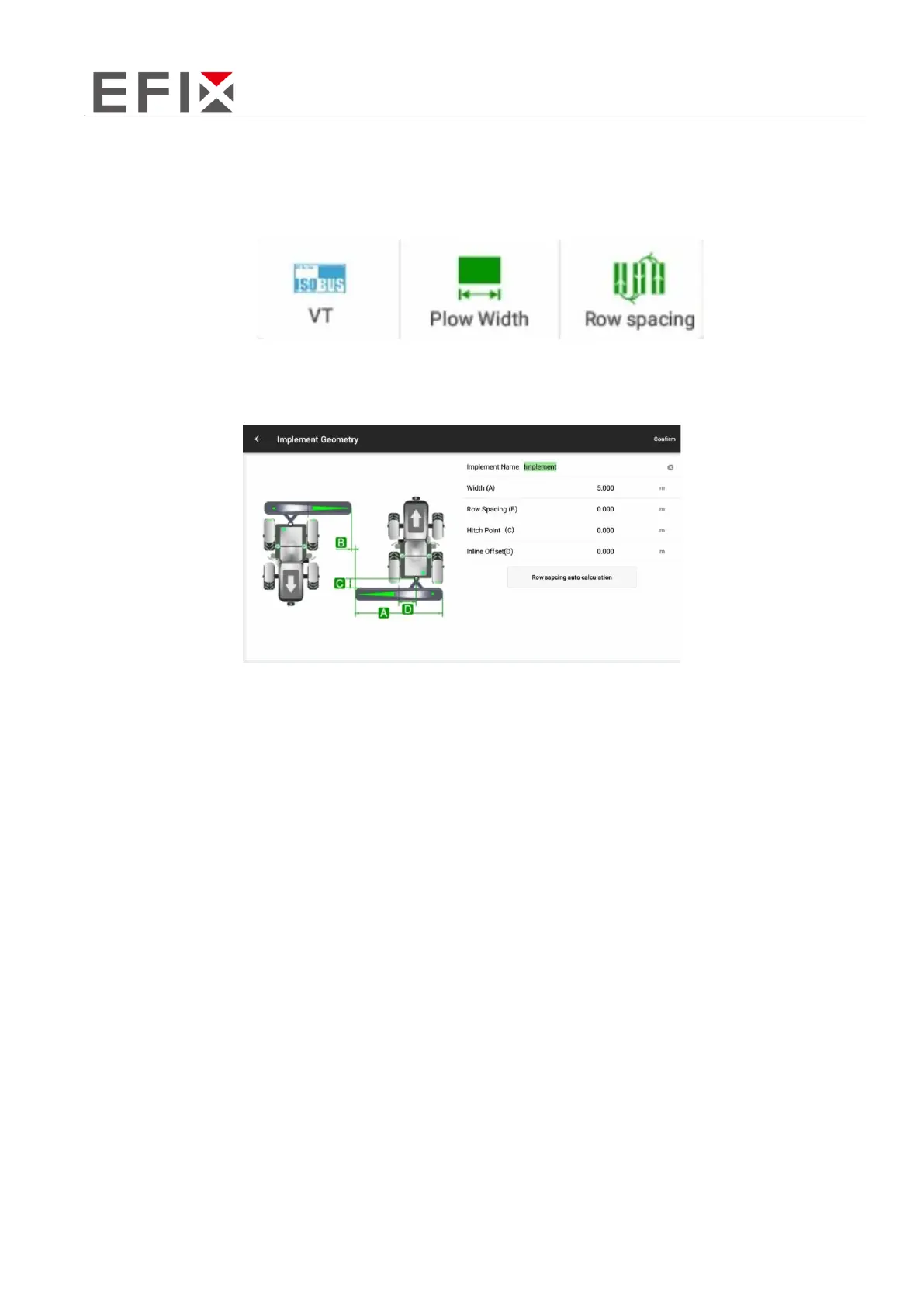
Click on the "Menu" button on the right side of the screen, then select the "Implement" option to
enter the implement settings menu.
Click on the "Plow Width" option to enter the implement management for adjusting the working
width of the implement.
Implement Width (A): Enter the effective working width of the implement, which refers to the actual
width from the leftmost to the rightmost working point of the implement (e.g., for a seeder, it would
be the width between the leftmost and rightmost seed outlets).
Row Spacing (B): Set the distance between rows during operation, which determines the spacing
between each row of the implement.
Axle-Implement Distance (C): This parameter represents the distance between the tractor's steering
axle and the hitching point of the implement. It is usually set to the default value of "0" unless there
is a specific requirement to adjust it.
Center Offset (D): Enter the distance between the implement's centerline and the vehicle's centerline.
This parameter is used to address any misalignment or offset of the implement when attached to the
vehicle. Providing an accurate measurement and inputting it here can help resolve issues related to
row transitions caused by implement misalignment. For detailed instructions on calculating and
adjusting row transitions, refer to section 4.2 in the documentation.
Please input the respective values for each parameter according to your specific implement and
operational requirements.



 To Next Page