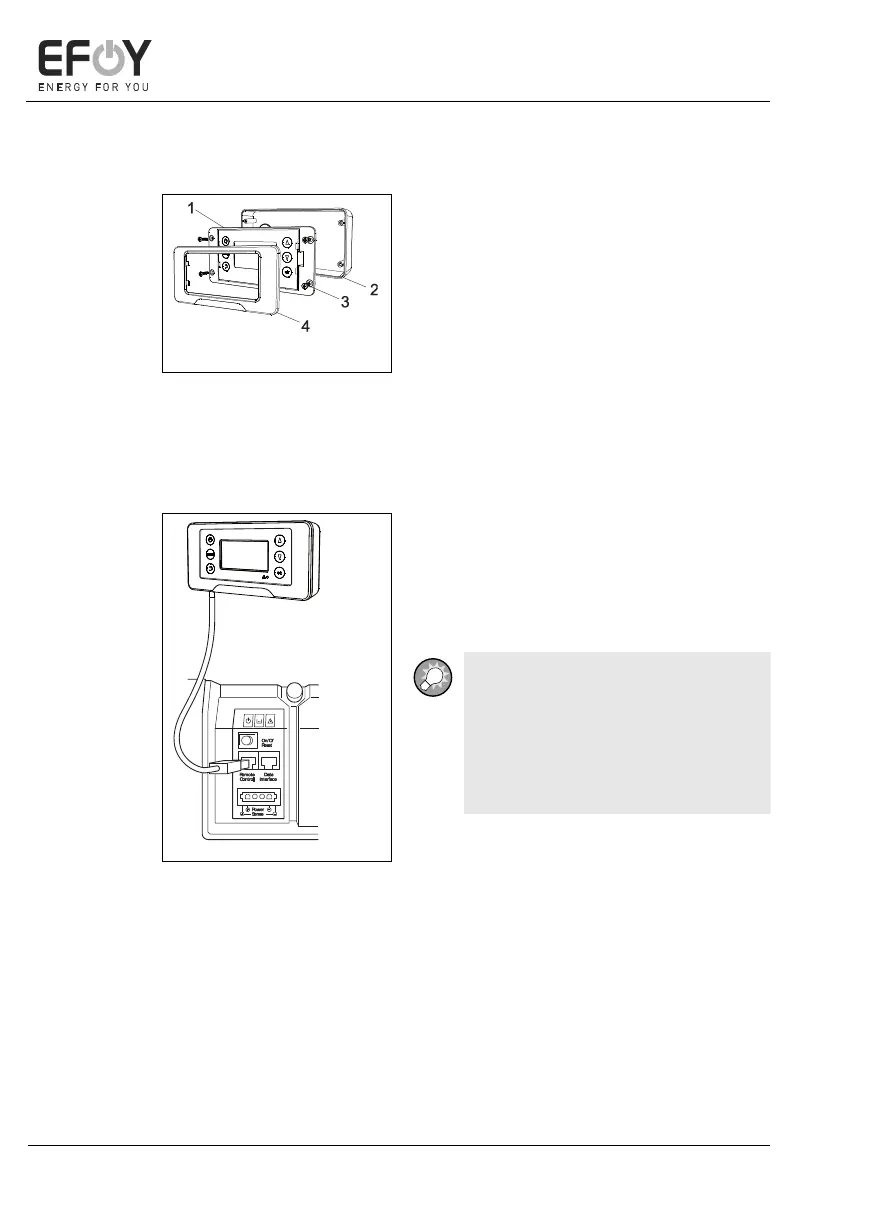
4.7.2 Surface mounting
1. Securely attach the surface-mount
housing to the mounting surface with
two suitable screws.
2. Attach the operating panel securely to
the surface-mount housing with four
suitable screws.
1. Operating panel
2. Surface-mount
housing
3. Screws
4. Frame
3. Attach the frame to the operating
panel.
4. Connect the operating panel to the
data line DL2 supplied.
5. Insert the data line plug into the left
socket on the EFOY Pro fuel cell
marked "Remote Control".
INFO:
If the DL2 data line supplied is not
long enough, you can replace it with
a commercially available network
line that is longer or shorter (Cate-
gory 5 patch cable).


 To Next Page