5.5.4 External control
You can control the EFOY Pro externally using a switching contact, e.g. a
solar charger. To do this, the "External control" operating mode must be
enabled.
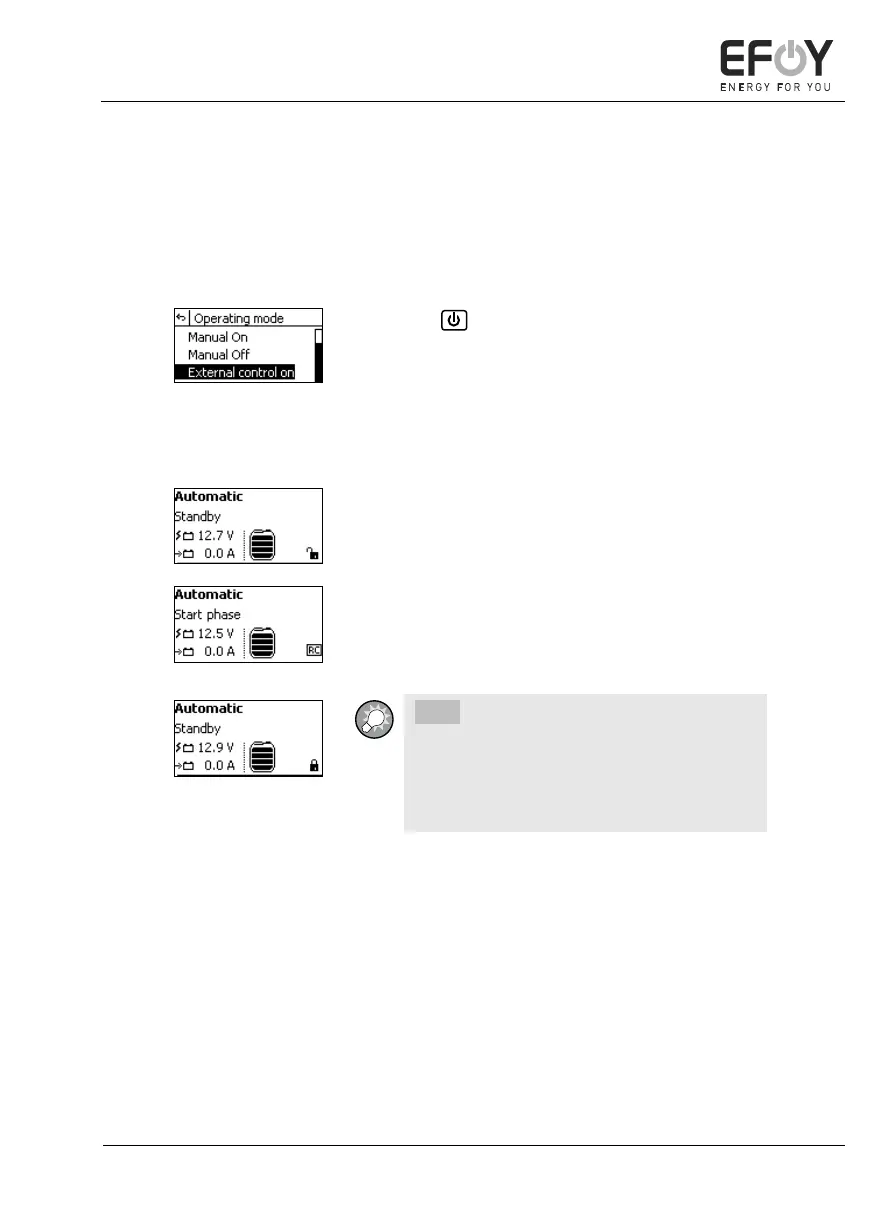
1. Press on the operating panel, or select
"Operating mode" in the main menu. The op-
erating mode selection appears.
2. Select the "External control on" operating
mode.
3. Press [ok] to confirm your selection.
An open padlock is displayed at the bottom right of
the display.
If the controller now receives an external signal,
"RC" (Remote Control) is displayed at the bottom
right of the display.
INFO:
If you have not enabled external control, a
closed padlock is displayed at the bottom
right of the display when an external signal
is being received.


 To Next Page