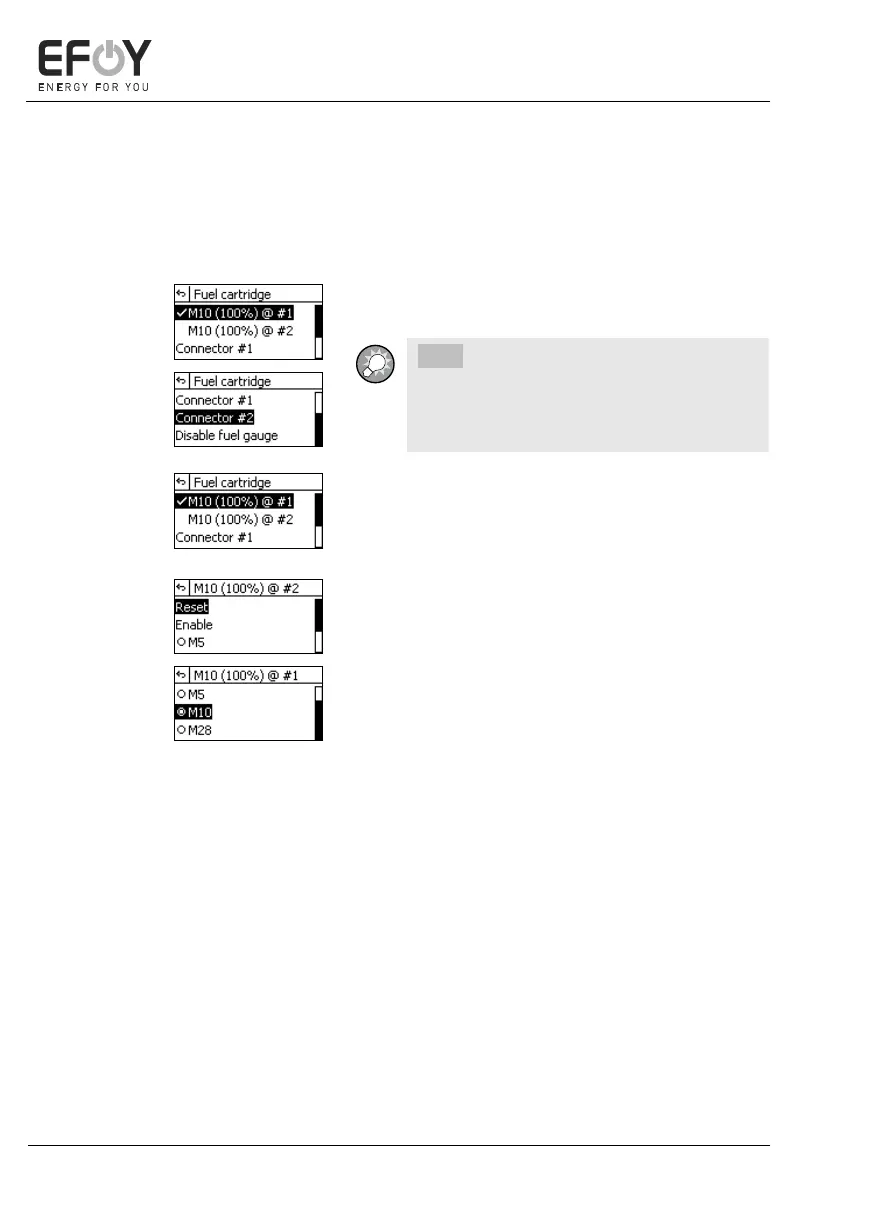
5.4.2 Selecting a fuel cartridge
When you select the "Fuel cartridge" submenu in the main menu, the dis-
play shows the fuel cartridges already enabled and the device connectors.
The connectors are displayed according to whether
you are using an EFOY Pro or EFOY Pro Duo device.
INFO:
If you have not connected a full fuel car-
tridge, disable the fuel gauge by selecting
"Disable fuel gauge" in the menu.
1. Select an active fuel cartridge to edit it di-
rectly.
2. Press [ok] to confirm your selection.
You can select the following actions in the fuel car-
tridge submenu:
- Reset:
Resets the counter after the fuel cartridge has
been changed.
- Enable:
Enables the fuel cartridge.
- M5 / M10 / M28:
Changes the fuel cartridge type for the respec-
tive connector.


 To Next Page