5. Press [ok] on the operating panel
so that the red warning light and er-
ror message are no longer dis-
played.
6. Select the installed fuel cartridge on
the operating panel (see chapter
5.4.2 "Selecting a fuel cartridge" on
page 56).
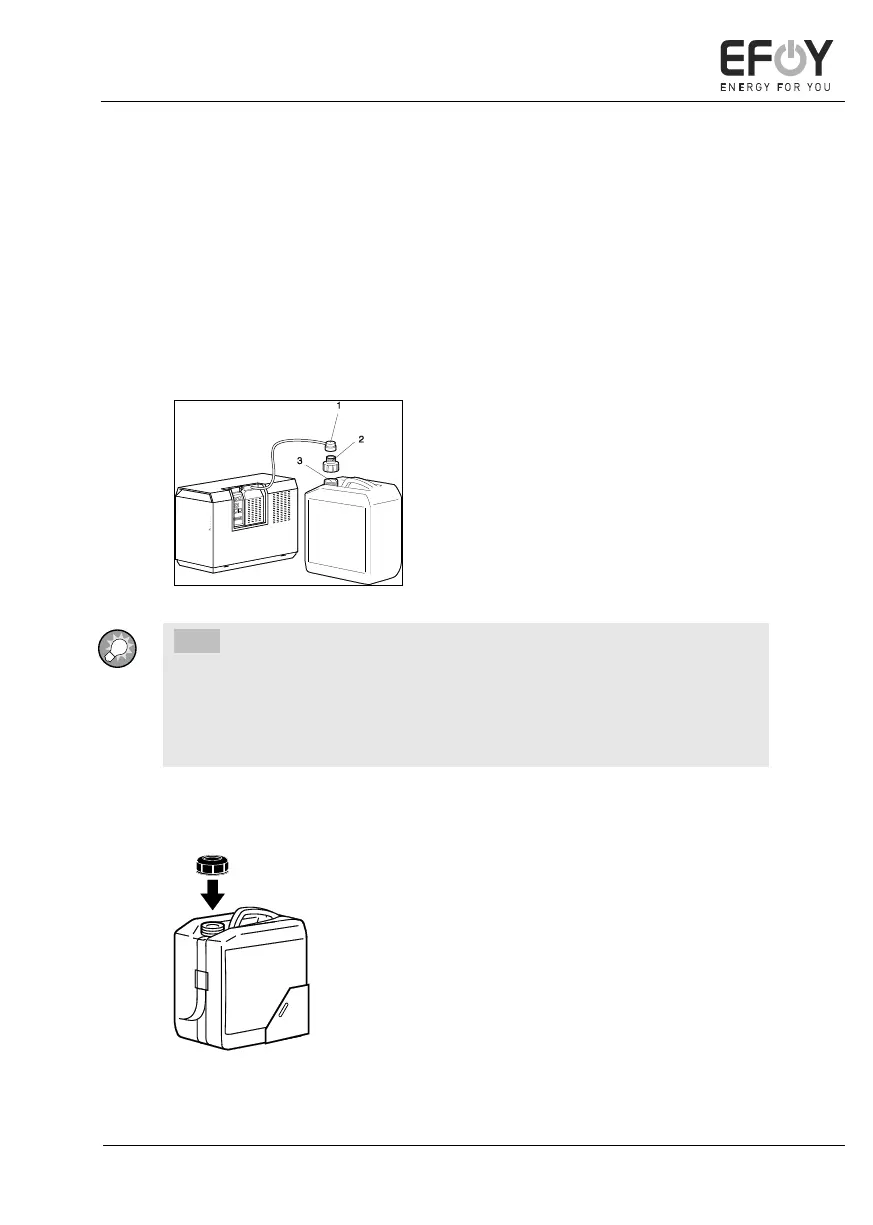
Connecting the M28 fuel cartridge
1. Screw the EFOY Pro fuel cartridge
connector (1) to the M28 adapter (2).
2. Screw the M28 adapter (2) onto the
M28 fuel cartridge (3).
INFO:
The M28 fuel cartridge can only be connected using the optional M28
adapter and is not suitable for use in vehicles.
The M28 fuel cartridge may also be used on its side. The valve must be on
the side at the top for this.
Removing the fuel cartridge
1. Unscrew the fuel cartridge connector
from the empty EFOY fuel cartridge.
2. Open the belt.
3. Remove the empty EFOY fuel car-
tridge.
4. Use the screw cap to seal each EFOY
fuel cartridge securely after use.


 To Next Page