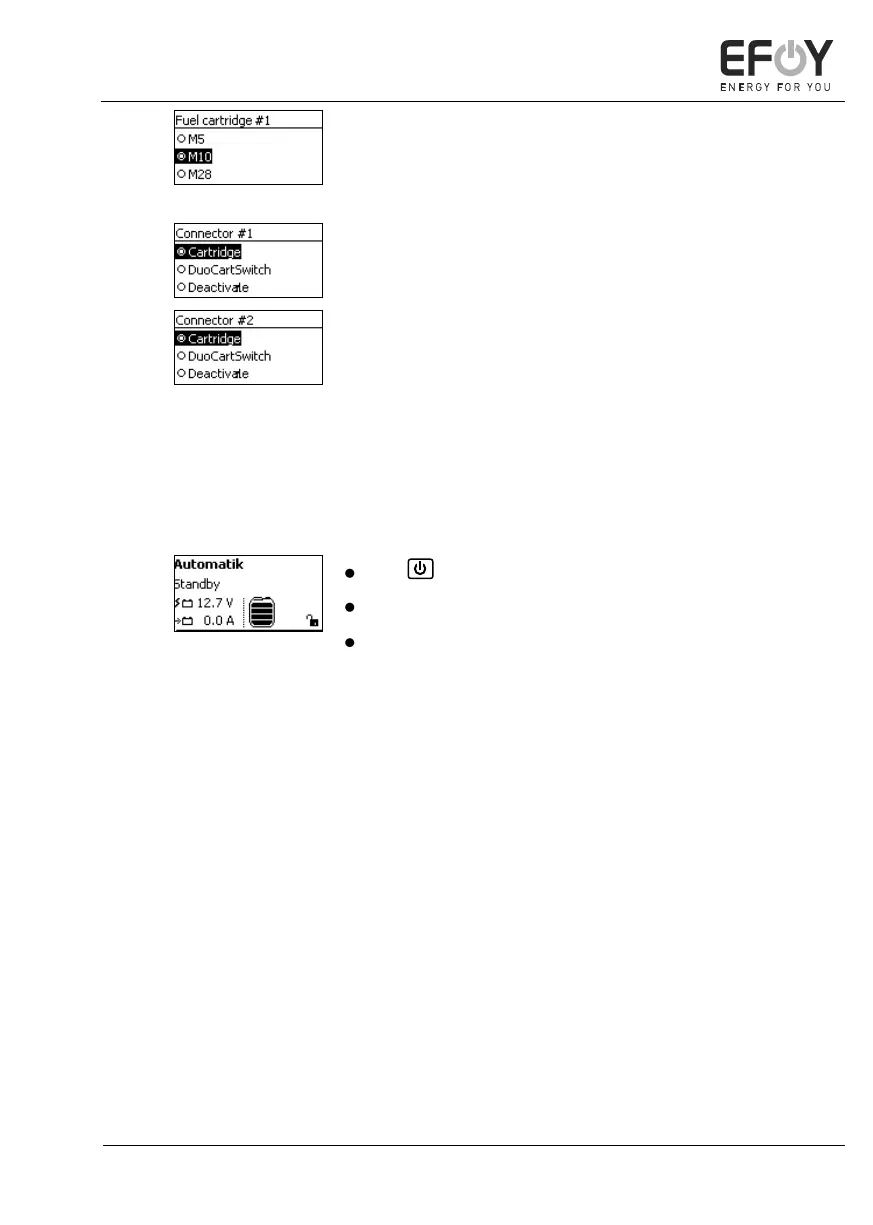
If you are using an EFOY Pro Duo fuel cell,
"Connector #1" is displayed first. If you con-
firm this selection, you can select
"Connector #2".
5. Press [ok] to confirm your selection.
switching the device on.
Use to access the operating mode.
Press [menu] to access the main menu.
Press []to access the system information.
The first line indicates the operating mode se-
lected, e.g., "Automatic" (see chapter 5.5
"Operating modes" on page 58).
The second line indicates the operating status (see
"Operating status" on page 40).
The symbols at the bottom of the display indicate
the battery charge condition and the fill level of the
fuel cartridge (see "Symbols on the display" on
page 37).


 To Next Page