Data Interface and Optional Accessories
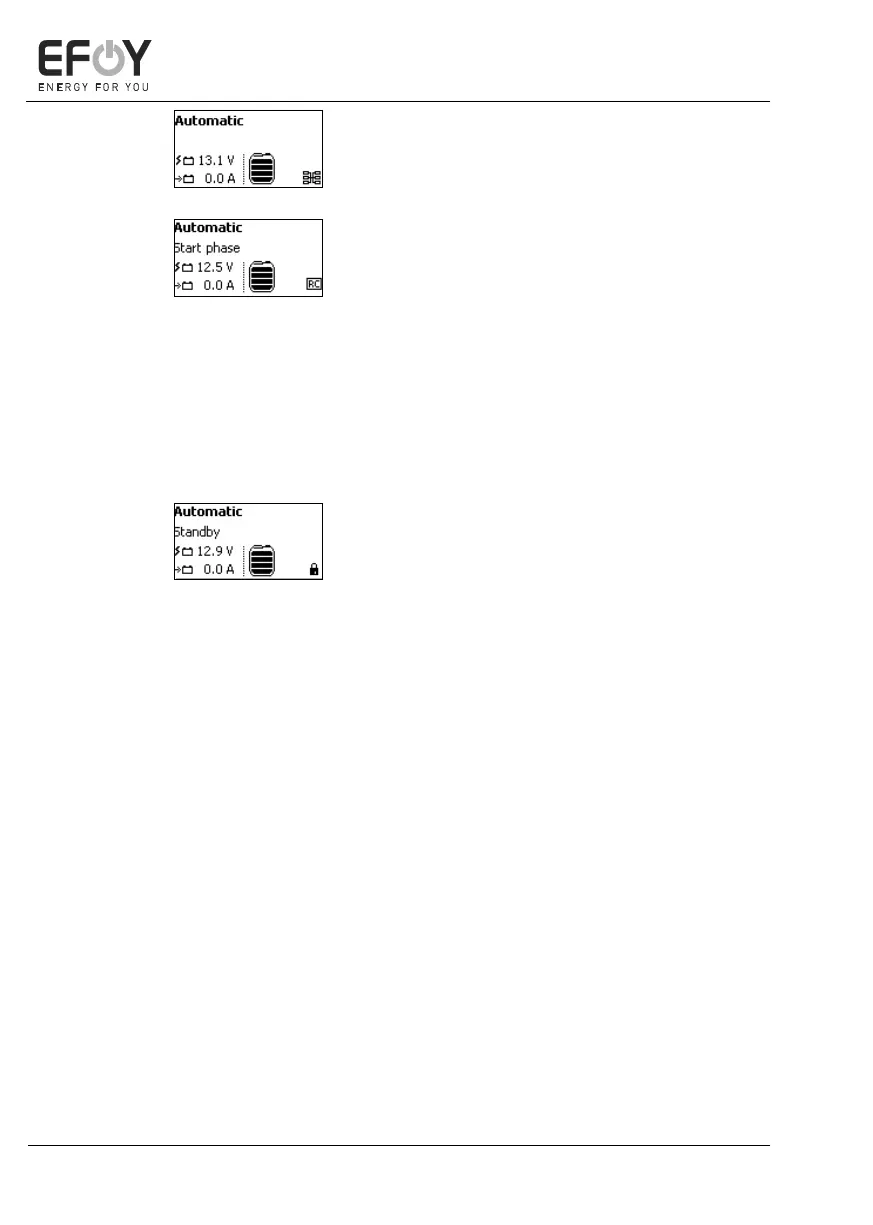
The cluster icon is displayed at the bottom
right of the display for EFOY Pro devices
running in parallel.
Remote control (remote-on):
The EFOY Pro can be controlled externally
using a switching contact on the CC1,
which means that the charging mode can
be started.
The same function can also be enabled via
the computer interface.
If the device is in "Remote Control" mode,
"RC" (Remote Control) appears at the bot-
tom right of the display.
If you have not enabled external control,
(see chapter 5.5 "Operating modes" on
page 58), a padlock appears at the bottom
right of the display.
A detailed description is available in the
user manual “Cluster Controller CC1”.


 To Next Page