All parameters must be set according to the recommended values
of root canal file manufacturer. Before starting the device for
operation, make sure that all parameters are correct, otherwise
there is a risk of instrument separation.
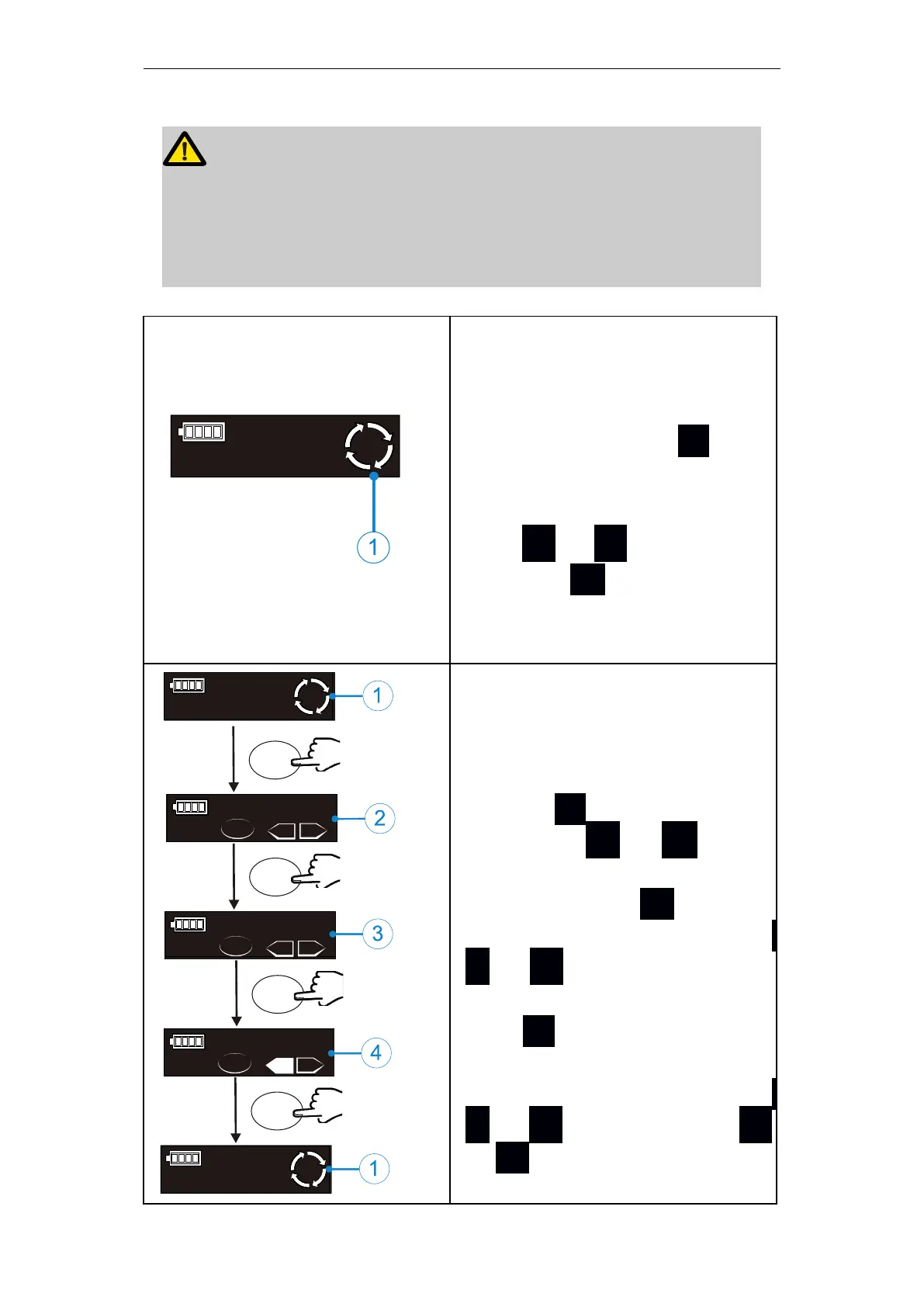
Before starting the motor, check
whether the operation mode (①)
is correct. If it is not the expected
operation mode, press S once
on the standby mode to enter
the operation mode selection,
press + or - to switch, and
then press ● or wait for 5 se-
conds to confirm the operation
mode.
The left figure describes the set-
ting of common functions of the
device (memory mode M1 to M9
are applicable). In standby mode
(①)press S to enter the speed
setting, press + or
-
to set
the speed value; after the speed
value is set, press S again to
enter the torque setting, press
+ or - to set the torque va-
lue. After the torque value is set,
press S again to enter the ro-
tation direction operation mode
(two modes: Fwd and Rev), press
+ or
-
to set, then press ●
or S or wait for 5 seconds to
confirm the operation mode.















 To Next Page