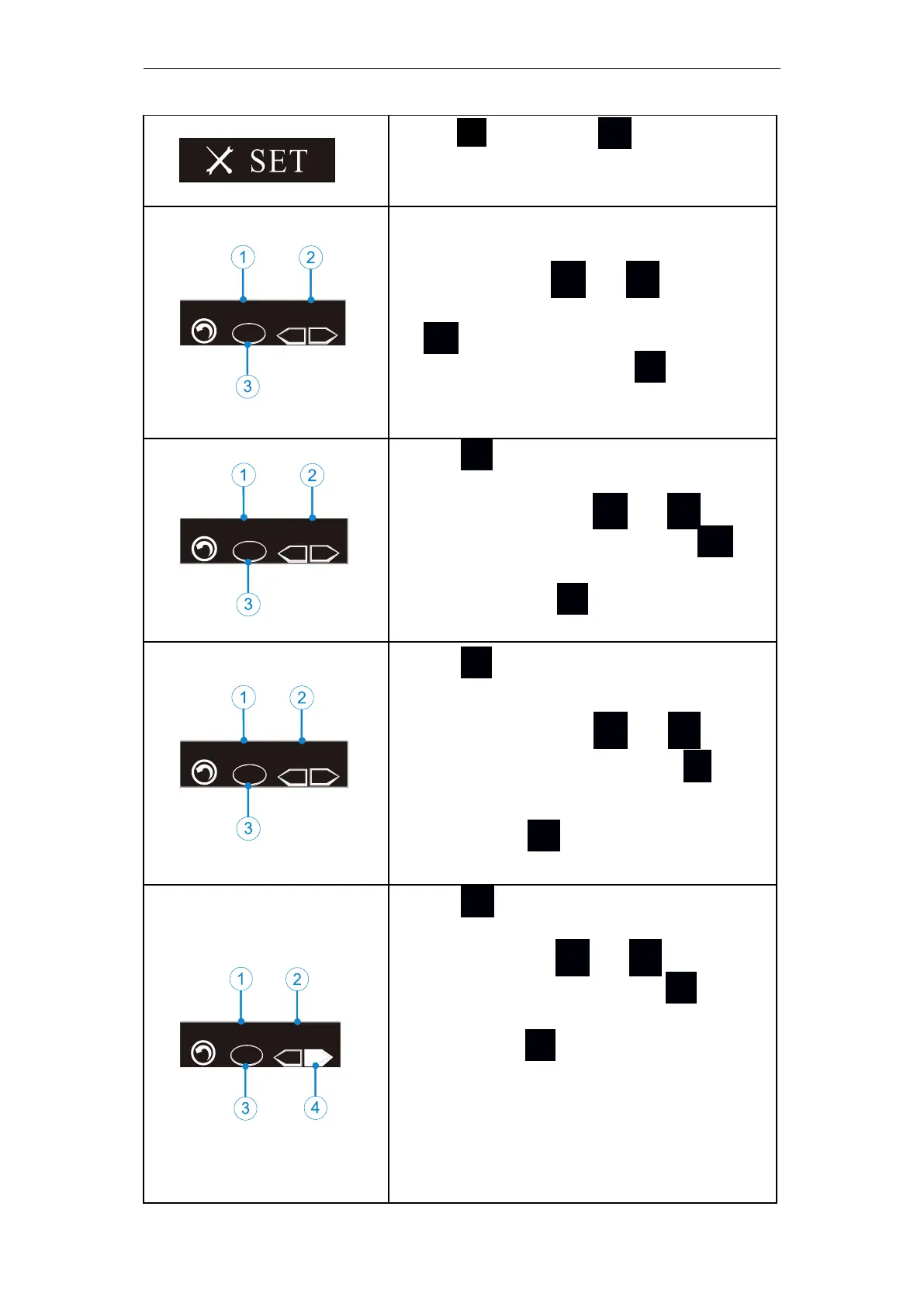
6 Setting
Page
23
/
52
6.4 Advanced setting
Hold S then press ● (for about 0.5
seconds) at off mode to enter adva-
nced set mode.
It will be about 1 second at SET logo an-
d then enter ①“BEEP VOL”(beep vol-
ume set). Press + or
-
to set (②)
(Mute、Low、Mid、High), then pres-
s ● to confirm and shut down. The
left figure③means press S once in t-
his case will enter auto power off time
set (A.P).
Press S again at beep volume set ①
will enter ”AUTO P.W.R” (auto power
off time set),press + or
-
to set
②(3-15 minutes), then press ● to
confirm and shut down. The left figure
③ means press S again will enter a-
uto set confirm time (S.T).
Press S again at auto power off time
set ①will enter ”SET TIME ” (auto set
confirm time). Press + or
-
to set
②(3-15 seconds), then press ● to c-
onfirm and shut down. The left figure③
means press S again will enter hand
habit set mode (L.R).
CAL
L R
-
H abit H a nd:
Ri ght
Press S again at auto set confirm ti-
me ① will enter”Habit Hand”(hand
habit set). Press + or - to set②④
(Left、Right), then press ● to co-
nfirm and shut down. The left figure③
means press S again will enter auto
calculation(CAL).
After switching to the left-handed habit,
the display interface will rotate 180 ° to
facilitate the left-handed operator to
observe the display screen.















 To Next Page