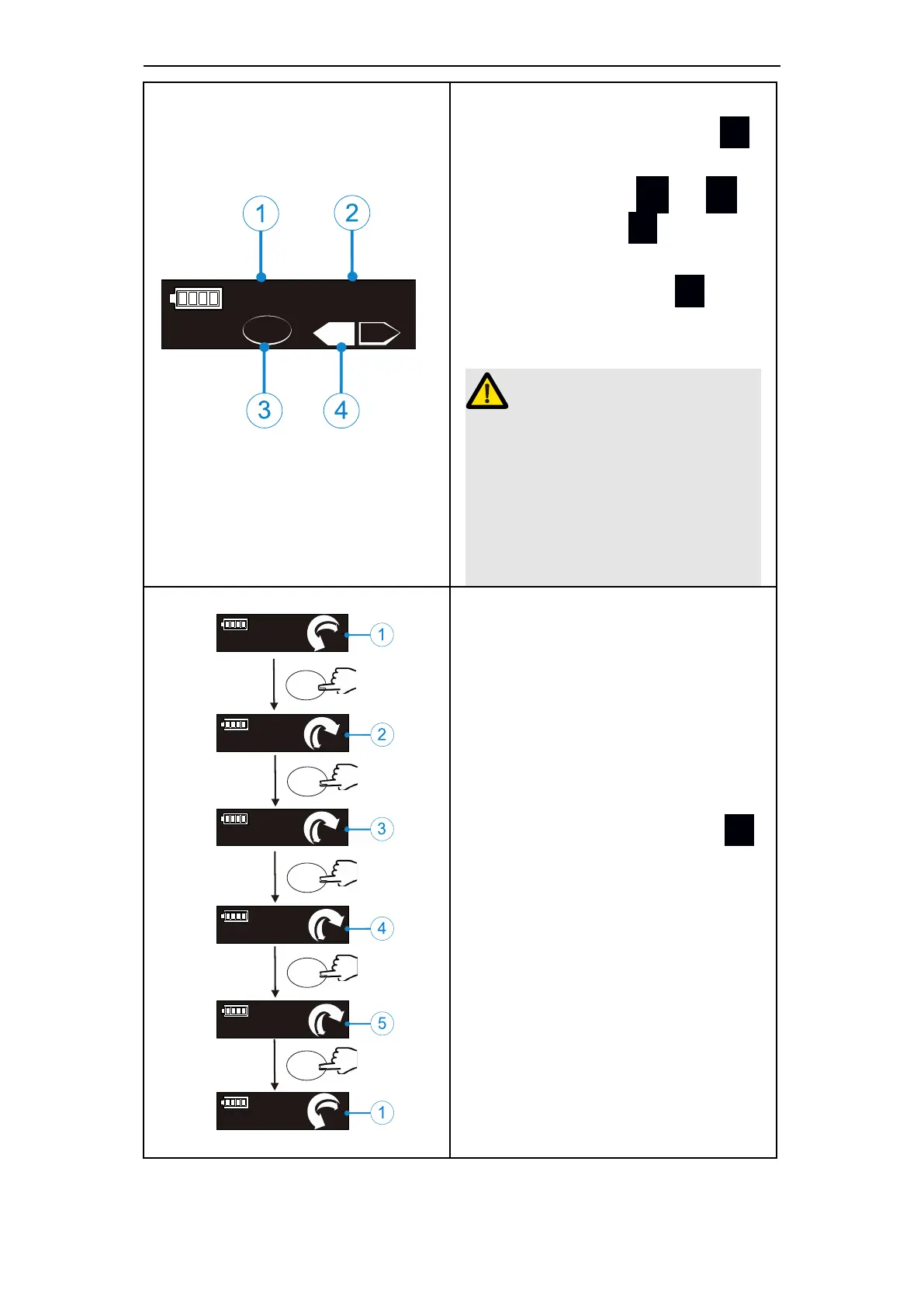
Fwd or Rev can be set in opera-
tion mode of M1-M9. Press S
till the operation mode (①②④)
is displayed, press + or
-
to set, then press ● or wait 5
seconds to confirm. The left
figure(③) means press S ag-
ain will enter memory mode
(MEM).
When Rev operation mode is se-
lected, a continuous alarm sound
will appear after the device is
started to remind the operator
that the motor is in reverse
rotation.
M 0
30 °
150°
s
s
s
M 0
210 °
30°
M 0
150 °
30°
M 0
180 °
30°
s
M 0
250°
30°
M 0
30°
150°
s
The left figure describes the set-
ting of M0(REC mode):Press S
at M0(①)to switch different reci-
procating preset programs. Th-
ere are altogether 5 sets of pre-
set reciprocating programs.















 To Next Page