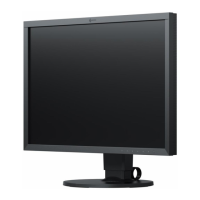
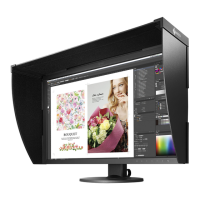
Why are there green, red, blue, or white dots on my Eizo ColorEdge CS2420 Monitor screen?
- EEric GoodwinSep 12, 2025
The appearance of green, red, blue, or white dots on the screen is due to LCD panel characteristics and is not a malfunction.

Why are there green, red, blue, or white dots on my Eizo ColorEdge CS2420 Monitor screen?
The appearance of green, red, blue, or white dots on the screen is due to LCD panel characteristics and is not a malfunction.
Why is there no audio output from my Eizo Monitor?
This Eizo monitor does not support HDMI/DisplayPort audio signals.
| Screen Size | 24.1 inches |
|---|---|
| Resolution | 1920 x 1200 |
| Panel Type | IPS |
| Aspect Ratio | 16:10 |
| Brightness | 300 cd/m² |
| Contrast Ratio | 1000:1 |
| Response Time | 15 ms (Gray-to-Gray) |
| Connectivity | DisplayPort, HDMI, DVI-D |
| Color Gamut Coverage | 99% Adobe RGB |
| Calibration | Hardware Calibration |
| Stand Adjustments | Height, Tilt, Swivel, Pivot |
| Color Support | 1.07 billion colors |
| Viewing Angles | 178° horizontal / 178° vertical |
| USB Ports | 2 x USB 3.0 downstream, 1 x USB 3.0 upstream |
Details the key features and capabilities of the ColorEdge CS2420 monitor.
Describes the physical buttons and their functions on the monitor.
Details the controls and functions located on the front panel of the monitor.
Details the ports and functions located on the rear panel of the monitor.
Information about the included CD-ROM disk with utility software and manuals.
Overview of the programs and files included on the EIZO LCD Utility Disk.
Instructions and requirements for using the ColorNavigator 6 software.
Lists the display resolutions supported by the monitor.
Supported resolutions for PC signals via digital inputs.
Supported resolutions for video signals via HDMI input.
Procedures for setting the monitor's resolution in different operating systems.
Step-by-step guide to set resolution in Windows 10.
Step-by-step guide to set resolution in Windows 8.1/8/7.
Guide to setting monitor resolution in Mac OS X 10.8 and later.
Guide to setting monitor resolution in Mac OS X 10.7.
Explains how to navigate and use the monitor's setting menus via the buttons.
Instructions on how to change the input source for the monitor.
How to select and change the display mode for optimal viewing.
Details the different display modes available and their purposes.
Guide to navigating and operating the monitor's advanced setting menus.
Detailed explanation of various setting menu functions.
Settings for adjusting color parameters like brightness, temperature, and gamma.
Configuration options for input signals, including picture expansion and color format.
Customization settings for monitor behavior and features.
Options for changing the display language of menus and messages.
Displays monitor status, serial number, firmware, and usage time.
How to access and operate the administrator settings menu.
Details on administrator-specific settings like logo, key lock, and signal format.
Troubleshooting steps for issues where the monitor displays no image.
Solutions for common display issues like brightness, afterimages, and color problems.
Addresses other issues such as menu access, USB detection, and audio output.
Instructions for attaching optional monitor arms or stands.
Detailed steps for removing the original stand and attaching an optional arm.
Procedure for detaching an optional arm and reattaching the original stand.
How to detach and reattach the monitor's stand base.
Instructions for attaching and detaching the cable management holder.
Guidance on connecting multiple external devices and switching inputs.
Information and procedures for using the monitor's USB hub functionality.
System requirements for using the monitor's USB 3.0 hub features.
Step-by-step guide for setting up the USB hub function.
Technical specifications of the monitor, including LCD panel, signals, and power.
Physical dimensions and measurements of the monitor.
Conditions for operating the monitor, including temperature and humidity.
Conditions for transporting and storing the monitor safely.
Lists the default settings for various monitor functions.
Information about included accessories and optional items.
List of trademarks and registered trademarks mentioned in the manual.
Information regarding software licenses and copyright notices.
Statement of compliance with FCC rules for the device.
Details the terms and conditions of the product's limited warranty.
Information on how to properly dispose of and recycle the product.


Loading...