ELAN HOME SYSTEMS TS7 User’s Guide
© ELAN Home Systems 2010 | All rights reserved.
Page 19
Lighting
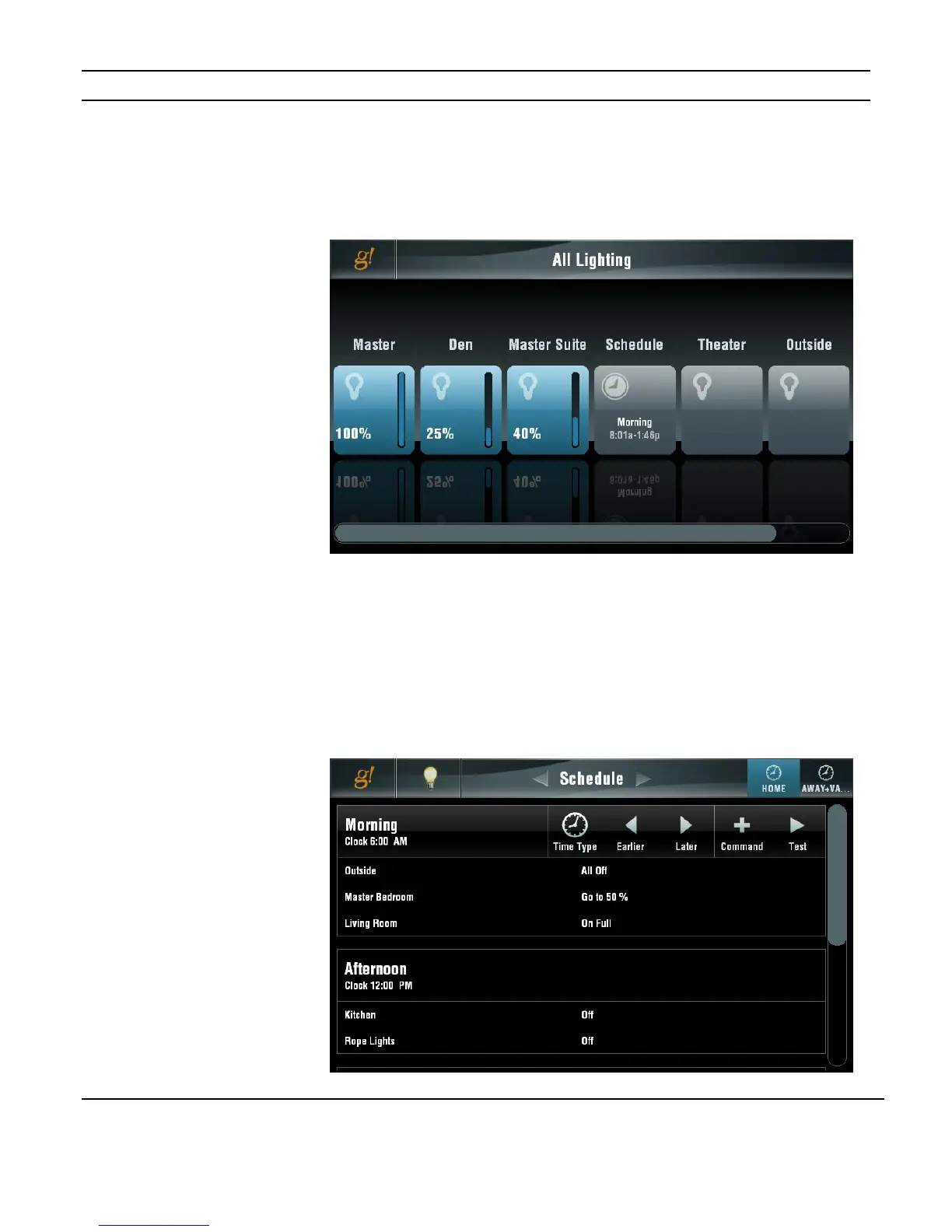
The initial screen shown when the Lighting icon is pressed shows all keypads and keypad
groups in the system and their status. If you have more than six keypads and/or groups a
scroll bar shows at the bottom of the display to allow access to them.
Schedule
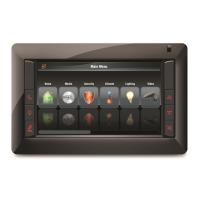
If enabled by your dealer, a scheduling page will also be displayed. Each System Mode can
have its own schedule.
System Modes and Lighting periods are set up by your dealer. Actual scheduling functions
are handled through the Schedule page.
Figure 3-24:
Lighting Page
Schedule
Figure 3-23:
Lighting Page
All Switches


 To Next Page