ELAN HOME SYSTEMS TS7 User’s Guide
© ELAN Home Systems 2010 | All rights reserved.
Page 33
Playlists (Continued)
Editing Playlists
Once a Playlist has been created you can change the track or album order, add additional
music or delete music.
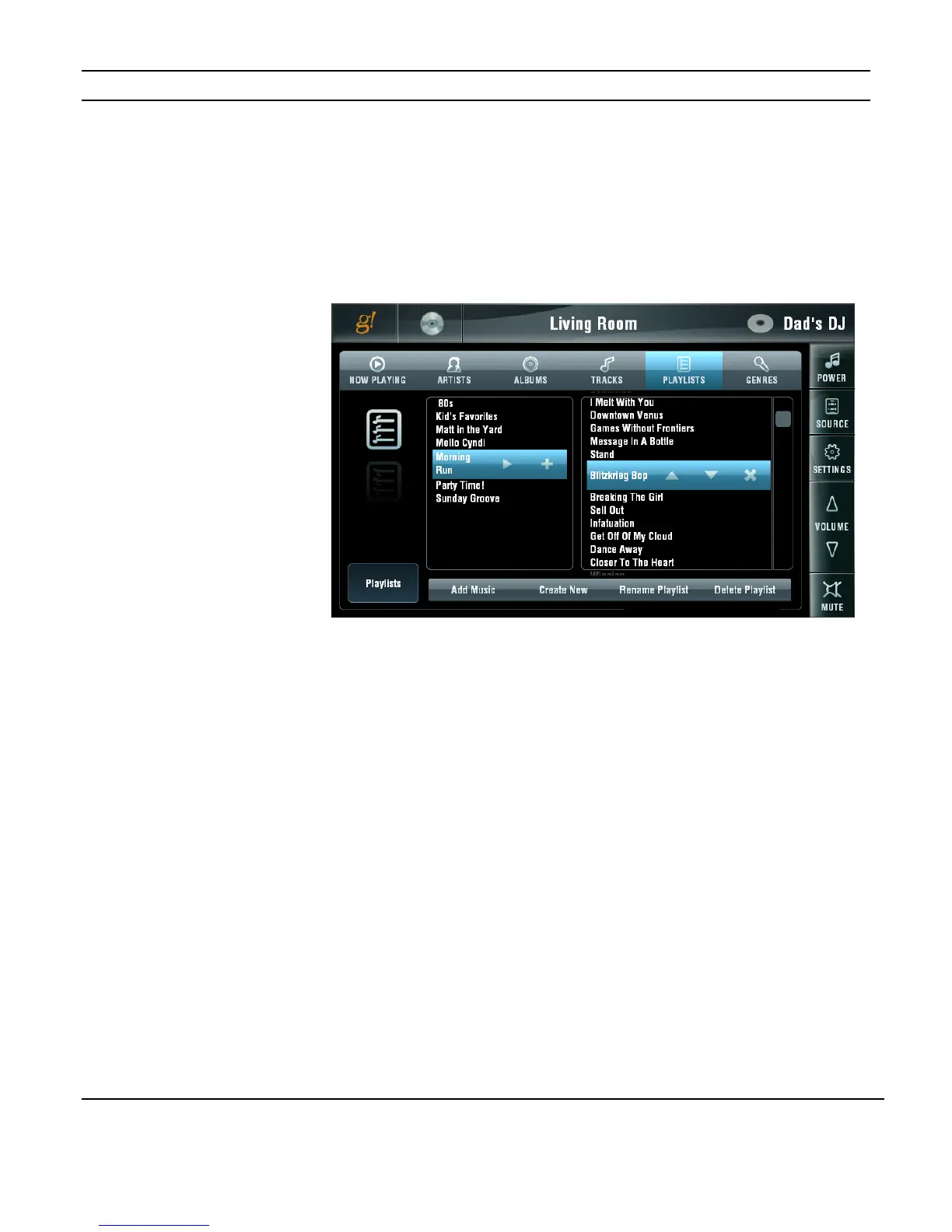
To edit a Playlist, go to the Playlist tab and select the desired Playlist. The tracks and
albums in the Playlist will be displayed to the right.
Use the UP and DOWN arrows to move the selection forward or backward in the list. Use
the DELETE (X) button to delete the selection from the Playlist.
You can completely delete a Playlist by selecting the Playlist and pressing the DELETE
PLAYLIST button.
Figure 3-45:
Media Page
ELANVIA!dj II
Editing Playlists


 To Next Page