ELAN HOME SYSTEMS TS7 User’s Guide
© ELAN Home Systems 2010 | All rights reserved.
Page 65
Video (Continued)
Pan/Tilt/Zoom Cameras
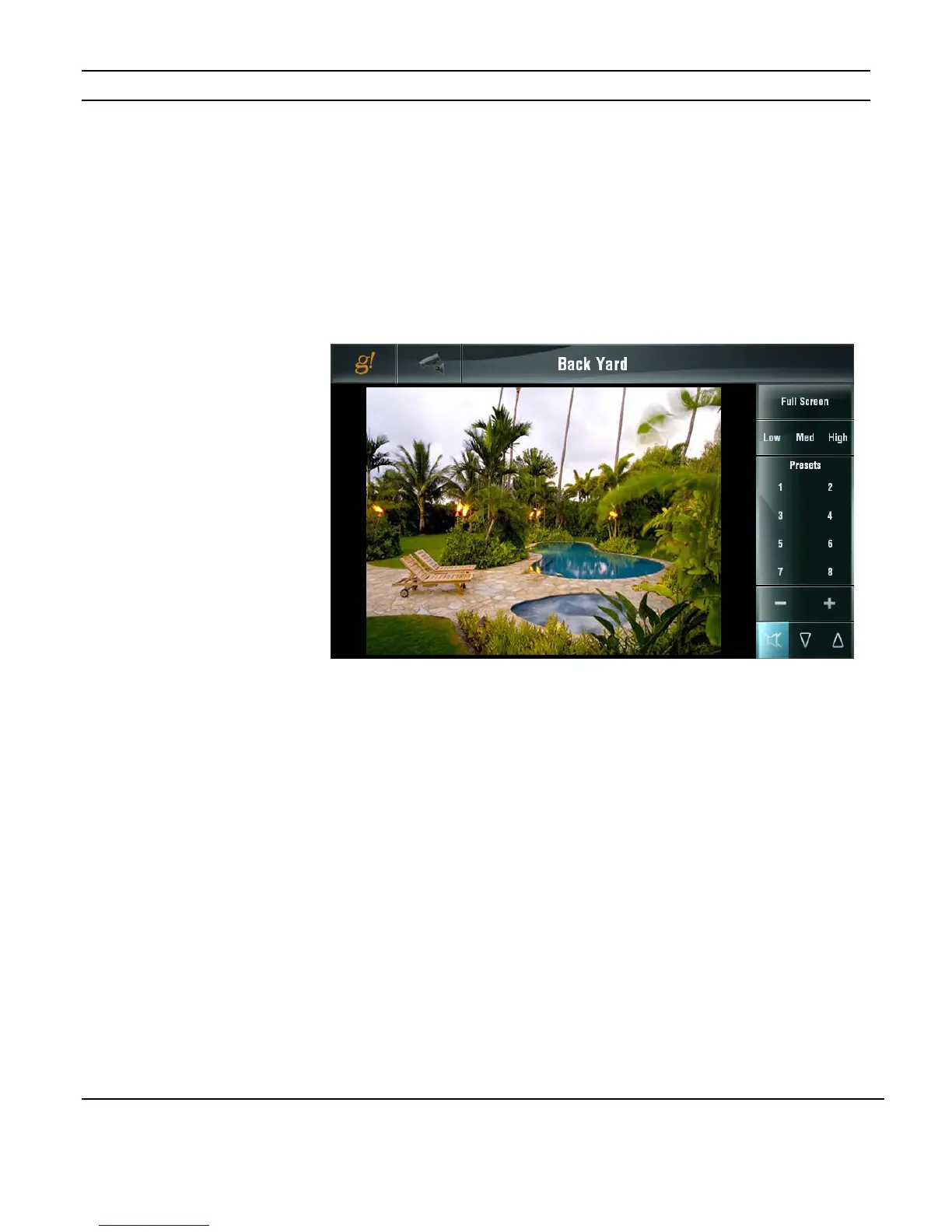
For cameras with Pan / Tilt capability, click anywhere in the video image to re-center the
camera view on that spot.
For cameras with zoom capability use the
+ and - buttons to zoom in or out.
For cameras with audio, icons display at the bottom right for control of the audio volume
level.
For cameras that allow Presets, a series of numbered Preset buttons are displayed. To
program a new preset, move the camera to the desired location then press and hold the
preset # to save the setting.
Figure 3-100:
Video Page
Pan/Tilt/Zoom


 To Next Page