ELAN HOME SYSTEMS TS7 User’s Guide
© ELAN Home Systems 2010 | All rights reserved.
Page 44
ELAN VIA!migo (Continued)
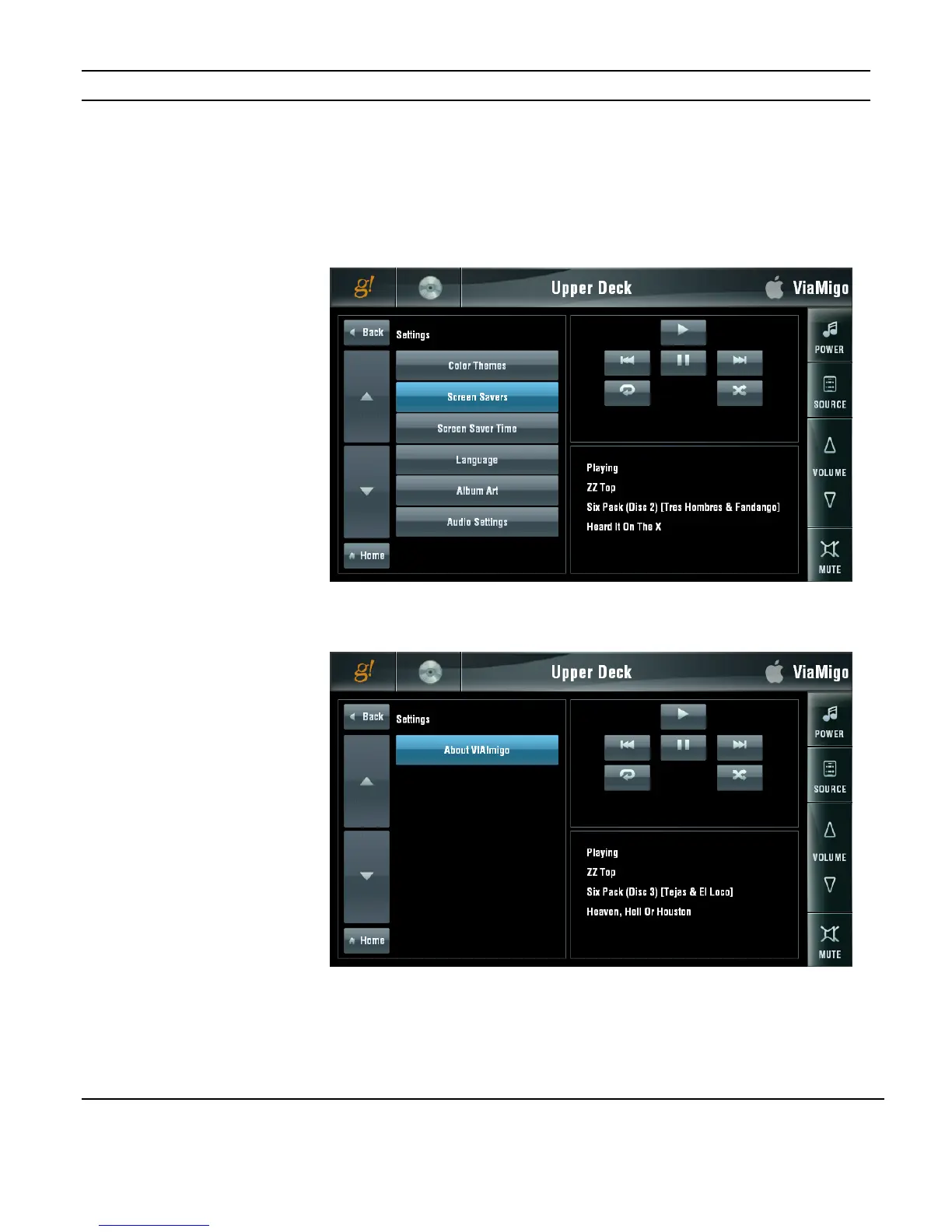
Settings
The SETTINGS MENU allows changes to be made in the overall operation of the VIA!migo.
SCREEN SAVER, LANGUAGE, ALBUM ART, AUDIO and other settings are adjusted from
this menu.
Use the UP and DOWN arrows on the left to switch between SETTINGS MENU pages.
Use the BACK button to go back one “level” in the menu and the HOME button to go back
to the MAIN MENU screen.
Figure 3-63:
Media Page
ELAN VIA!migo
Settings Menu
Figure 3-64:
Media Page
ELAN VIA!migo
Settings Menu
More


 To Next Page