9. INSTALLING DYMO MINI PRINTER ELBO CONTROLLI srl
Preset E346+/V+
25
9.2 PRINTER REPLACEMENT
If you need to substitute the labelling machine, you need to uninstall the existing one.
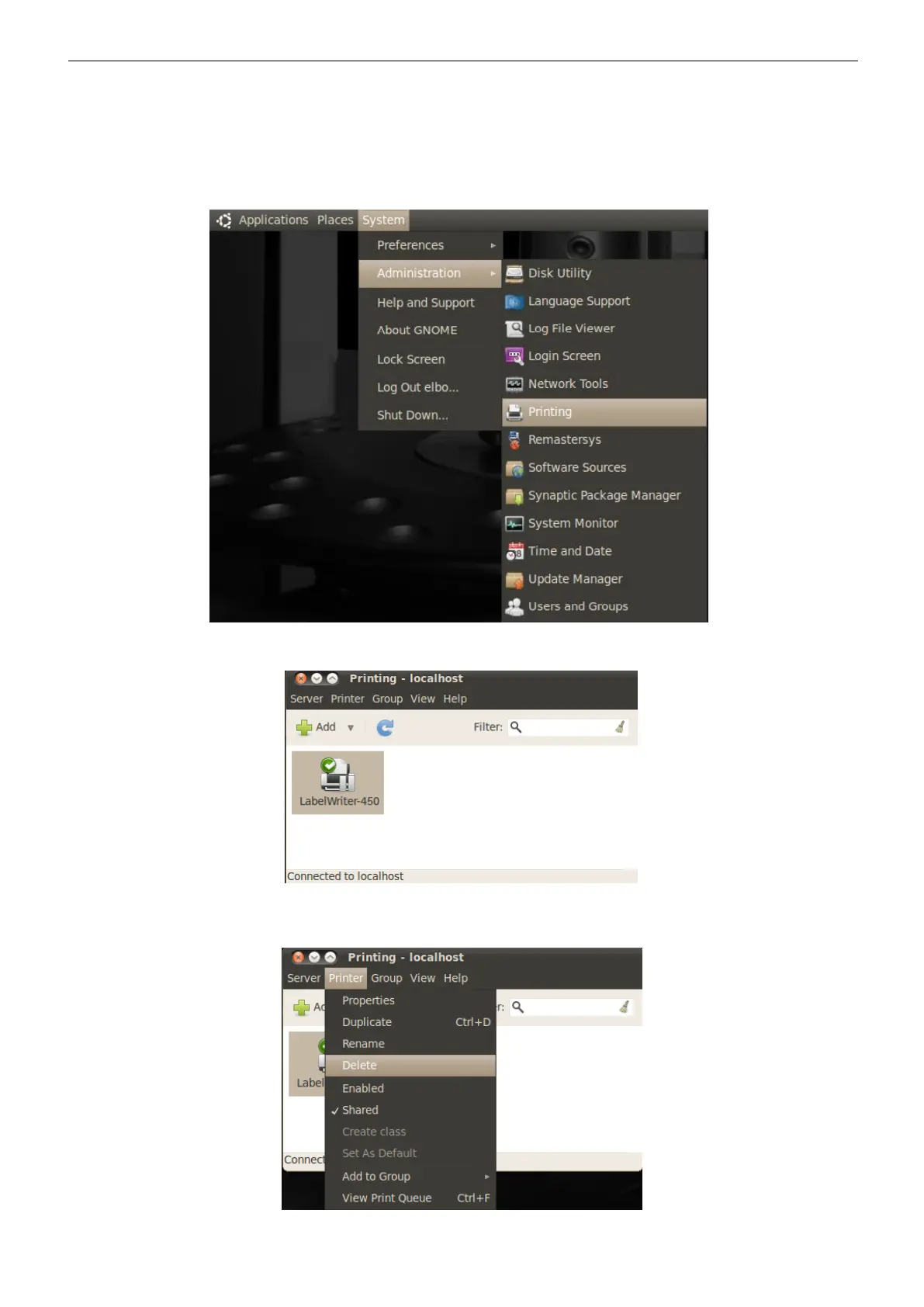
Press “System” on the menu bar, then select “Administrator” and “Printing”
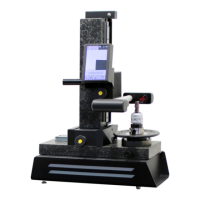
Select the printer icon to be removed.
Press “Printer”, then “Delete” to uninstall the existing printer.


 To Next Page