101 / EN
User Menu
Standby settings
Brightness in standby
70%
Standby timing
1 min
Screen saver selection
Room T
OFF
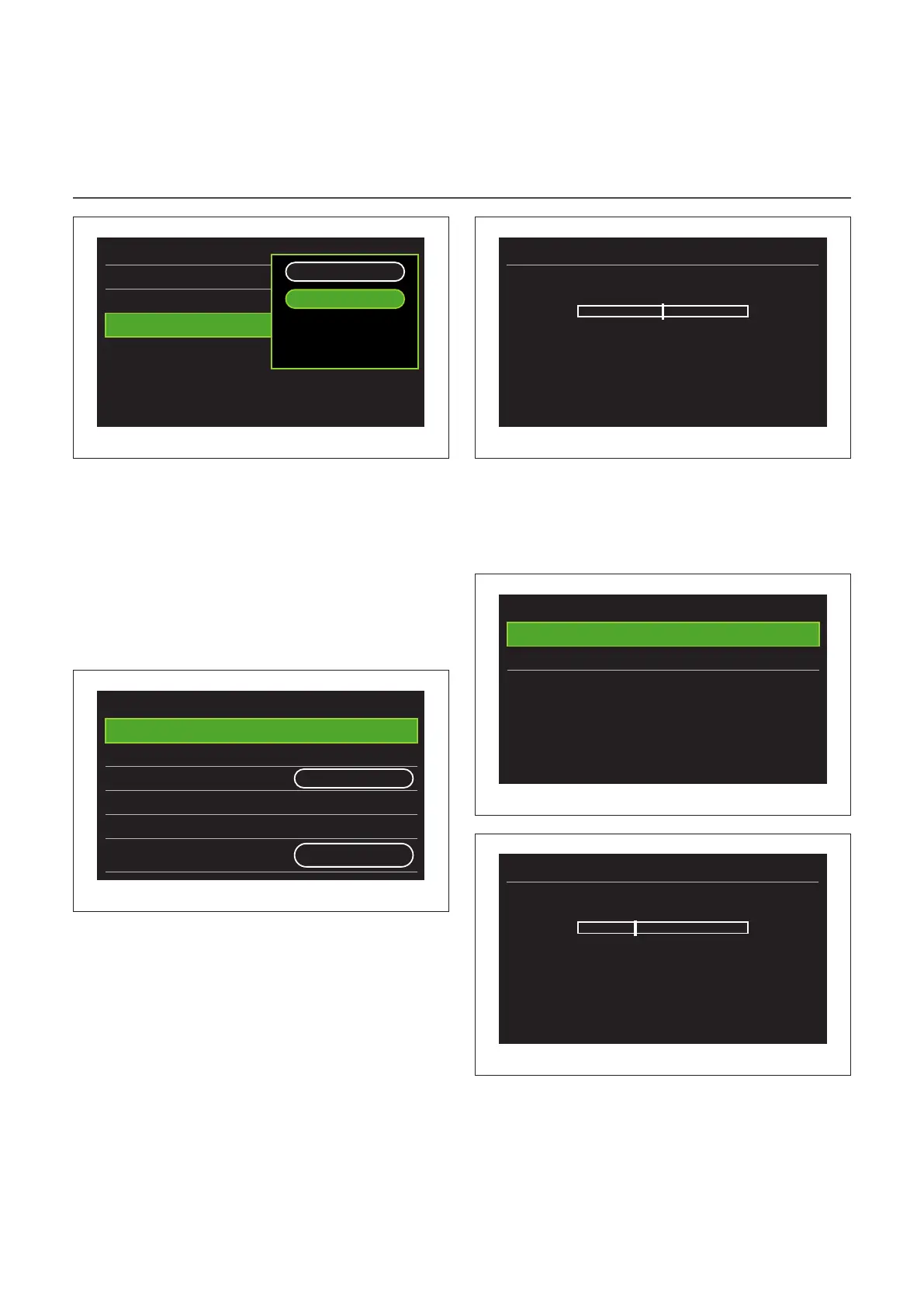
Fig. 59
– "OFF": displays the selected home page.
– "Room T": displays the current room temperature.
Advanced settings
CH SETTINGS
Advanced settings
CH settings
>
Cooling settings
>
AUTO function
ON
Buffer
>
Heat Pump
>
System measurement unit
International
system
Fig. 60
– "CH setpoint temperature": in the menu you can set the
water temperature set-point in heating mode for each hy-
draulic zone present in the system. The menu can be used
to:
– adjust the temperature set-point if the automatic
temperature control function (“AUTO function”) is
disabled.
– apply a correction to the temperature set-point
using a slider, if the automatic temperature control
function (“AUTO function”) is active and the water
temperature does not match the desired temper-
ature.
T set Z1
0°C +-
Push Ok to confirm
Fig. 61
– "Set curve slope": if the automatic temperature control
function (“AUTO function”) is active, the slider can be used
to change the slope of the climate curve. Consult the man-
ual of the heat generator installed in the system for further
information.
Zone 1 parameters
T set Z1
>
Set curve slope
>
Fig. 62
Set curve slope
1,5 +-
Push Ok to confirm
Fig. 63


 To Next Page