108 / EN
Commissioning
Initial start-up
a
To guarantee safety and cor-
rect operation of the system
interface, it must be com-
missioned by a qualified
technician in possession of
the skills as required by law.
STARTUP PROCEDURE
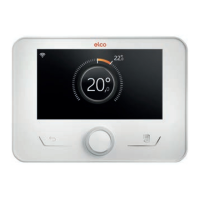
– Insert the system interface on the
connection slide pushing it gently
downwards. After a brief initialisa-
tion, the device will be ready for be-
ing configured.
– The display screen shows “Select lan-
guage”. Select the desired language
by rotating the selector.
– Press the selector
.
– The display shows the “Date and
Time”. Turn the selector to select day,
month and year. For each selection,
always press the selector to confirm.
Once the date has been set, the se-
lection shifts to the time setting. Turn
the selector to set the exact time,
press the selector to confirm and
move to the minute selection and
setting. Press the selector
to con-
firm.
– Once the date is set, the selection
moves to the daylight saving time
setting. Turn the selector to select
AUTO or MANUAL. If you want the
system to automatically update the
period when daylight saving time is
in use, select AUTO.
– Press the selector
.
NOTE:
The display is set by default with a mul-
ti-level set-point time schedule. If a
message appears concerning the time
schedule conflict:
– On the home page press the “Menu”
button
to access the user menu.
– Turn the selector
to select the
“Advanced settings” menu, then
press the selector .
– Turn the selector
to select the
“Type of service of the schedule pro-
gramme”, then press the selector .
– Turn the selector
and select the
same value (Two-Level Set-Point or
Multi-Level Set-Point) present in the
other User Interfaces (see technical
parameter 0.4.3 on the boiler inter-
face, if available) and press the selec-
tor .
– If there is still a conflict, repeat the
procedure and use the selector to
choose the two-level set-point, then
press the selector
.
NOTE:
Some parameters are protected with an
access code (safety code) which pro-
tects the appliance’s settings against
unauthorised use.


 To Next Page