89 / EN
User Menu
ZONE NAME
Through this field you can assign a name to the zone from a
list of pre-set values. (Note: the function is only available if the
interface is connected to configured products).
ROOM T SETPOINT
In manual mode you can set the temperature of the zone.
TIME PROGRAM
Quick access to the time scheduling of the zone (visible only
in the Programmed operating mode).
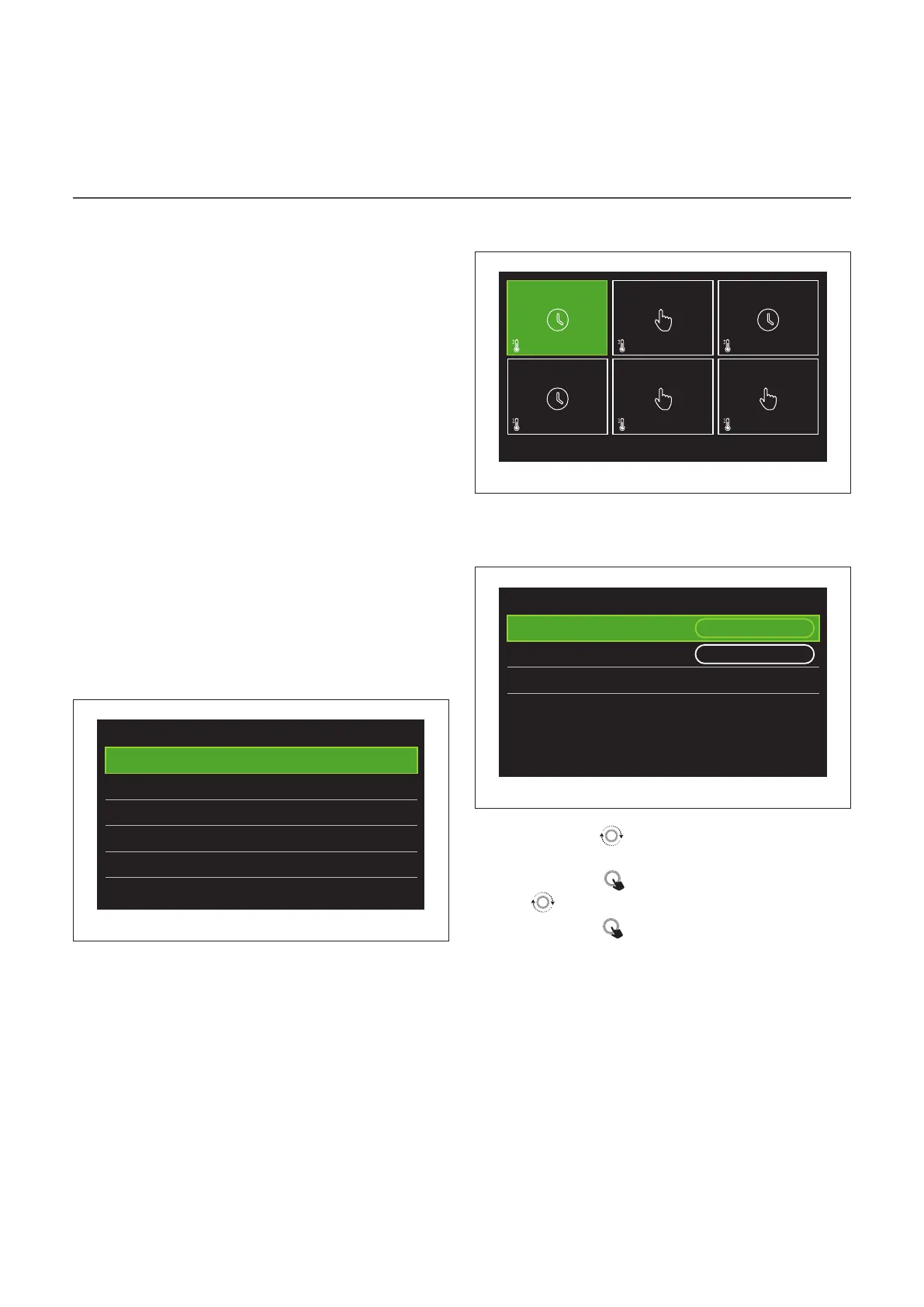
Time program
HEATING/COOLING TIME SCHEDULING 2 LEVELS
The time scheduling allows the user to heat the room based
on personal preferences.
Two-level time scheduling can be selected under “Advanced
settings” in the user menu or from the 0.4.3 parameter of the
technical menu.
Select the desired operating mode.
Time program
Heating
>
Cooling
>
DHW
>
Auxiliary
>
Buffer
>
Fig. 19
The time scheduling can be defined in the same way for both
the heating and cooling profiles.
The heating and cooling modes have dedicated set-points in
their respective schedules.
Zone selection
Select and confirm the zone for time scheduling.
20°
,5
20°
,5
20°
,5
20°
,5
20°
,5
20°
,5
21°
,5
21°
,5
21°
,5
21°
,5
21°
,5
21°
,5
SET
SET
SET
SET
SET
SET
Zone 1
Zone 4
Zone 2
Zone 5
Zone 3
Zone 6
Fig. 20
Defining the comfort and reduced set-point tempera-
tures
Zone 1
Set comfort temperature
20,0°C
Set reduced temperature 16,0°C
Set time program
>
Fig. 21
– Turn the selector
to highlight either “Set comfort tem-
perature” or “Set reduced temperature”.
– Press the selector
to enter the edit mode. Turn the se-
lector to define the temperature set-point.
– Press the selector
to confirm the value.
– The “Set time program” allows the user to define the day of
the week to be scheduled.


 To Next Page