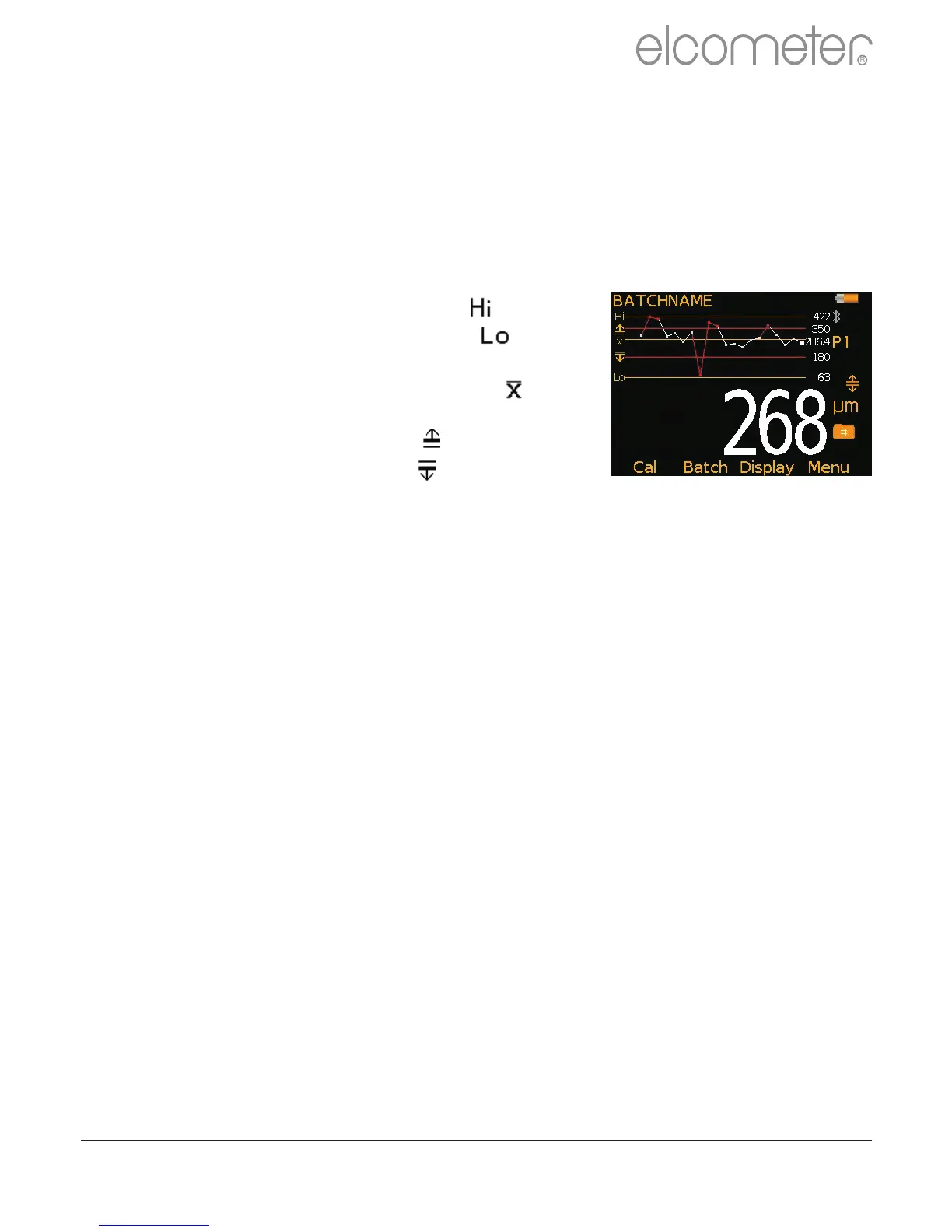
Run Chart (T)
By selecting Display/Readings & Run Chart the user can view a line
trend graph of the last 20 measurements. The graph is updated
automatically when each reading is taken.
Up to five horizontal axes are displayed representing different values /
statistics as follows:
?Highest reading in the batch “ ”
?Lowest reading in the batch “ ”
(for batches of more than one reading)
?Mean of readings in the batch “ ”
(for batches of more than one reading)
?High limit for the batch “ ” (when enabled)
?Low limit for the batch “ ” (when enabled)
The readings are displayed as white or red points; white if a reading is
within limits (or no limits have been set), and red if outside set limits.
4 Users can choose to show Readings & Selected Stats (BT) - see On Screen
Statistics on page 14, Readings & Run Chart (T), Readings & Bar Graph (BT) - see
Analogue Bar Graph on page 15 or Readings Only (BT). Readings & Run Chart is
only available when in Batching.
Time and date (T)
Once the appropriate time and date has been set (Menu/Setup/Time and
Date), the user can display the time and date at the top of the Elcometer
224 display via Menu/Setup/Time and Date/Display Time and Date.
?The time format can be set to either the 12 hour or 24 hour clock via
Menu/Setup/Time and Date/Set Format/Set Time Format
?The date format can be set to either dd/mm/yyyy, mm/dd/yyyy or
yyyy/mm/dd via Menu/Setup/Time and Date/Set Format/Set
Date Format
4 Please note that the time and date is replaced by the batch name when the gauge is in Batch mode.
When a batch is created, re-opened (or when the gauge is switched
on whilst in batch mode) and when each reading is taken, the time and
date details are stored within the batch - allowing the user to have an
accurate record of when the measurements were taken. The time and
date stamp for each reading is displayed in the Batch/Review Batch
reading screen or ElcoMaster™ 2.0.
www.elcometer.com 16
R
en



 To Next Page